
Process Instructions
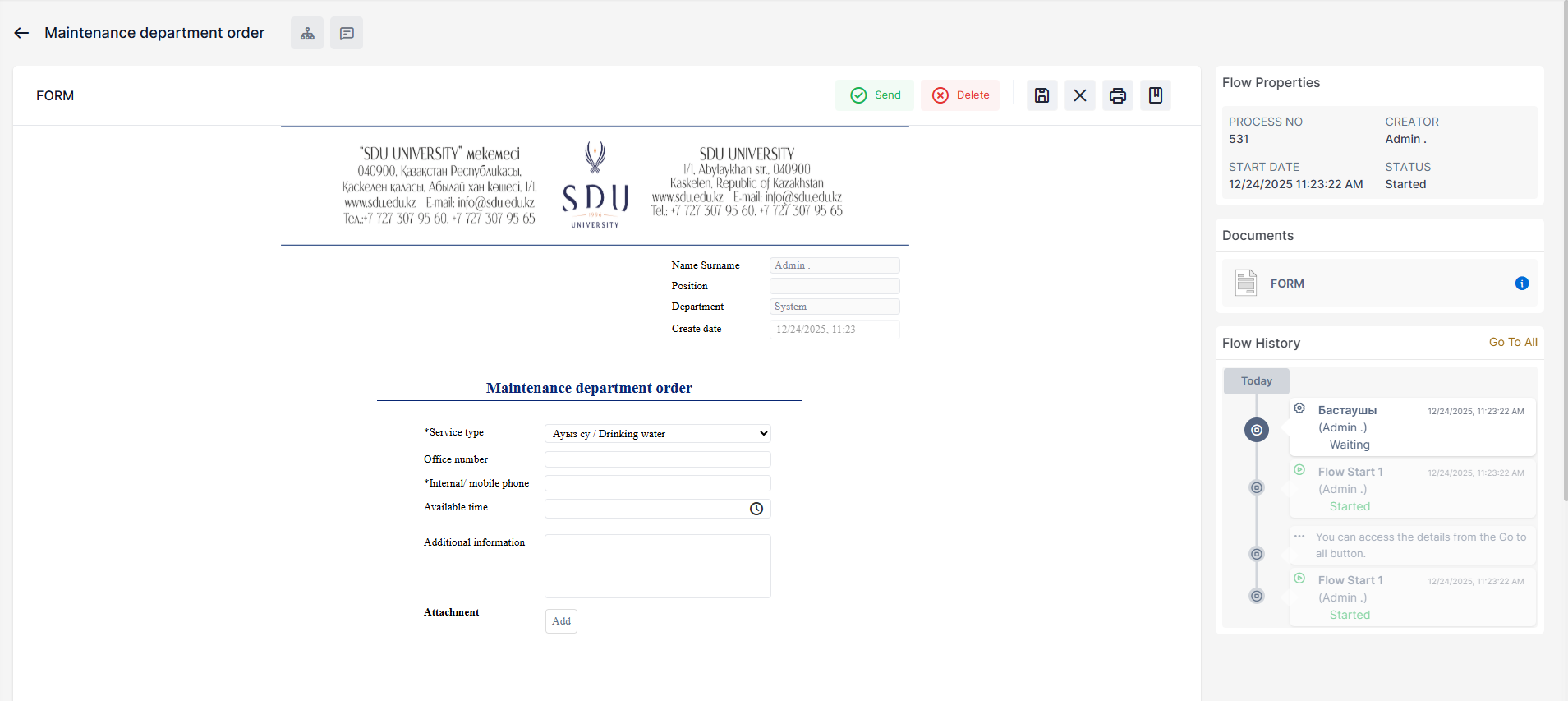
 Send - Send the process.
 Delete / Reject- Completely delete / reject
 Save Changes – Allows you to temporarily save a filled form. You can find the saved process in the "Drafts" section. Processes are automatically deleted if stored for more than one week.
 Cancel Changes – Deletes any changes that have been made.
 Print - Print the form or save in .pdf format
 Notes - If you have any comments about the process, write them here.
 Process Approval Scheme
 Sent messages related to process

No comments to display
No comments to display