
Candidate search request
Process purpose and use cases
This process is used to initiate the search and hiring process for a required specialist within the organization. It applies in the following cases:
- When a new staff position is created
- When searching for a candidate for a vacant or temporary position
- When a position becomes available due to an employee’s transfer or resignation
This process is implemented to enhance the efficiency of HR procedures and ensure the timely recruitment of qualified specialists.
How can I initiate the Candidate search request process in the DMS system?
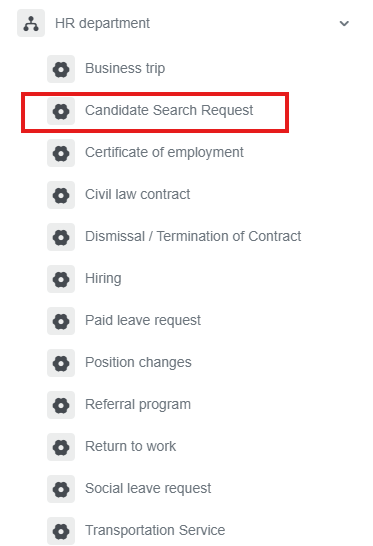
1. Go to dms.sdu.edu.kz, navigate to the "Start Process" section, and proceed to HR Department ➝ Candidate search request process.
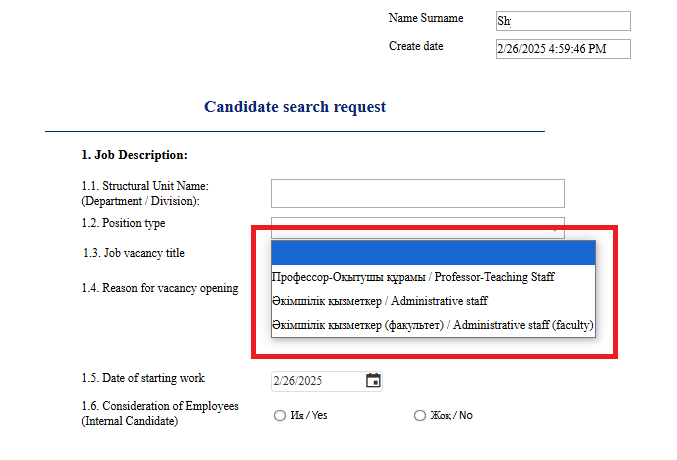
2. Choose the position type
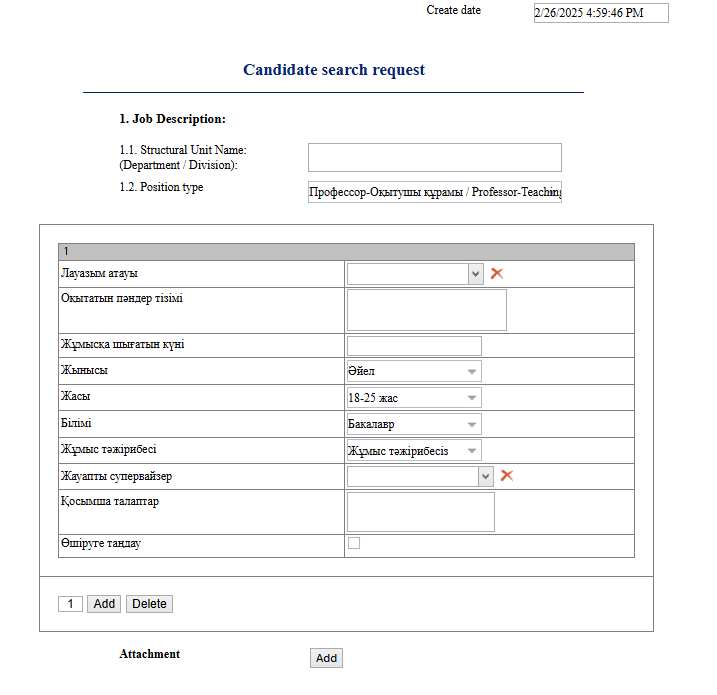
3. Complete the job title and candidate requirements in full.
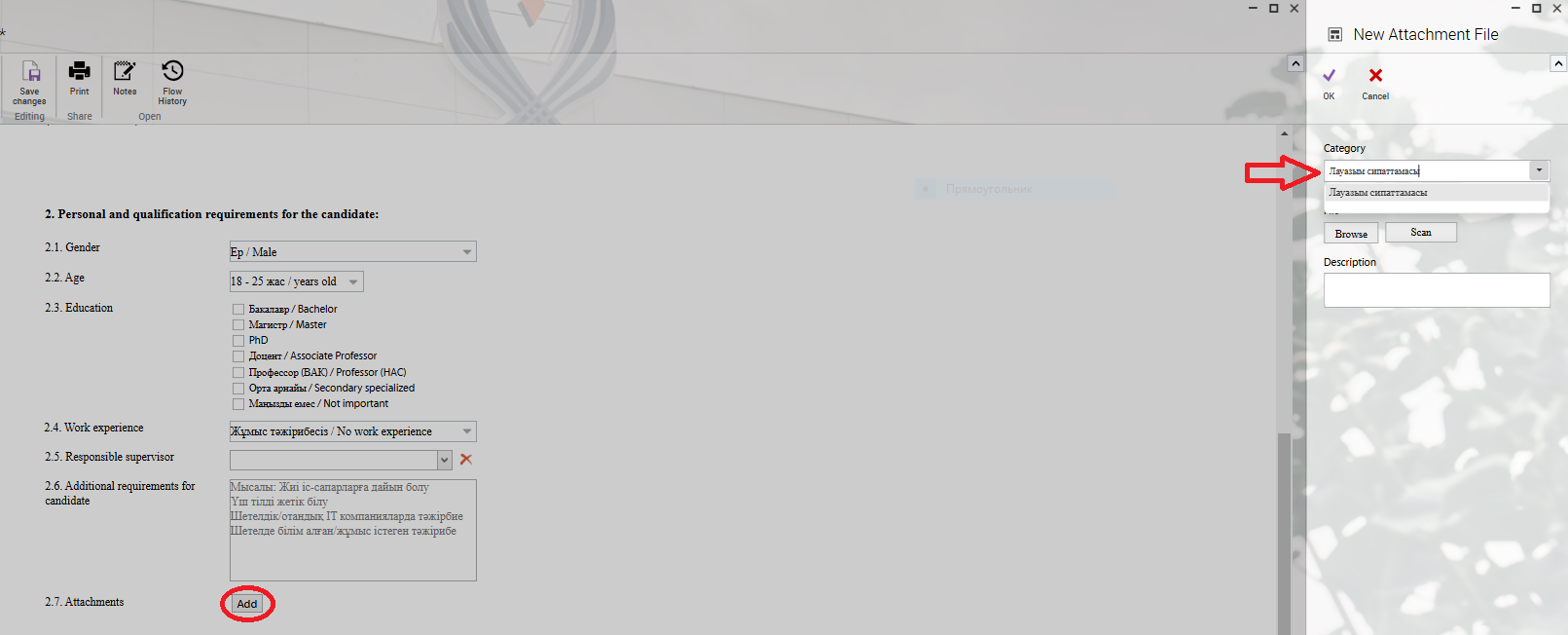
4. After filling in the columns, you can attach the candidate's resume (CV) and job description in the window that opens when you click the "Add" button.
5. Once the required information is provided, click the "Send" button.
Process guidelines
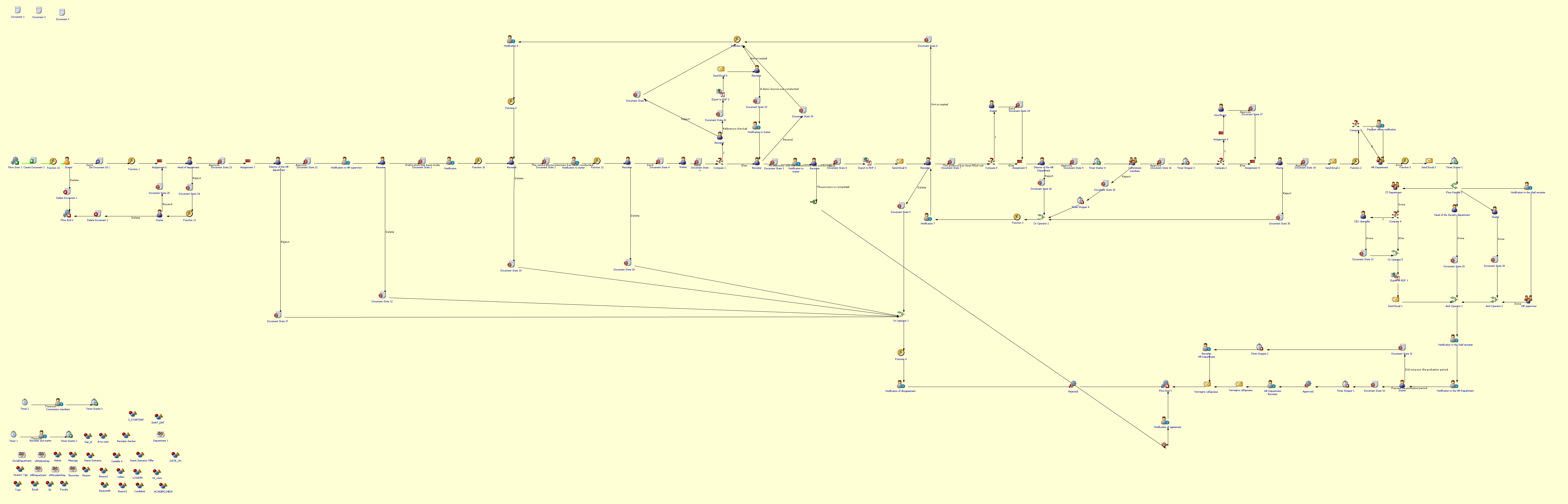
You can view the process workflow in the section below.
For all inquiries, you can submit a request through helpdesk.sdu.edu.kz ➝ "Submit a ticket" ➝ "BPM" or contact us via email at dms@sdu.edu.kz!
No comments to display
No comments to display