
Teacher's Individual Report
Process purpose and use cases
This process is used for instructors to report on their completed work. The report is filled out in the following cases:
- Submitting a semester work report
- Recording academic, research, and methodological activities
- Presenting work results to the department head
How can I initiate the Teacher's Individual Report process in the BPM system?
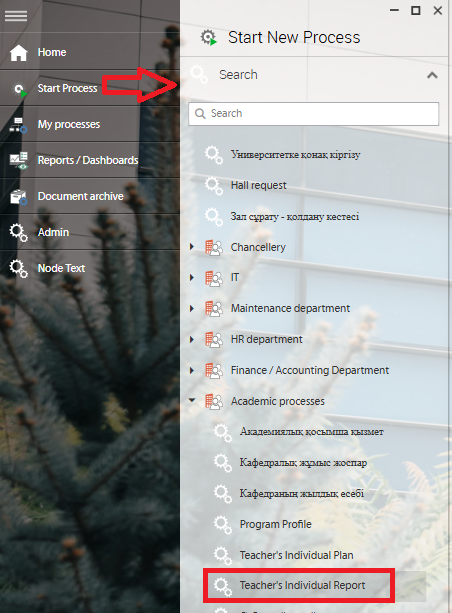
1. Go to bpm.sdu.edu.kz, navigate to the "Start Process" section, and proceed to Academic processes ➝ Teacher's Individual Report process.
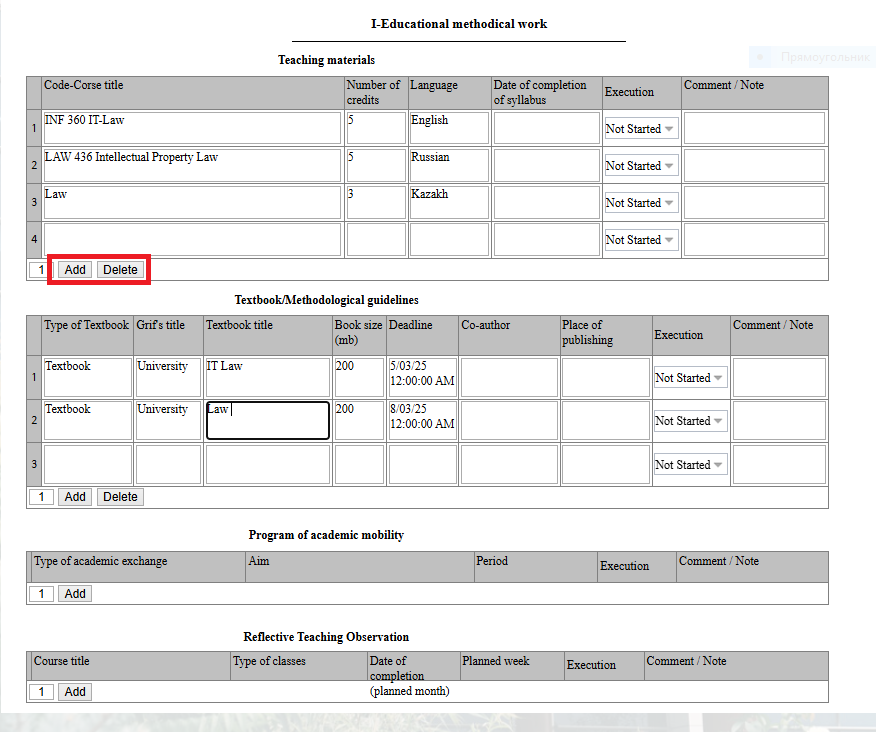
2. The table will automatically display the plan you filled out at the beginning of the academic year. You can change the current status of your plan: Not Started, In Progress, Completed.
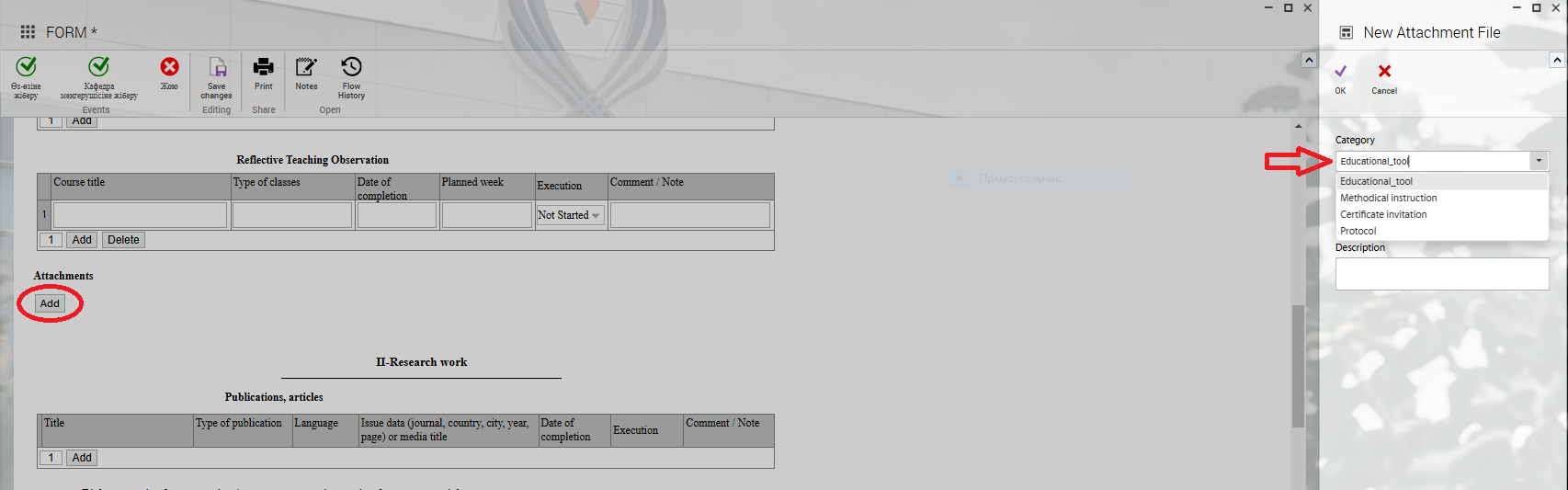
3. When you click the "Add" button, a new window will open where you can attach documents according to the categories on the left.
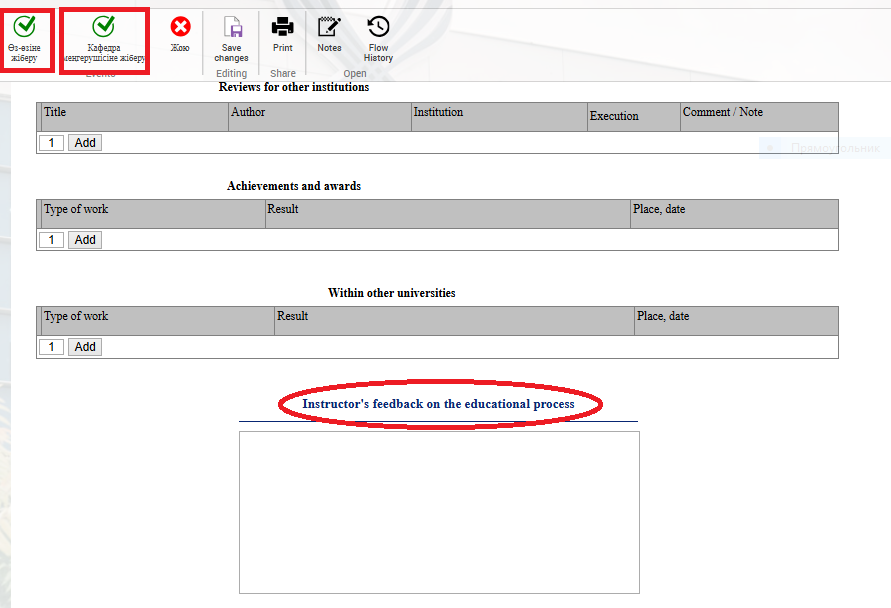
4. After entering the required information, you can choose to send it to yourself or the department head using the "Submit"Send to yourself" and "Send to chairman" button. You can also leave your feedback regarding the learning process.
Process guidelines
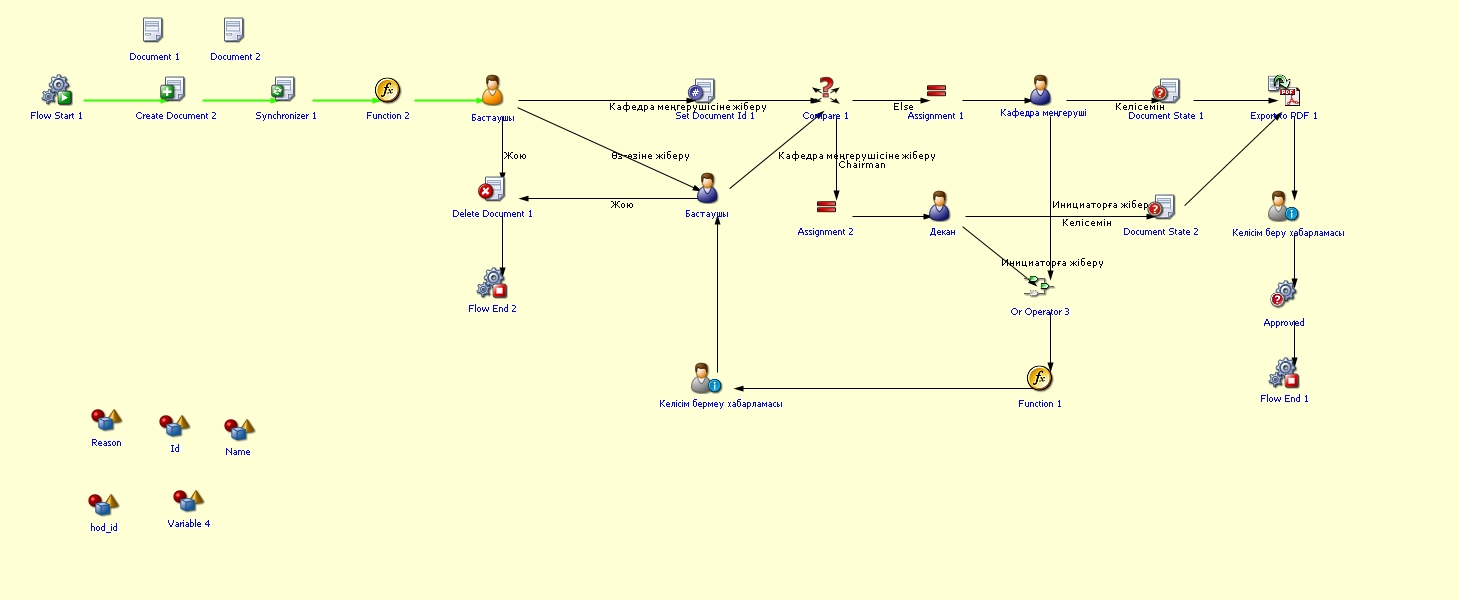
You can view the process workflow in the section below.
For all inquiries, you can submit a request through helpdesk.sdu.edu.kz ➝ "Submit a ticket" ➝ "BPM" or contact us via email at dms@sdu.edu.kz!