
Request for an advance salary
Process purpose and use cases
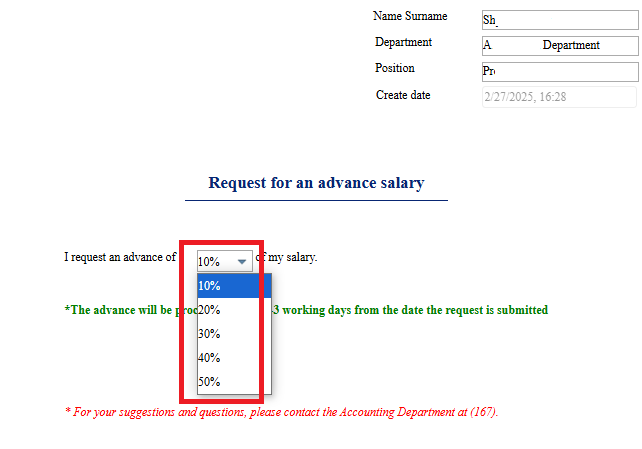
This process is used for employees to request a salary advance. They can request an advance of 10% to 50% once per month, starting from the 16th of each month.
How can I initiate the Request for an advance salary process in the BPM system?
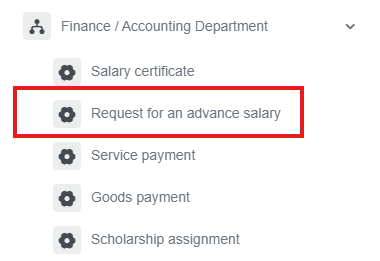
1. Go to dms.sdu.edu.kz, navigate to the "Start Process" section, and proceed to Finance / Accounting Department ➝ Request for an advance salary process.
2. Select the advance amount.
3. Once the required information is provided, click the "Send" button.
Process guidelines
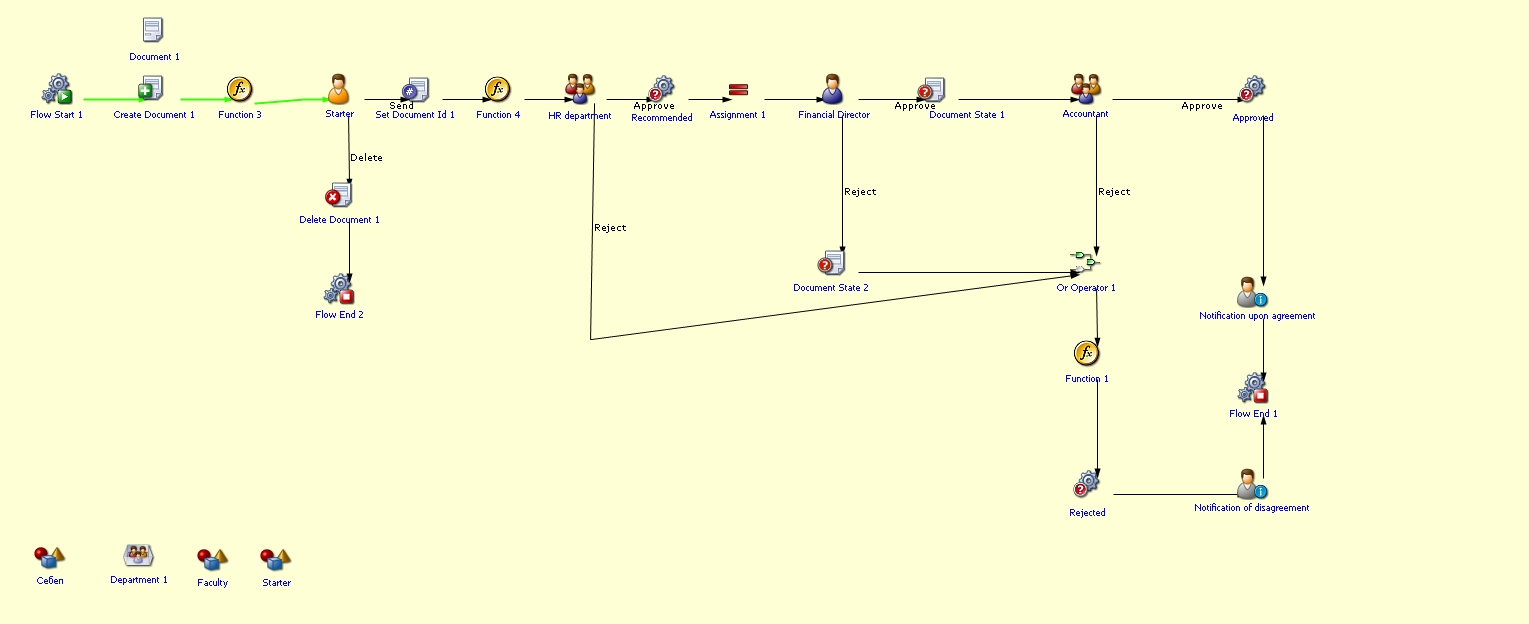
You can view the process workflow in the section below.
For all inquiries, you can submit a request through helpdesk.sdu.edu.kz ➝ "Submit a ticket" ➝ "BPM" or contact us via email at dms@sdu.edu.kz!