
Re-enrollment
Process purpose and use cases
This process is used tofor formallythe processre-enrollment of a student'sstudent withdrawalwho has withdrawn from the university.
Use cases:
- When a student voluntarily
submitswithdrewaandwithdrawalrequestsapplicationre-enrollment - When a student
needswhoto bewas withdrawn due to academic ordisciplinaryadministrative reasons When withdrawal procedures are carried out for transferringwants toanotherbeeducational institutionre-enrolled
How can I initiate the Withdrawal from studiesRe-enrollment process in the BPM system?
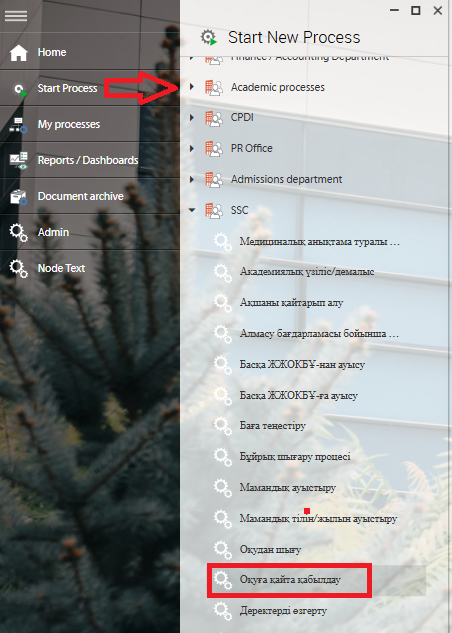
1. Go to bpm.sdu.edu.kz, navigate to the "Start Process" section, and proceed to SSC ➝ ОқуданОқуға шығуқайта қабылдау / Withdrawal from studiesRe-enrollment process.
Note: SSC processes can only be initiated by SSC employees.
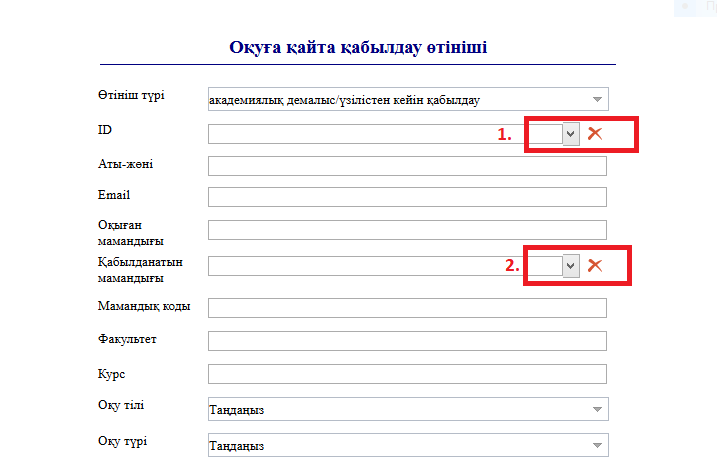
2. 1) Click the button in the СтудентID IDcolumn, / Student ID column andthen enter the student's ID number or full name in the opened window. Once you select the required student, thetheir remaining fieldsаты-жөні / full name, email, and оқыған мамандығы / previous major will be filled in automatically.
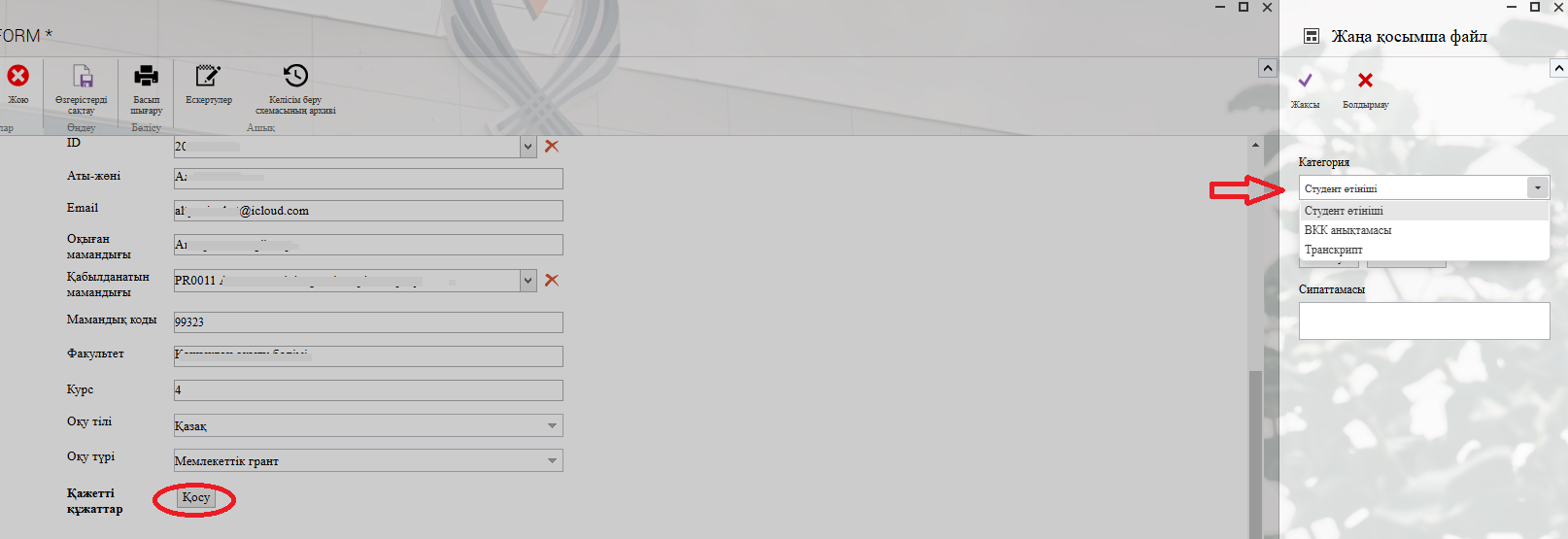
3. 1) In the opened window after clicking the "Қосу" — "Add"Add" button, you can attach the required document to the categories on the left.
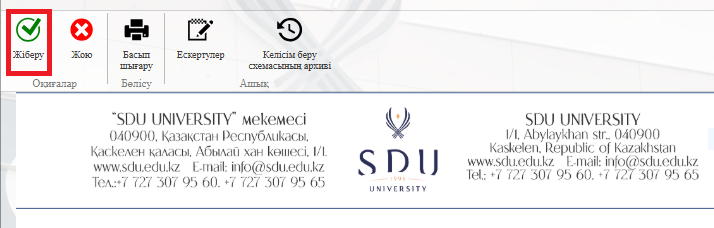
4. Once the required information is provided, click the "Жіберу / Send " button.
Process guidelines
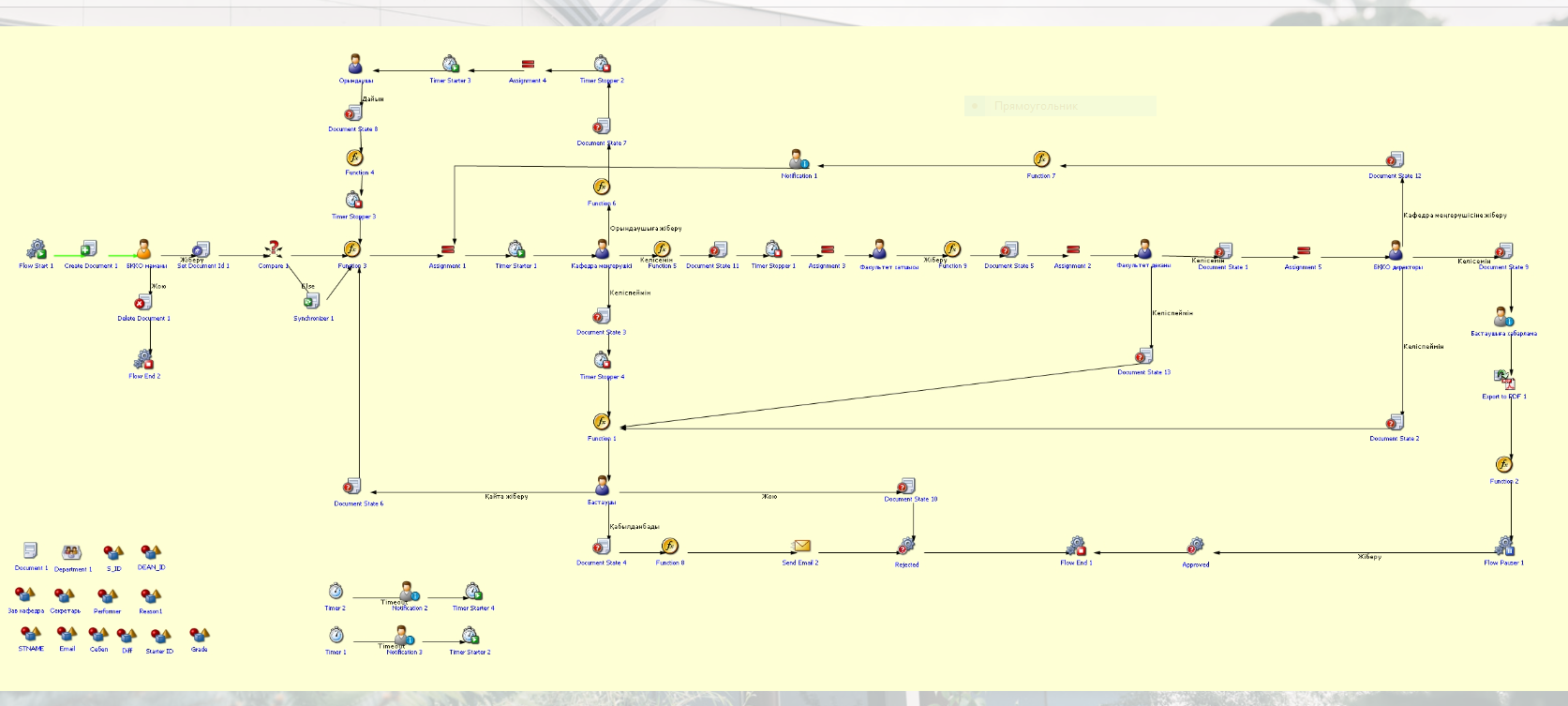
You can view the process workflow in the section below.
For all inquiries, you can submit a request through helpdesk.sdu.edu.kz ➝ "Submit a ticket" ➝ "BPM" or contact us via email at dms@sdu.edu.kz!