
Medical certificate request
Process purpose and use cases
This process is designed for students to request a medical certificate.
Use cases:
How can I initiate the hall request process in the BPM system?
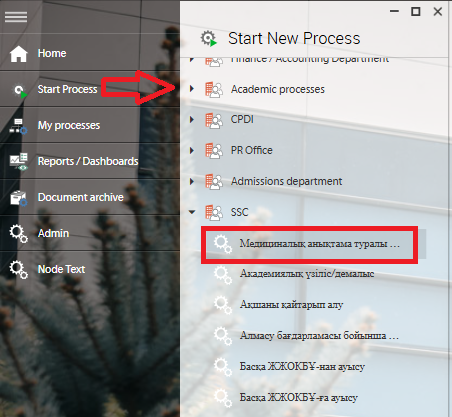
1. Go to bpm.sdu.edu.kz, navigate to the "Start Process" section, and proceed to SSC ➝ Медициналық анықтама туралы өтініш/ Medical certificate request process.
Note: SSC processes can only be initiated by SSC employees.
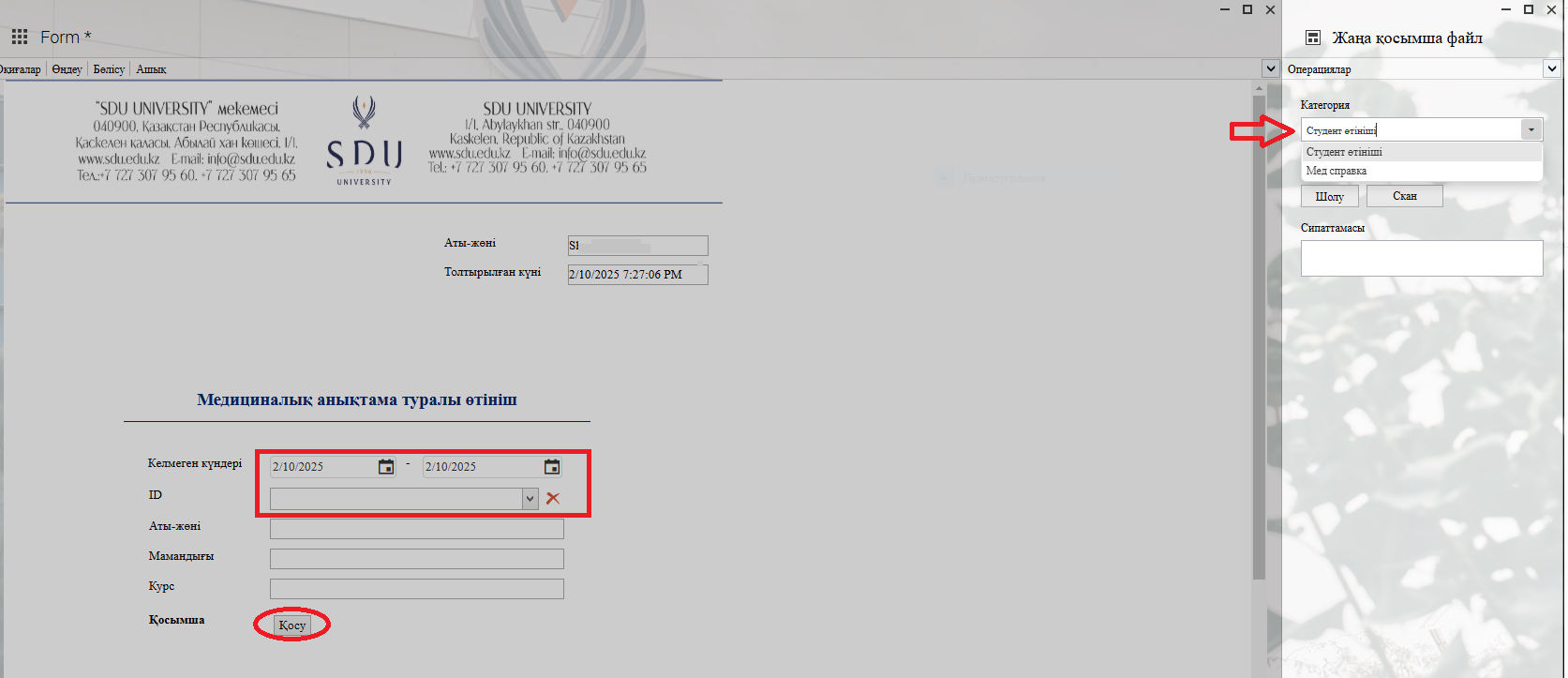
2. 1) When you click the button in the Student ID column, enter the student's ID number or name in the opened window, and after selecting the required student, the remaining fields will be filled in automatically.
Select the dates according to the student's medical certificate.
2) When you click the "Add" button, you can attach the necessary file in the opened window according to the categories on the left.
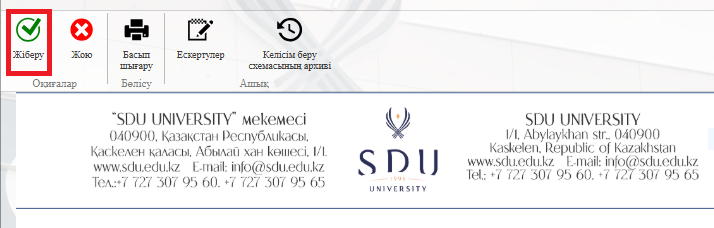
3. Once the required information is provided, click the "Submit / Жіберу" button.
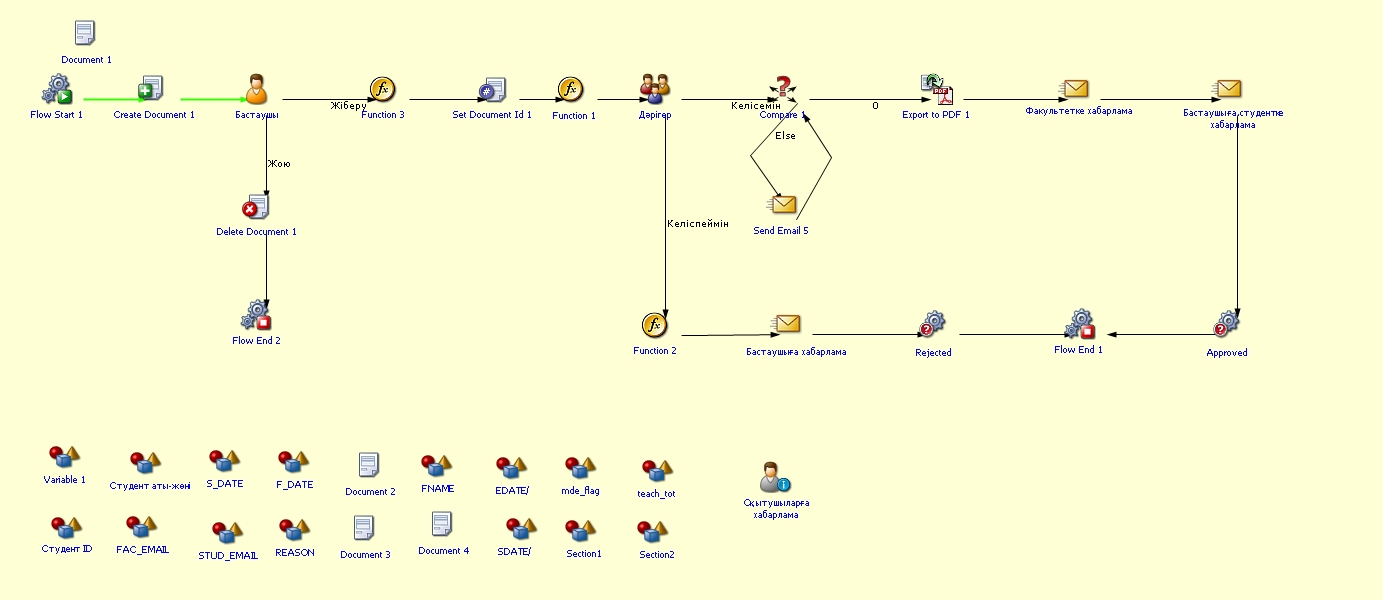
Process guidelines
You can view the process workflow in the section below.
For all inquiries, you can submit a request through helpdesk.sdu.edu.kz ➝ "Submit a ticket" ➝ "BPM" or contact us via email at dms@sdu.edu.kz!