
Edit data
Process purpose and use cases
This process is used for the official registration and approval of changes to SDU students' data when necessary.
How can I initiate the Edit data process in the BPM system?
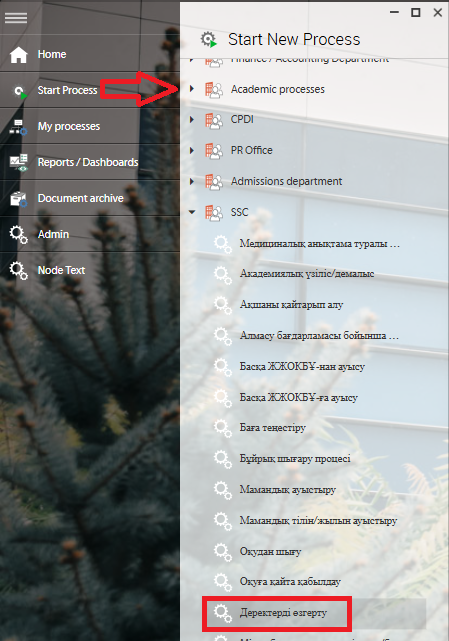
1. Go to bpm.sdu.edu.kz, navigate to the "Start Process" section, and proceed to SSC ➝ Деректерді өзгерту / Edit data process.
Note: SSC processes can only be initiated by SSC employees.
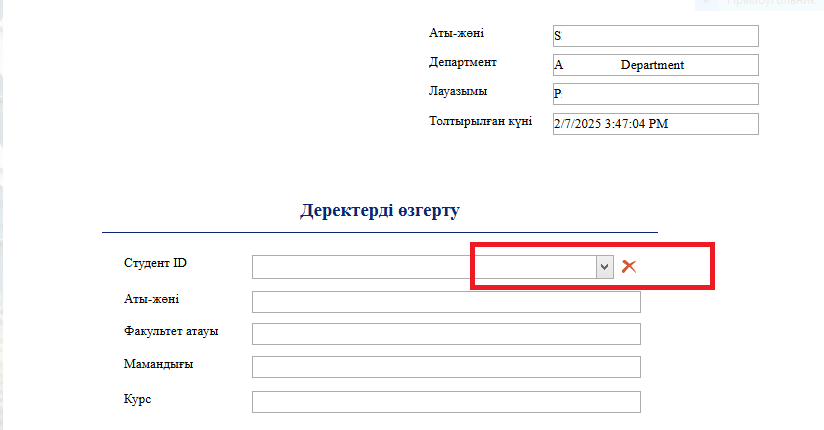
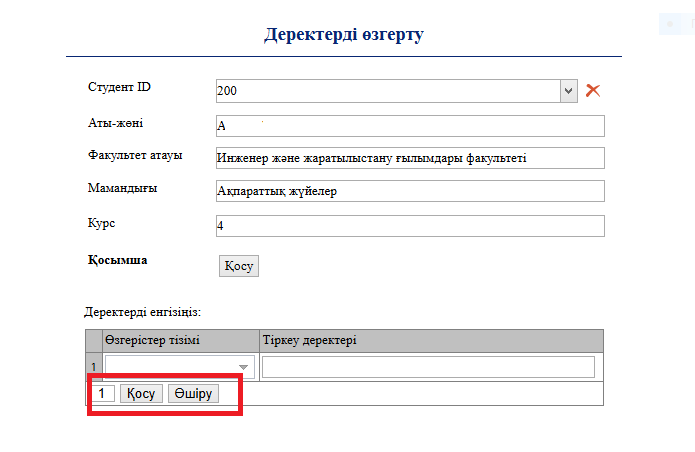
2. To select a student, click the button in the "Студент ID / Student ID" field.
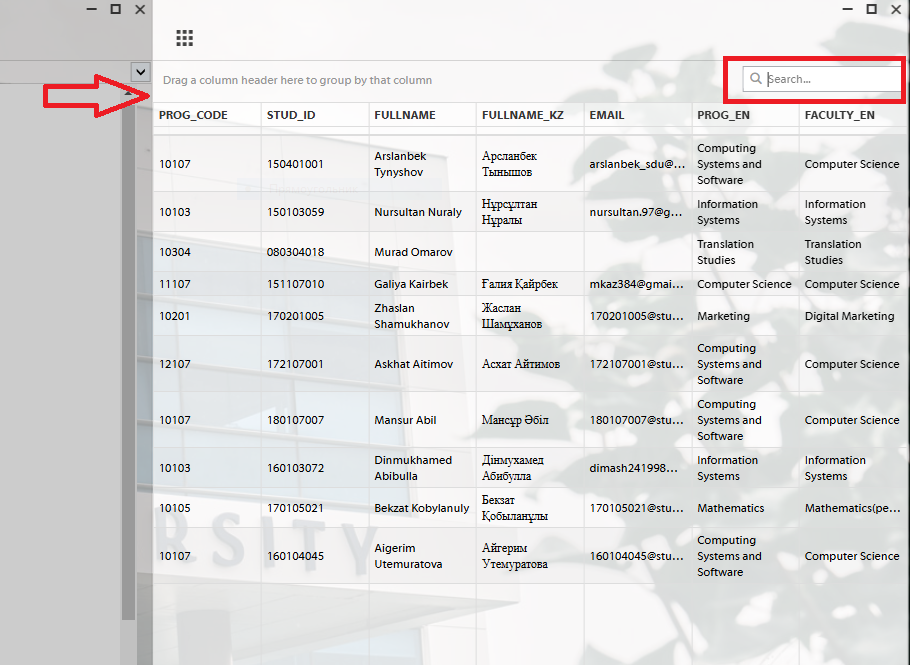
3. After clicking the button, a new window will appear. Enter the student's ID number in that window. Once the ID is entered, all fields will be filled in automatically.
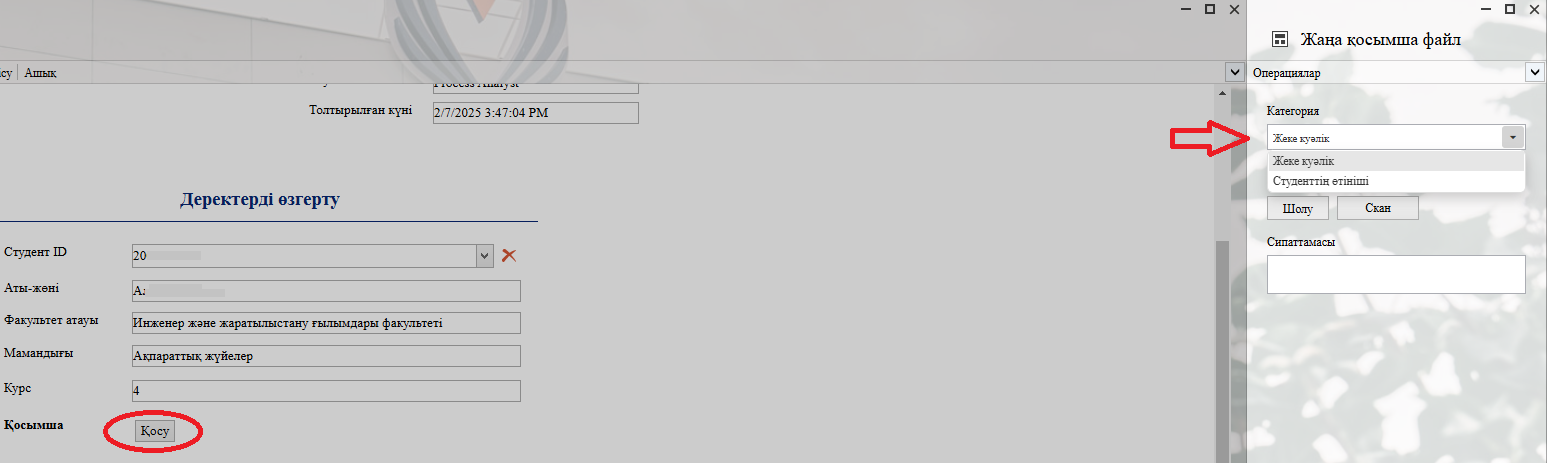
4. When you click the "Қосу" — "Add" button, you can attach the required file to the categories on the left in the opened window.
5. In the first row of the table ("Өзгерістер тізімі / List of changes"), you can select the categories that can be modified. In the second row ("Тіркеу деректері / Registration data"), enter the updated value of the selected information.
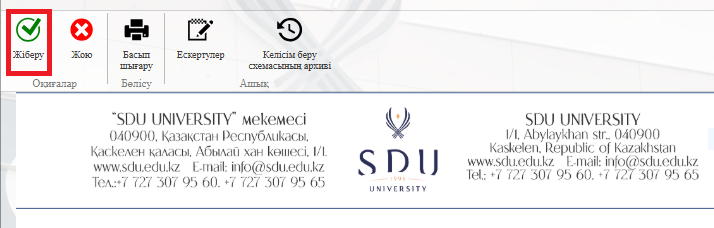
6. Once the required information is provided, click the "Жіберу / Send " button.
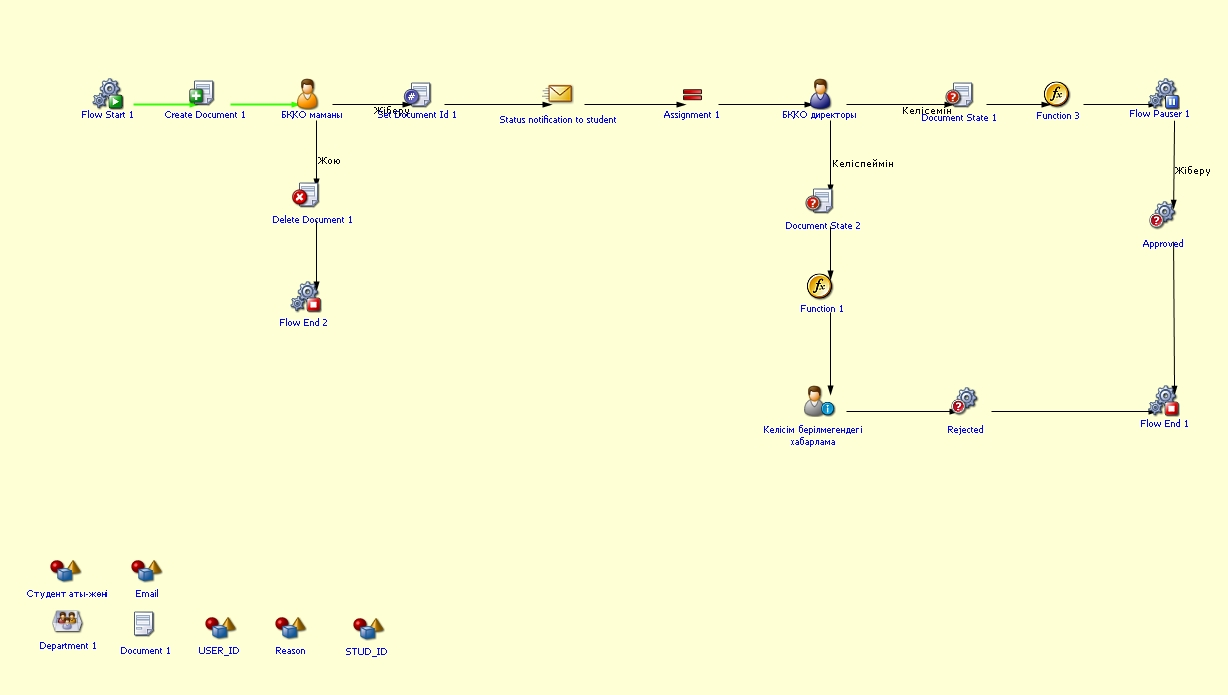
Process guidelines
You can view the process workflow in the section below.
For all inquiries, you can submit a request through helpdesk.sdu.edu.kz ➝ "Submit a ticket" ➝ "BPM" or contact us via email at dms@sdu.edu.kz!