
Dismissal / Termination of the contract
Process purpose and use cases
This process is used to formalize an employee's termination. It applies in the following cases:
- When an employee voluntarily resigns
- When the employment contract is terminated by mutual agreement
- When termination is processed due to internal disciplinary violations
How can I initiate the Dismissal / Termination of the contract process in the BPMDMS system?
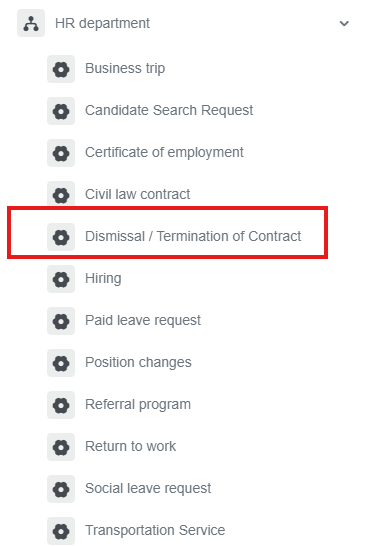
1. Go to dms.sdu.edu.kz, navigate to the "Start Process" section, and proceed to HR Department ➝ Dismissal / Termination of the contract process.
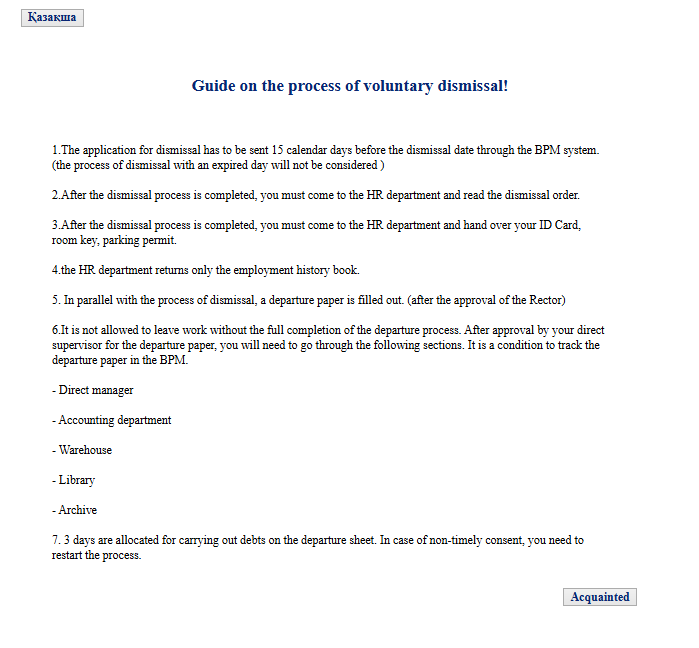
2. First, carefully read the instructions, then click the "Acquainted" button.
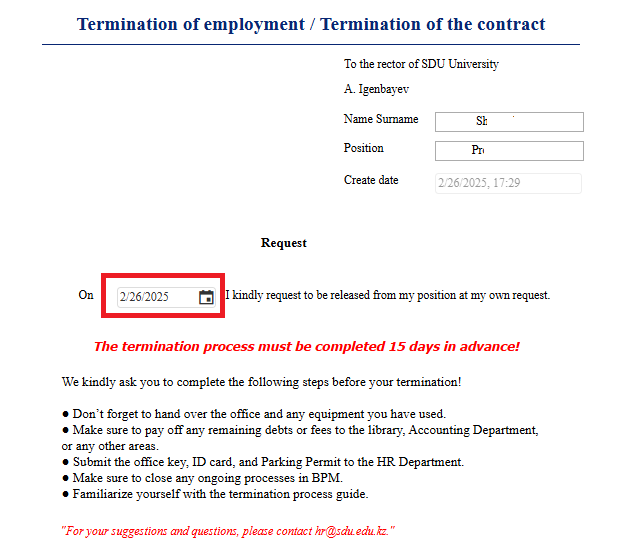
3. Select a date
4. Once the required information is provided, click the "Send" button.
Process guidelines
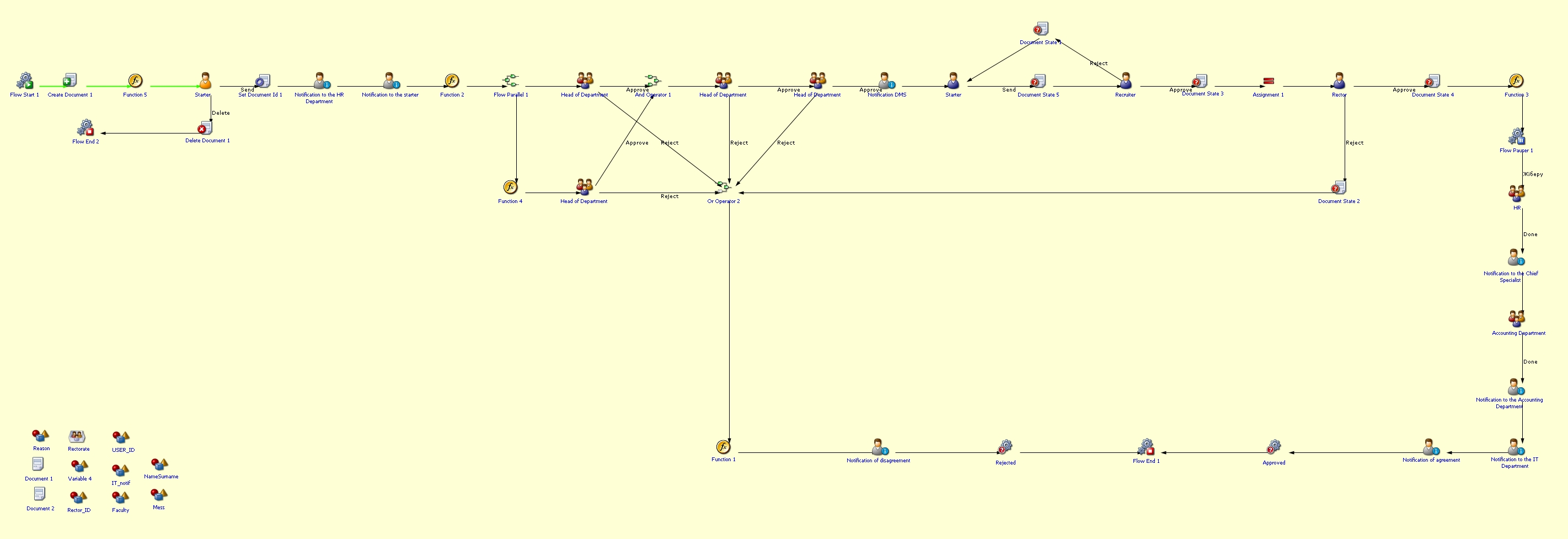
You can view the process workflow in the section below.
For all inquiries, you can submit a request through helpdesk.sdu.edu.kz ➝ "Submit a ticket" ➝ "BPM" or contact us via email at dms@sdu.edu.kz!