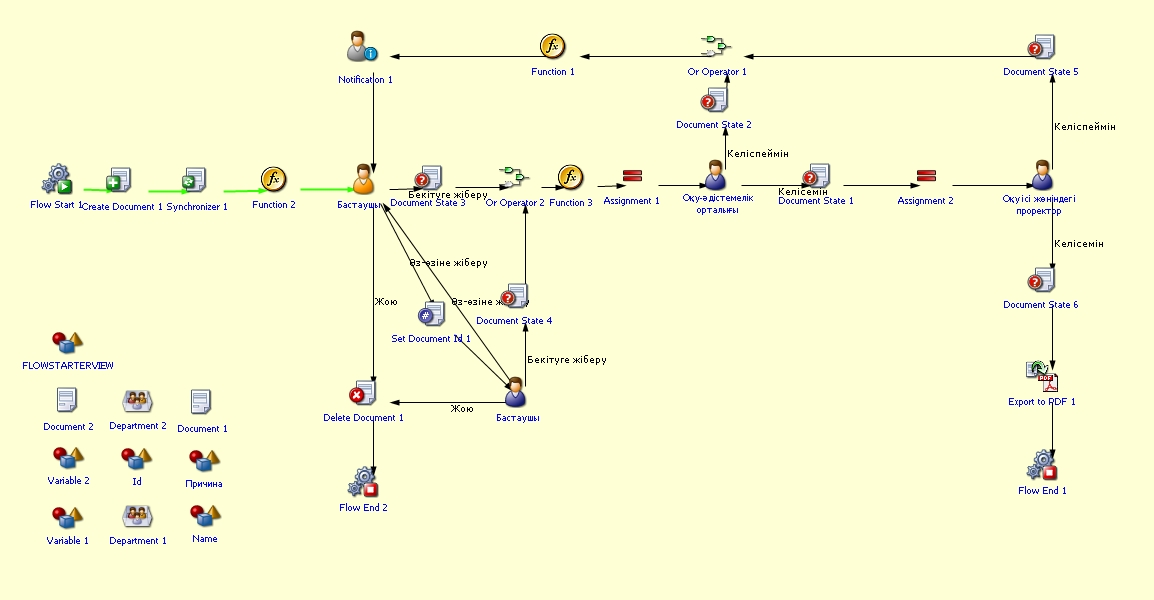
Departmental work plan
Process purpose and use cases
This process is used to create and approve the department’s work plan for the academic year. It is applied in the following cases:
Approving the department’s annual plan
Defining plans for teaching, research, methodological, and educational activities
Determining the department’s work directions in line with the university’s strategic goals
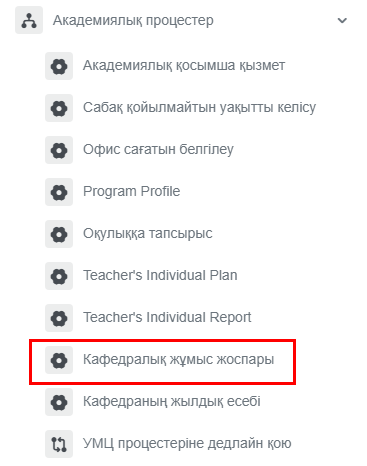
How can I initiate the Departmental work plan process in the BPM system?
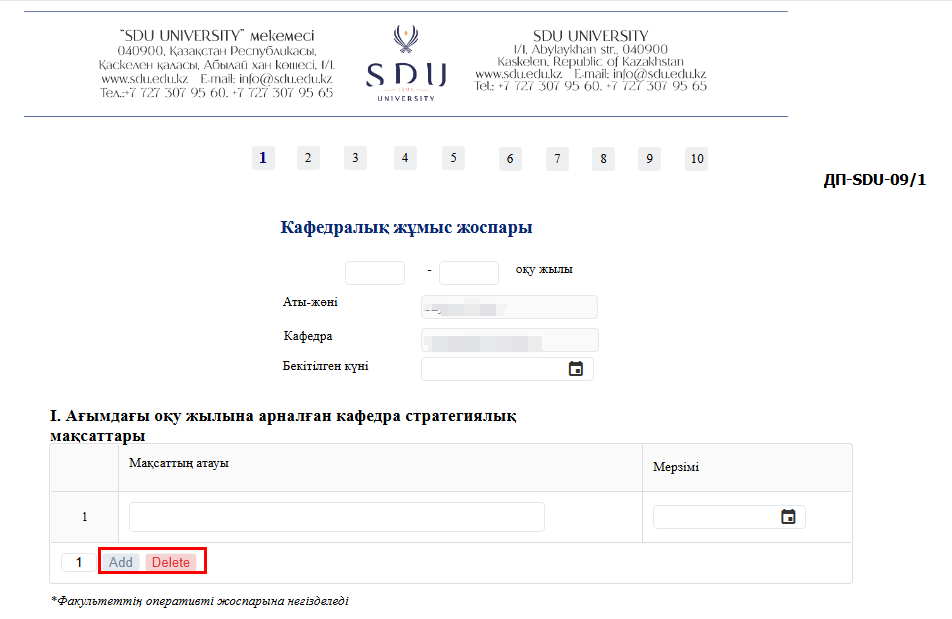
2. (1)The If you select " Do not schedule classes " slotscolumns in the schedule,table theymust be filled in according to the department’s plan for the academic year. If necessary, new columns can be marked.added (2)or Also,unnecessary ifones "can Dobe notremoved.
3. "After isentering selected,the don'trequired forgetinformation, you can use the “Submit” button to specifychoose whether to send it to yourself or to the reasons and comments at the bottomHead of the schedule.Department. You can also leave your comments related to the academic process.
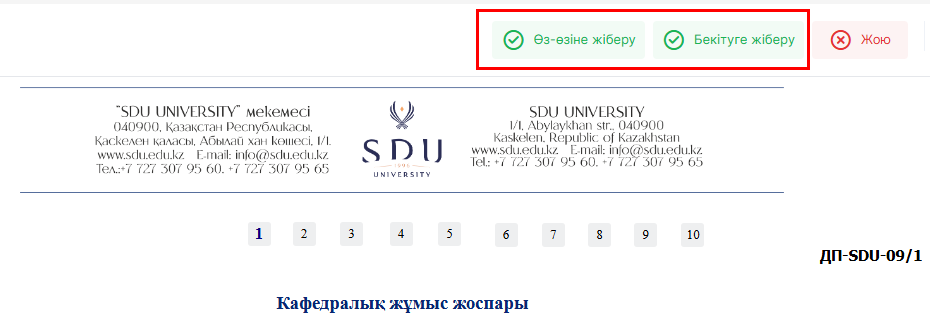
3. Once the required information is provided, click the "Submit / Жіберу" button.
Process guidelines