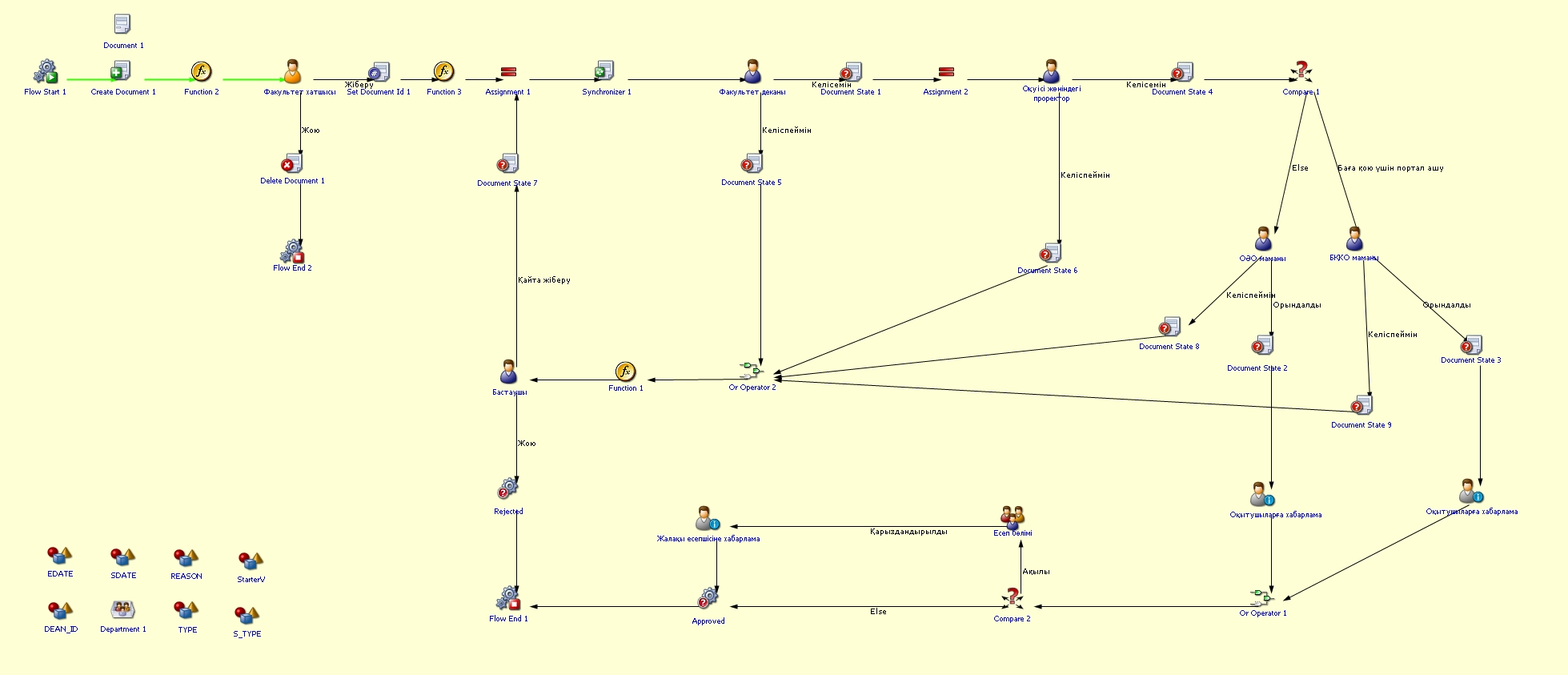
Academic additional service
Process purpose and usage scenarios
This process is used for submitting requests by instructors to provide additional services related to academic processes. It is applied in the following cases:
-
Opening the portal for grade submission
-
Granting permission to fill in the instructors’ individual work plan
-
Granting permission to fill in the instructors’ individual work report
-
Granting permission to fill in the syllabus
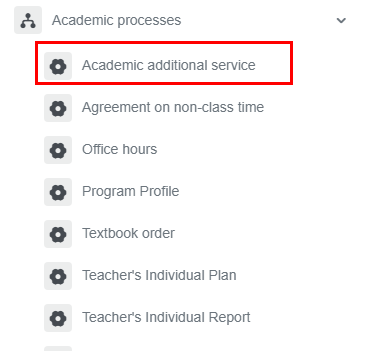
How can I initiate the Academic additional service process in the BPMDMS system?
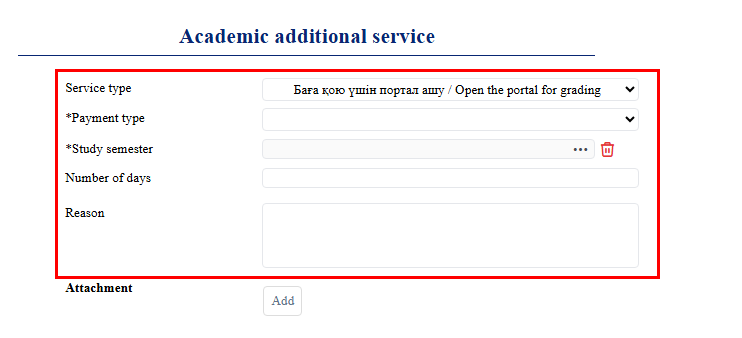
2. All fields must be filled in:
-
Type of service
-
Type of payment: paid, free of charge
-
Academic semester: the last 4 academic semesters will be displayed
-
Number of days
-
Reason
3. When the “Add” button is clicked, a new window opens where two categories on the left can be selected: protocol and instructor request.
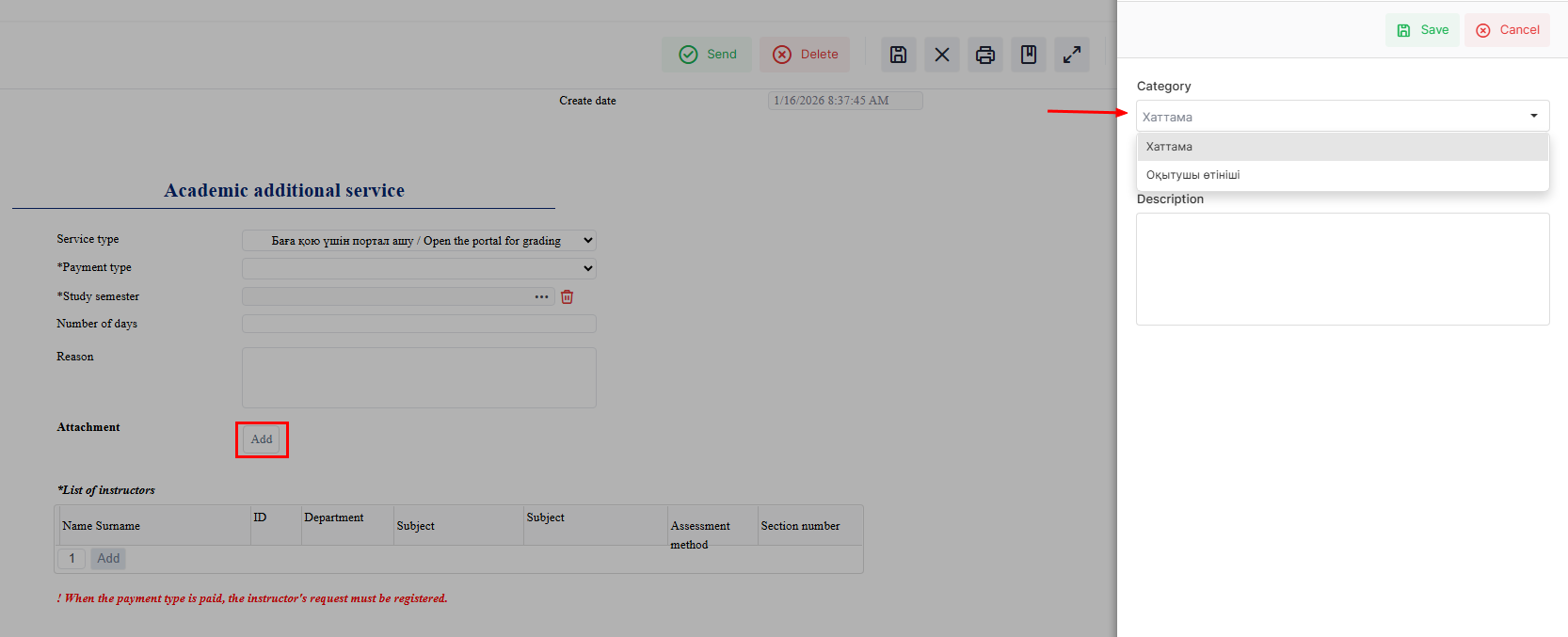
4. All columns in the table must be filled in. If necessary, new columns can be added or unnecessary ones can be removed.

5. Once the required information is provided, click the "Submit / Жіберу" button.

Process guidelines