# Support for conference participation

##### Reference to the process rules: 

##### [https://oldpms.sdu.edu.kz/common/download/prof\_optimization.pdf](https://oldpms.sdu.edu.kz/common/download/prof_optimization.pdf)

#### **How can I initiate the Support for conference participation process in the DMS system?**

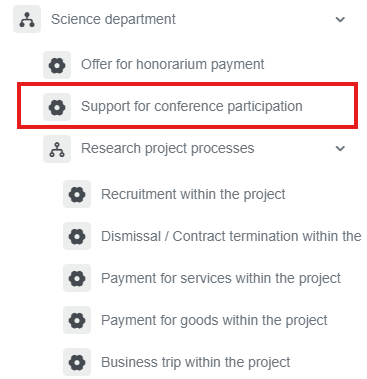
<div class="ql-block" data-block-id="block-e8426000-f9c7-40aa-ad3c-d1937d5c467c" id="bkmrk-1.-go-to%C2%A0bpm.sdu.edu">1. Go to [dms.sdu.edu.kz](http://bpm.sdu.edu.kz/), navigate to the "**Start Process**" section, and proceed to **Department of Science➝ Support for conference participation** process**.**</div><div class="ql-block" data-block-id="block-e8426000-f9c7-40aa-ad3c-d1937d5c467c" id="bkmrk-"></div>[![image.png](https://wiki.sdu.edu.kz/uploads/images/gallery/2026-01/scaled-1680-/Bsgimage.png)](https://wiki.sdu.edu.kz/uploads/images/gallery/2026-01/Bsgimage.png)

2\. In the process of supporting conference participation, the "Agree" button must be filled in mandatory! You must complete all the required information.

[![тута.27.02.25.7.PNG](https://wiki.sdu.edu.kz/uploads/images/gallery/2025-02/scaled-1680-/tuta-27-02-25-7.PNG)](https://wiki.sdu.edu.kz/uploads/images/gallery/2025-02/tuta-27-02-25-7.PNG)
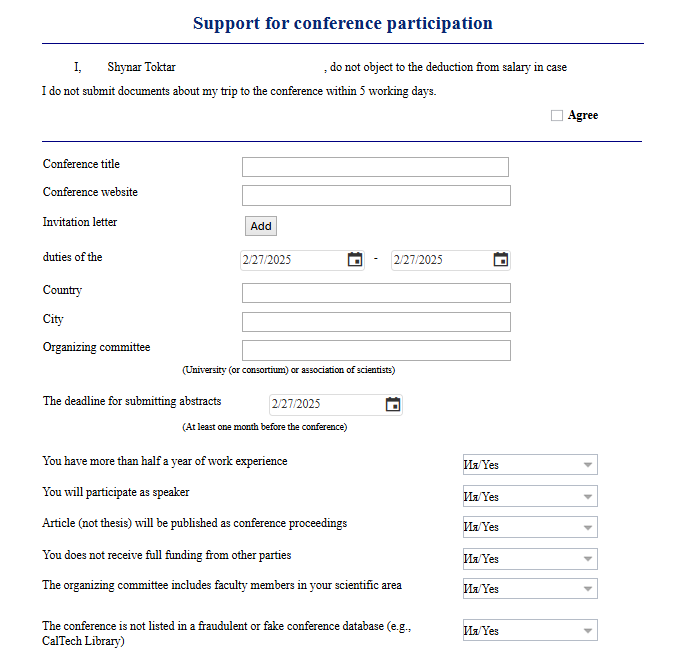
3\. After filling in all the required information, don't forget to read the notice.

[![image.png](https://wiki.sdu.edu.kz/uploads/images/gallery/2025-02/scaled-1680-/BlRimage.png)](https://wiki.sdu.edu.kz/uploads/images/gallery/2025-02/BlRimage.png)
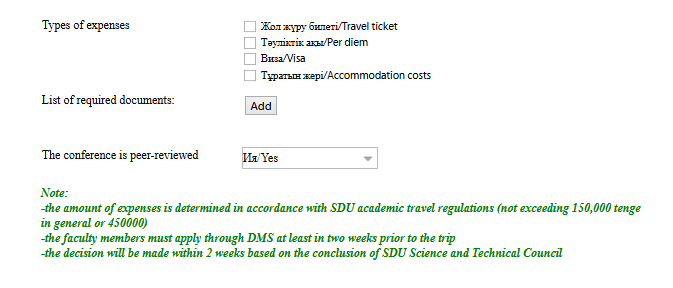
<div class="ql-block" data-block-id="block-5414642f-675c-4827-b3eb-cb77d1356059" id="bkmrk-4.-once-the-required">4. Once the required information is provided, click the "Send" button.</div><div class="ql-block" data-block-id="block-5e2b1e2f-aff1-43cc-8719-bffa6a309857" id="bkmrk--5">  
</div>[![image.png](https://wiki.sdu.edu.kz/uploads/images/gallery/2026-01/scaled-1680-/bLPimage.png)](https://wiki.sdu.edu.kz/uploads/images/gallery/2026-01/bLPimage.png)

<div class="ql-block" data-block-id="block-ddebc24f-49aa-493a-97bd-34b5382e7633" id="bkmrk--7">  
</div>##### **Process guidelines**

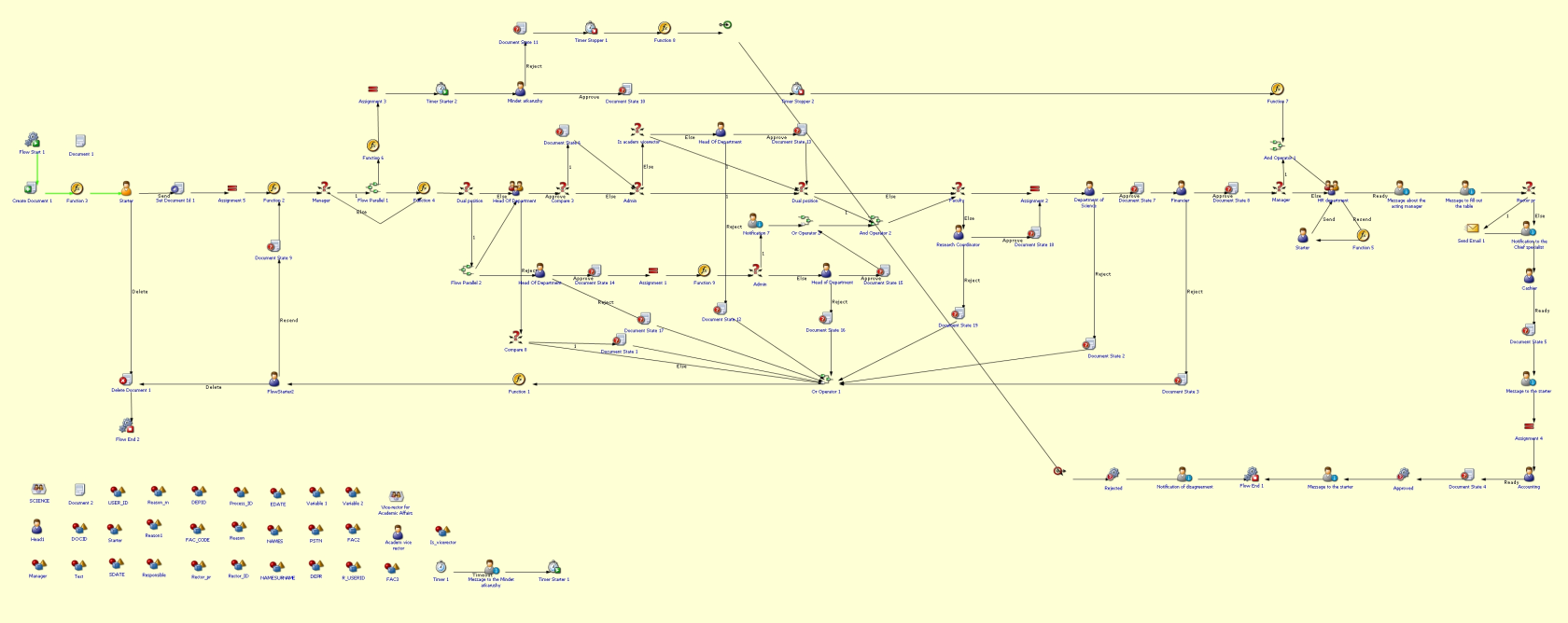
<div class="ql-block" data-block-id="block-55bc3974-de15-4612-b36b-d13fd159e569" id="bkmrk-you-can-view-the-pro">You can view the process workflow in the section below.</div><div class="ql-block" data-block-id="block-1ca7f645-f50c-453a-a915-b3332fa0cd77" id="bkmrk--8">  
</div>[![image.png](https://wiki.sdu.edu.kz/uploads/images/gallery/2025-02/scaled-1680-/zn8image.png)](https://wiki.sdu.edu.kz/uploads/images/gallery/2025-02/zn8image.png)

<div class="ql-block" data-block-id="block-07e04495-8fa6-4b62-bc70-1b2c02e6a959" id="bkmrk--10">  
</div><div class="ql-block" data-block-id="block-a4f8dc89-afb9-46a5-91dc-bd56f6d1143f" id="bkmrk--11">  
</div><div class="ql-block" data-block-id="block-48cc51f5-c706-44fd-9209-8fb49e4fa611" id="bkmrk-for-all-inquiries%2C-y">**For all inquiries, you can submit a request through [helpdesk.sdu.edu.kz](http://helpdesk.sdu.edu.kz/) ➝ "Submit a ticket" ➝ "BPM" or contact us via email at <dms@sdu.edu.kz>!**</div>