# Social leave request
##### **Process purpose and use cases**
This process is used to formalize an employee's social leave. It applies in the following cases:
- When long-term leave is needed due to health reasons
- When leave is required for family reasons (e.g., childcare, caring for a close relative)
- When social leave is needed based on other legal grounds
This process is used to protect employees' legal rights and to officially document the leave.
#### **How can I initiate the Social leave request process in the DMS system?**
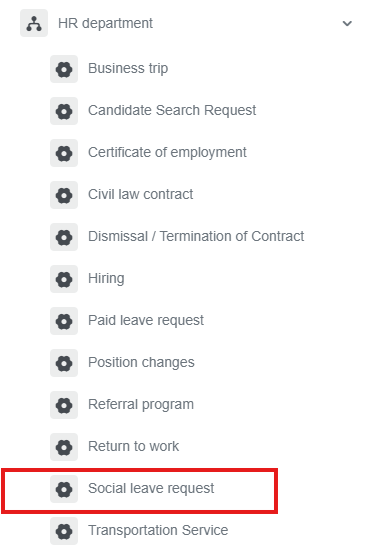
1. Go to [dms.sdu.edu.kz](http://bpm.sdu.edu.kz/), navigate to the "**Start Process**" section, and proceed to **HR Department ➝ Social leave request** process**.**
[](https://wiki.sdu.edu.kz/uploads/images/gallery/2026-01/vdSimage.png)
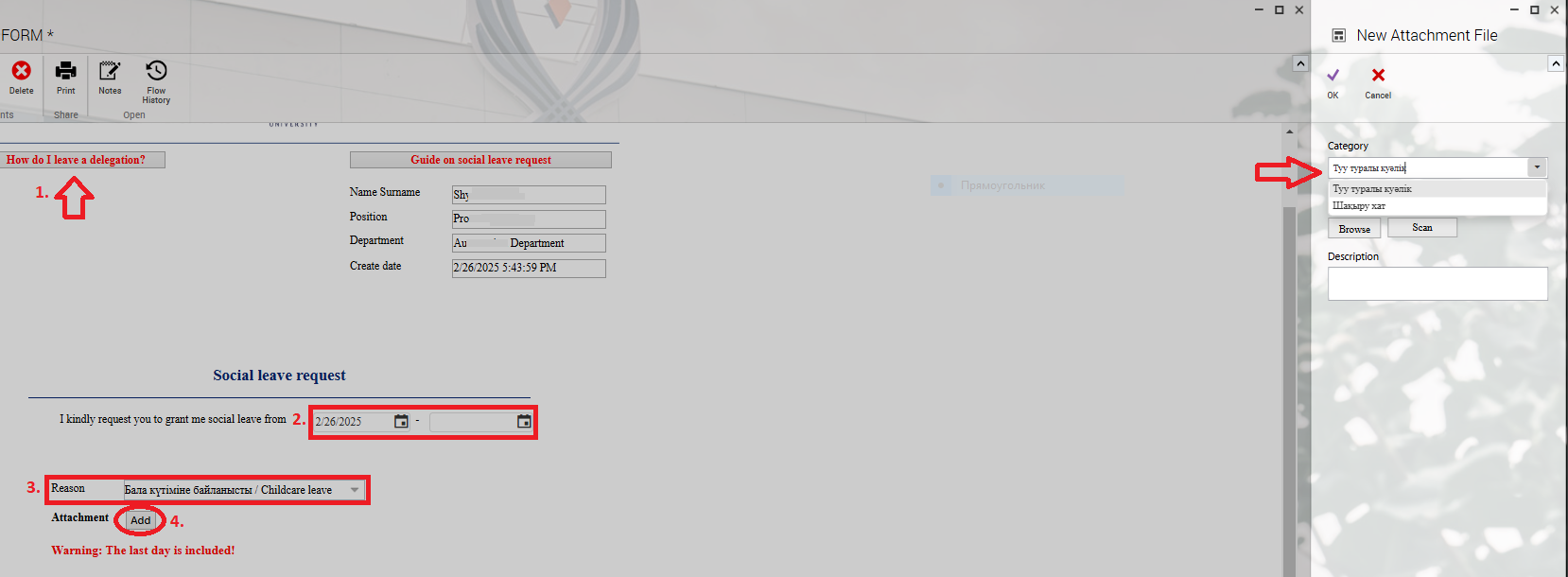
2\. 1) If you hold a **managerial position**, leaving a **Delegation** is mandatory.
2\) Select the required time period.
3\) Choose the reason for taking social leave.
4\) When you click the "**Add**" button, a new window will open, where **academic staff members** must register their class schedule.
[](https://wiki.sdu.edu.kz/uploads/images/gallery/2025-02/tut-26-02-25-6.PNG)
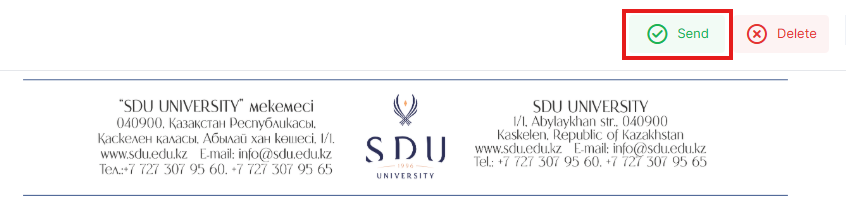
3. Once the required information is provided, click the "Send" button.
[](https://wiki.sdu.edu.kz/uploads/images/gallery/2026-01/89Bimage.png)
##### **Process guidelines**
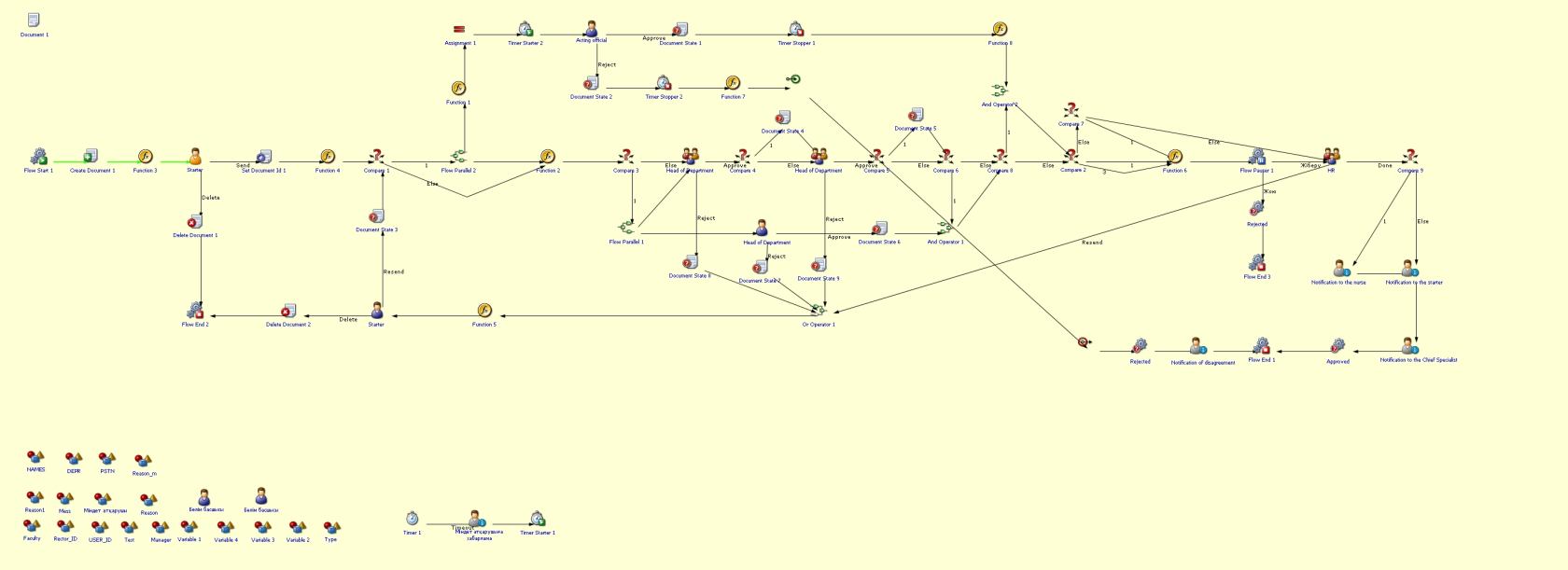
You can view the process workflow in the section below.
[](https://wiki.sdu.edu.kz/uploads/images/gallery/2025-02/WXgimage.png)
**For all inquiries, you can submit a request through [helpdesk.sdu.edu.kz](http://helpdesk.sdu.edu.kz/) ➝ "Submit a ticket" ➝ "BPM" or contact us via email at !**