Order issuance process
Process purpose and use cases
This process is intended for issuing official orders related to administrative and academic matters within the university. It is an internal process that continues automatically within the BQCO processes. The order process includes more than 15 different types of orders.
Use cases:
- Changing students' academic status (expulsion, reinstatement, etc.)
- Issuing orders related to the academic process and administrative decisions
Once the order is entered into the system, it is sent for approval and distributed to the relevant departments.
How can I initiate the Order issuance process in the DMS system?
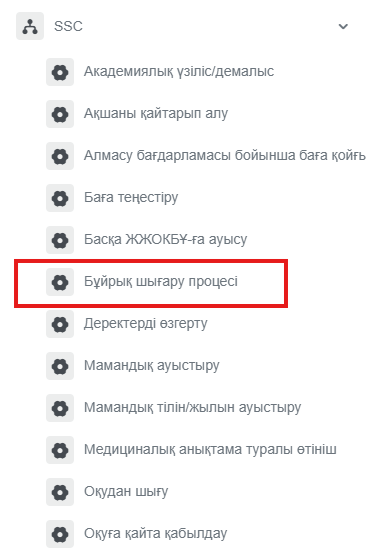
1. Go to dms.sdu.edu.kz, navigate to the "Start Process" section, and proceed to SSC ➝ Бұйрық шығару процесі / Order issuance process.
Note: SSC processes can only be initiated by SSC employees.
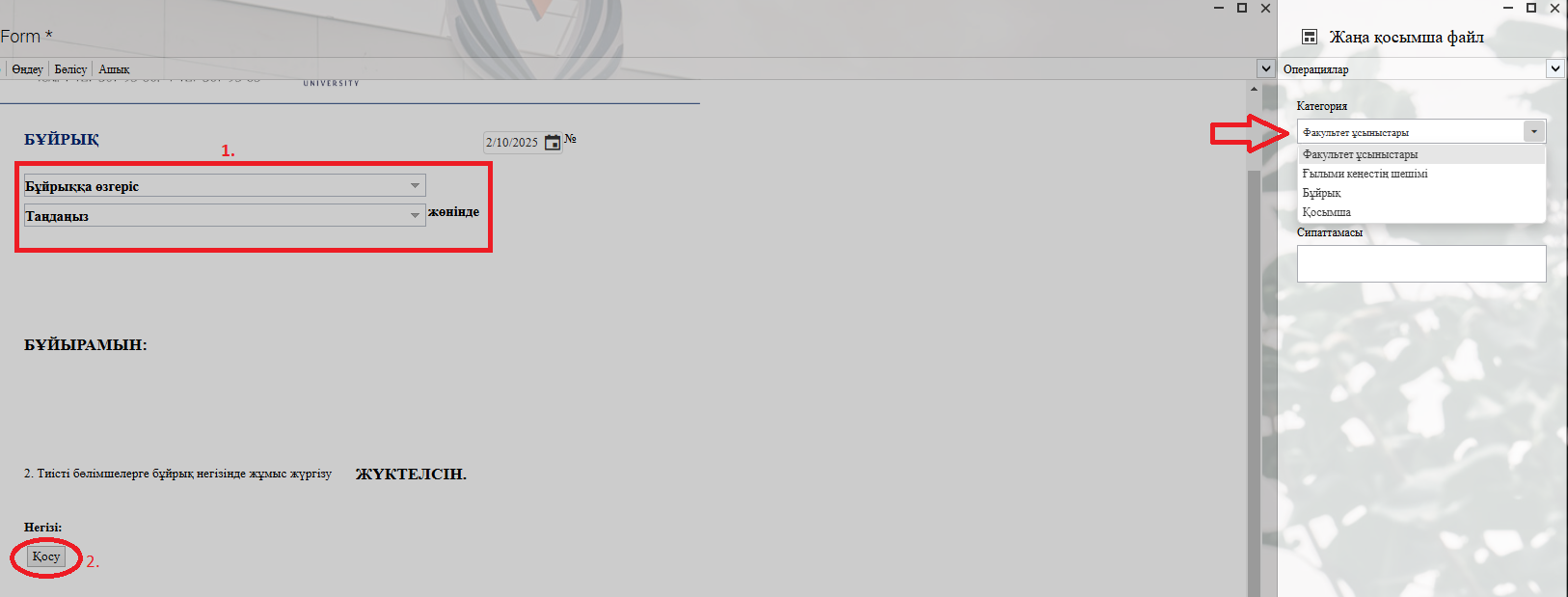
2. 1) Don't forget to select the required information from the provided list in the fields.
2) In the opened window after clicking the "Қосу" — "Add" button, you can attach the required document to the categories on the left.
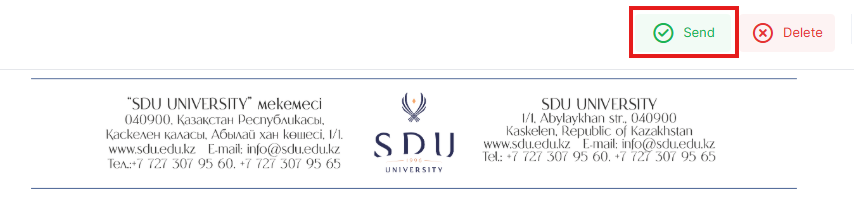
3. Once the required information is provided, click the "Жіберу / Send " button.
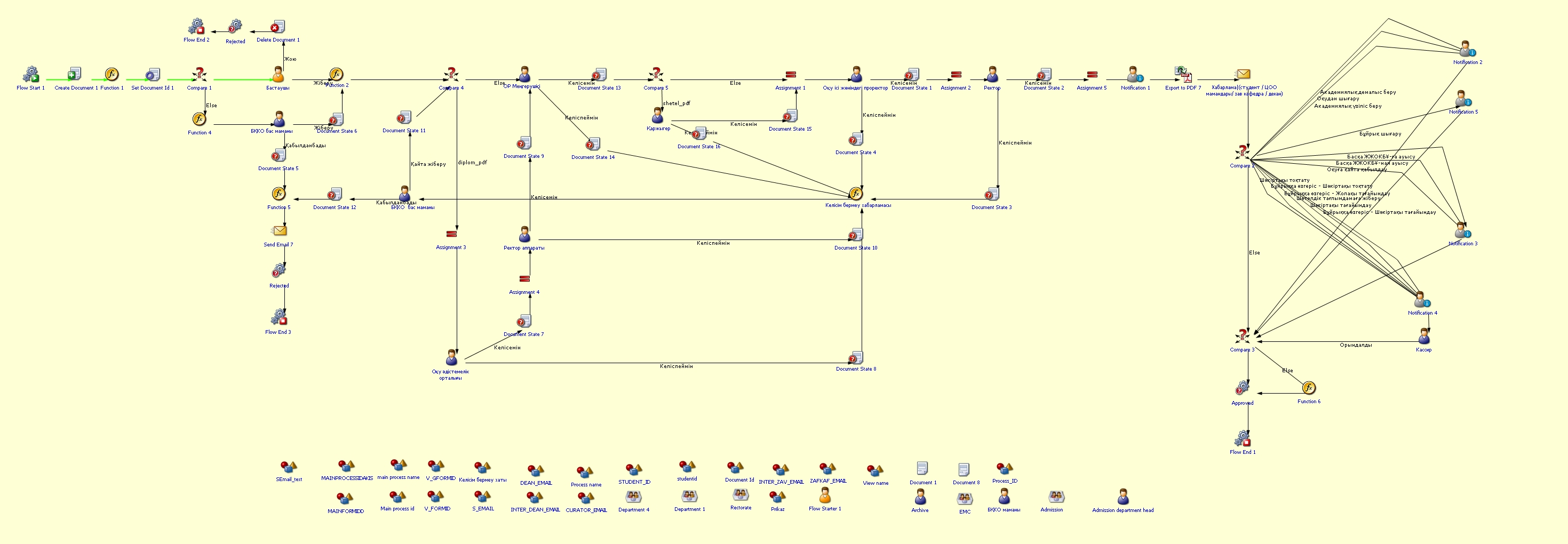
Process guidelines
You can view the process workflow in the section below.
For all inquiries, you can submit a request through helpdesk.sdu.edu.kz ➝ "Submit a ticket" ➝ "BPM" or contact us via email at dms@sdu.edu.kz!