Department's annual report
Process purpose and use cases
-
Monitoring the implementation of the annual plan
-
Conducting analysis of the department’s activities
-
Reporting to the university administration
-
Defining the department’s future plans
How can I initiate the Department's annual report process in the BPM system?
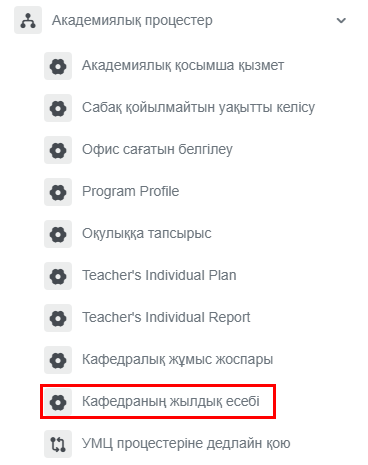
1. Go to bpm.sdu.edu.kz, navigate to the "Start Process" section, and proceed to Academic processes ➝ Кафедраның жылдық есебі / Department's annual report process.
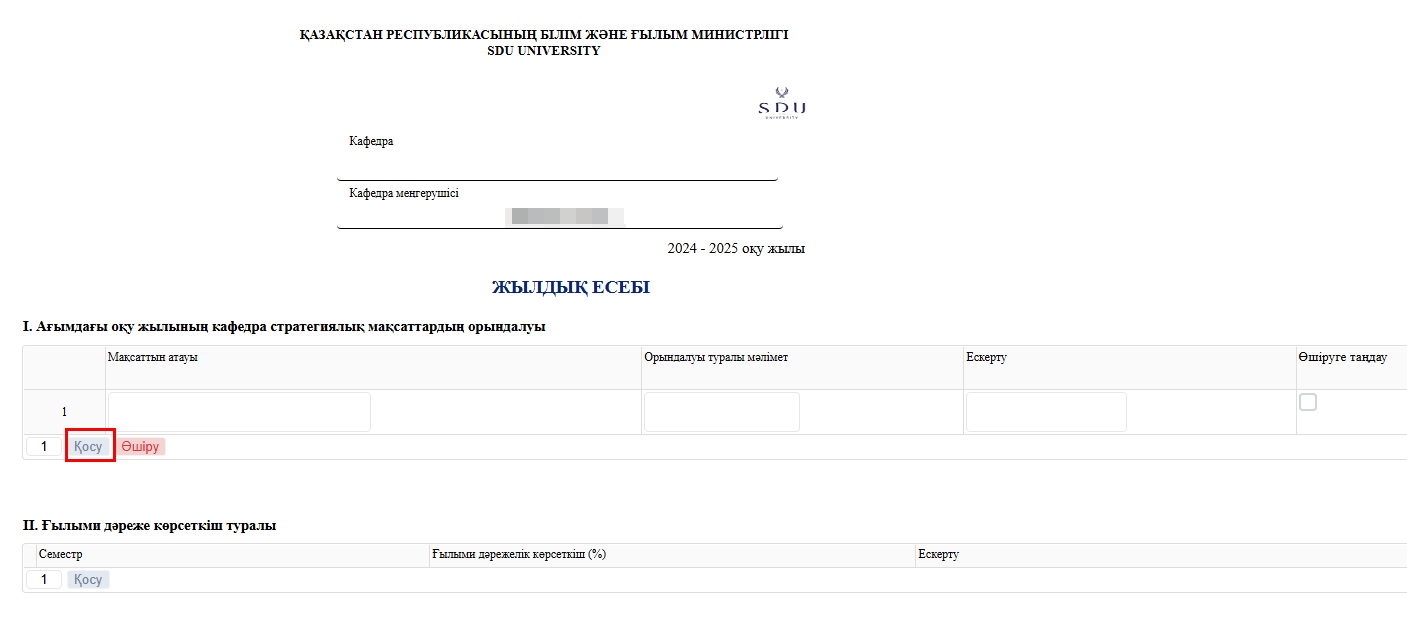
2. The plan you filled in at the beginning of the academic year will be automatically displayed in the table. You can enter information about the current status of the plan’s implementation and add comments.
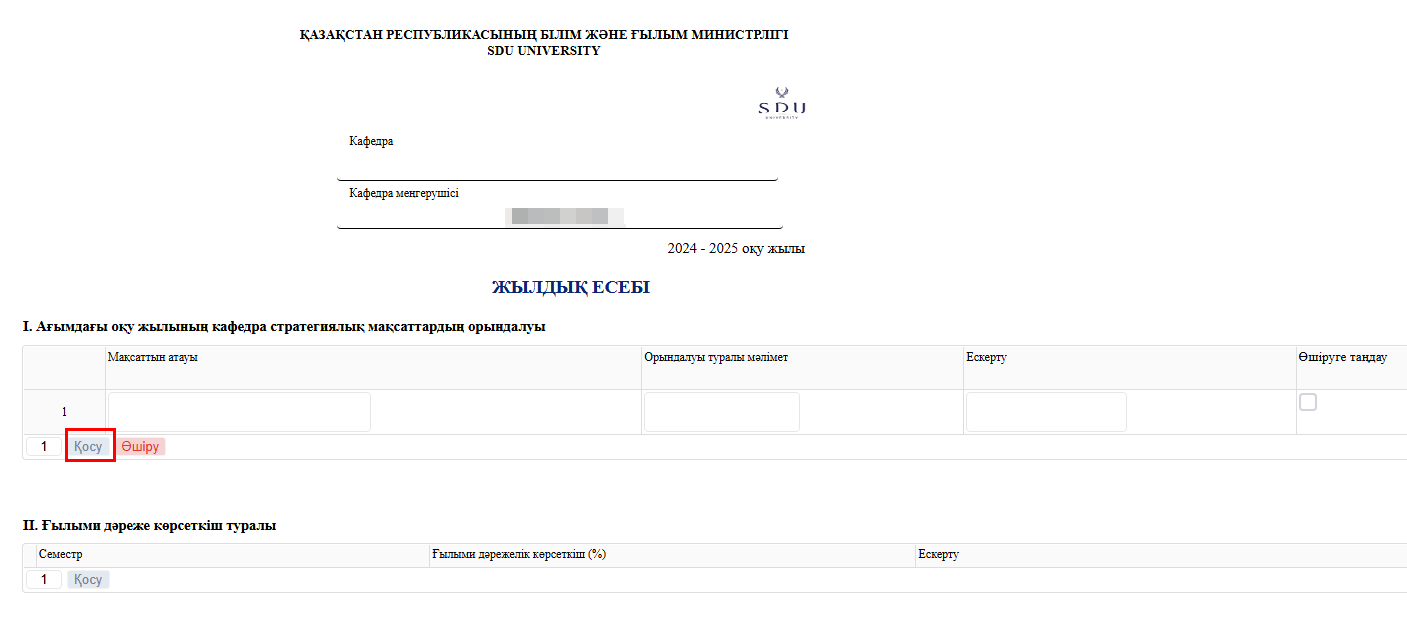
3. 3. After entering the required information, you can use the “Submit” button to choose whether to send it to yourself or for approval. You can also leave a brief analysis of the report.
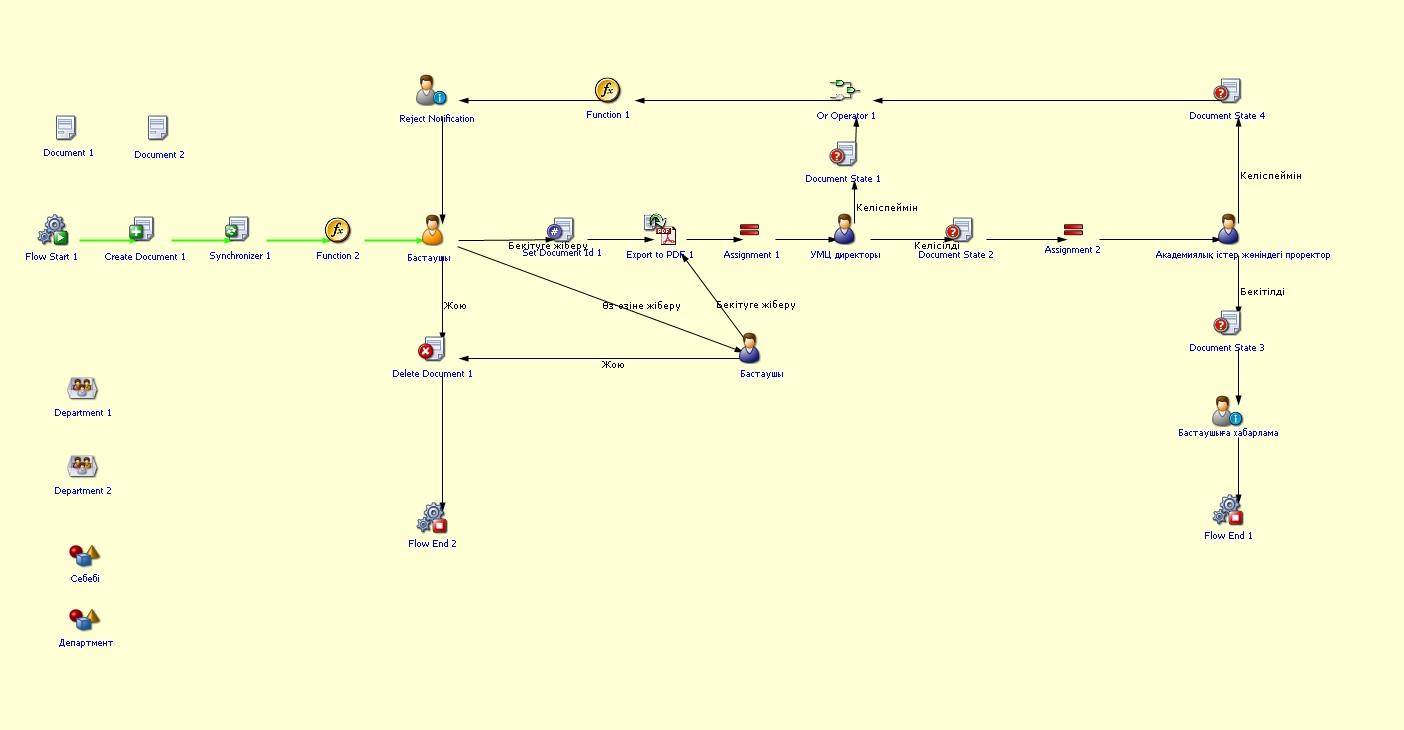
Process guidelines
You can view the process workflow in the section below.
For all inquiries, you can submit a request through helpdesk.sdu.edu.kz ➝ "Submit a ticket" ➝ "BPM" or contact us via email at dms@sdu.edu.kz!