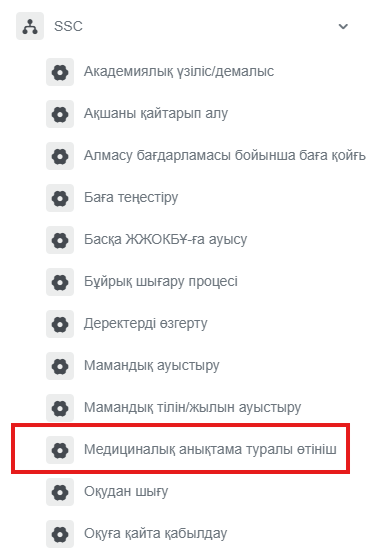
SSC
- Medical certificate request
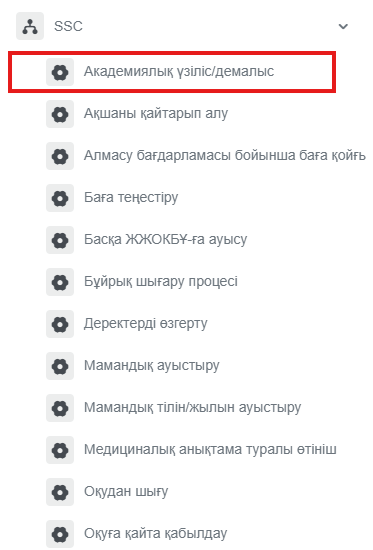
- Academic leave/break
- Request for grading under the exchange program
- Refund
- Grade equivalency
- Transfer to another higher education institution
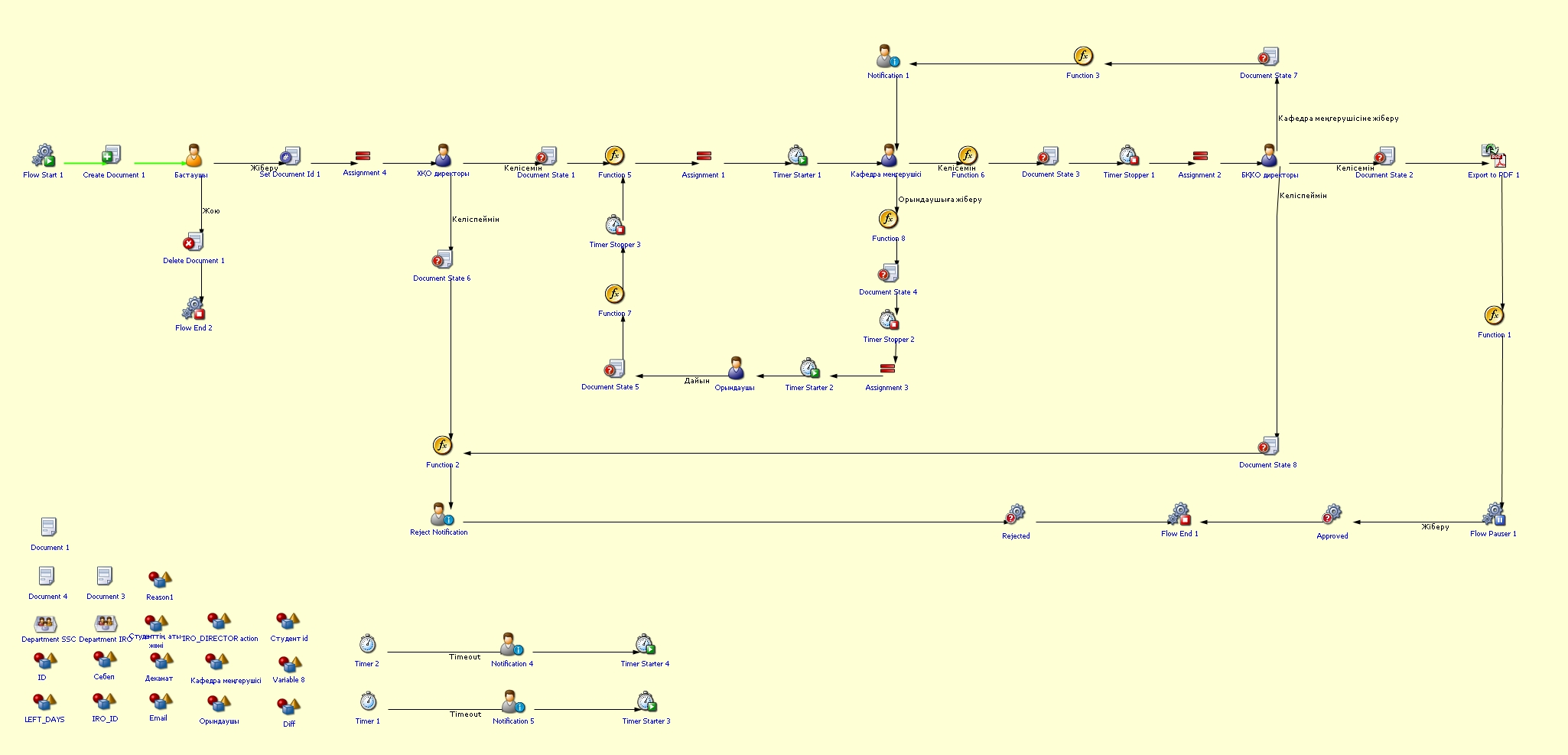
- Order issuance process
- Change of major language/year
- Withdrawal from studies
- Transfer from another higher education institution
- Re-enrollment
- Change of major
- Registration/withdrawal from the MINOR program
- Edit data
- Студенттік ұсыныс/қызметтік хат
Medical certificate request
Process purpose and use cases
This process is designed for students to request a medical certificate.
Use cases:
How can I initiate the Medical certificate request process in the BPM system?
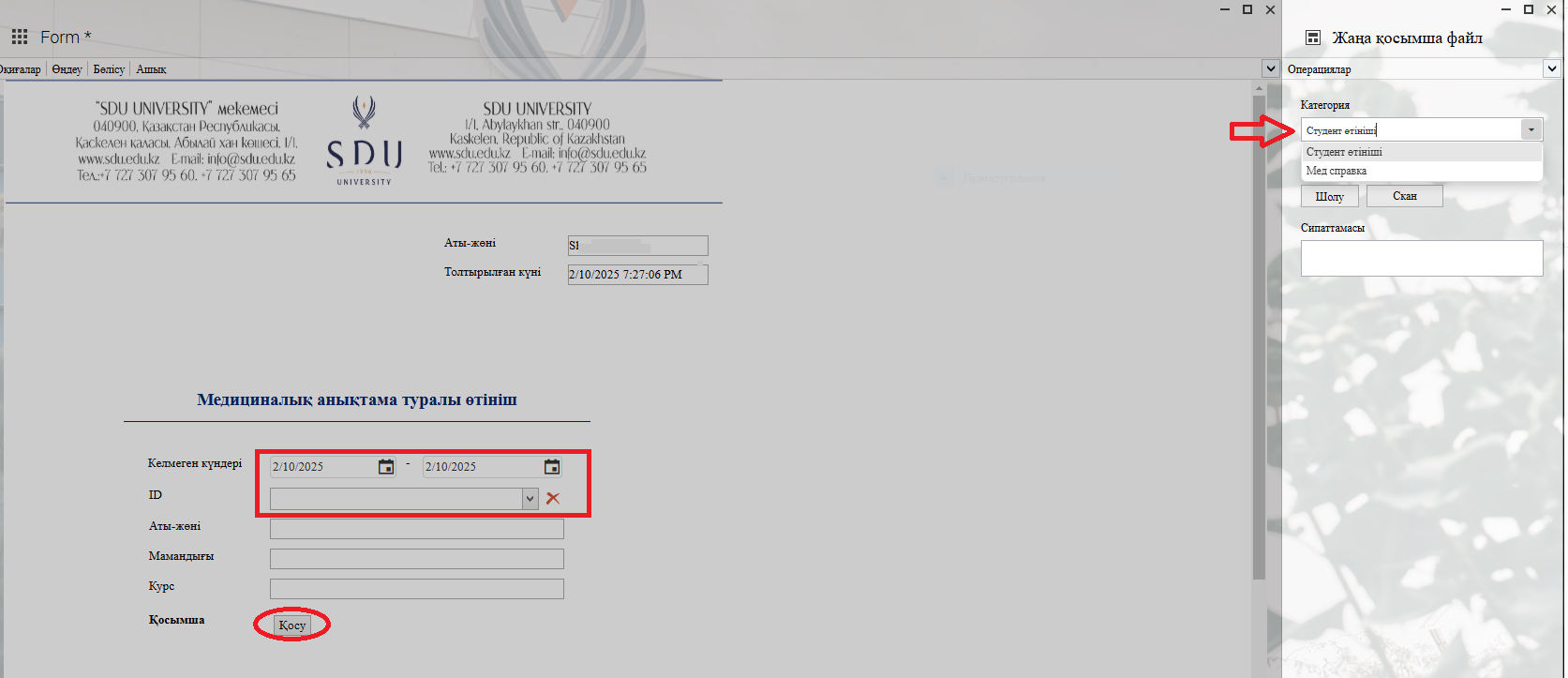
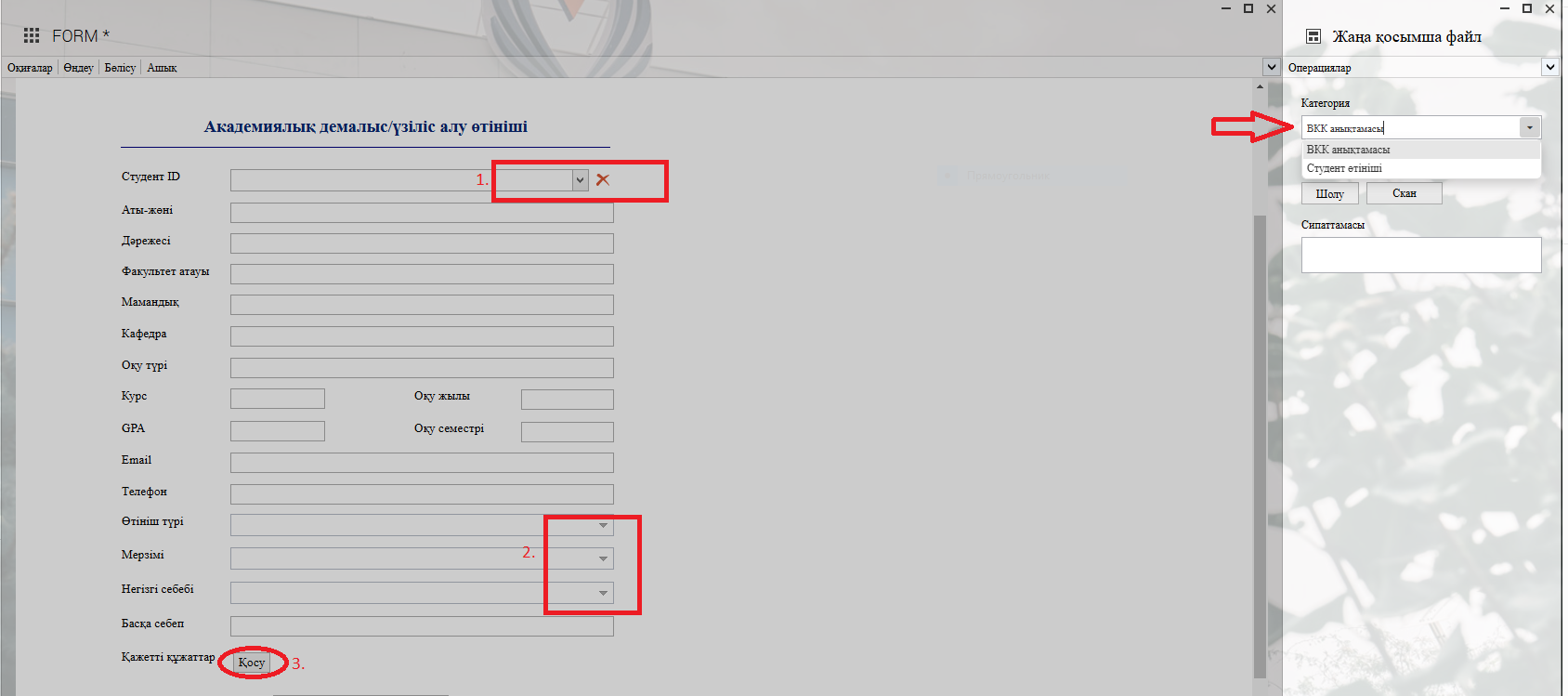
2. 1) When you click the button in the Student ID column, enter the student's ID number or name in the opened window, and after selecting the required student, the remaining fields will be filled in automatically.
Select the dates according to the student's medical certificate.
2) When you click the "Add" button, you can attach the necessary file in the opened window according to the categories on the left.
Process guidelines
Academic leave/break
Process purpose and use cases
This process allows students to take an academic leave or break for a certain period.
Use cases:
- Taking an academic break due to health reasons
- Requesting leave for personal reasons
- Being called for military service
- Temporarily withdrawing from studies due to family or other significant reasons
How can I initiate the Academic leave/break process in the DMS system?
Process guidelines
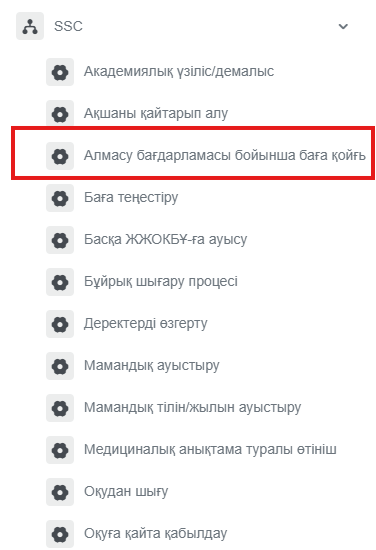
Request for grading under the exchange program
Process purpose and use cases
This process is used for grading on the SDU portal for students who have studied abroad or at another higher education institution under an exchange program.
How can I initiate the Request for grading under the exchange program process in the DMS system?
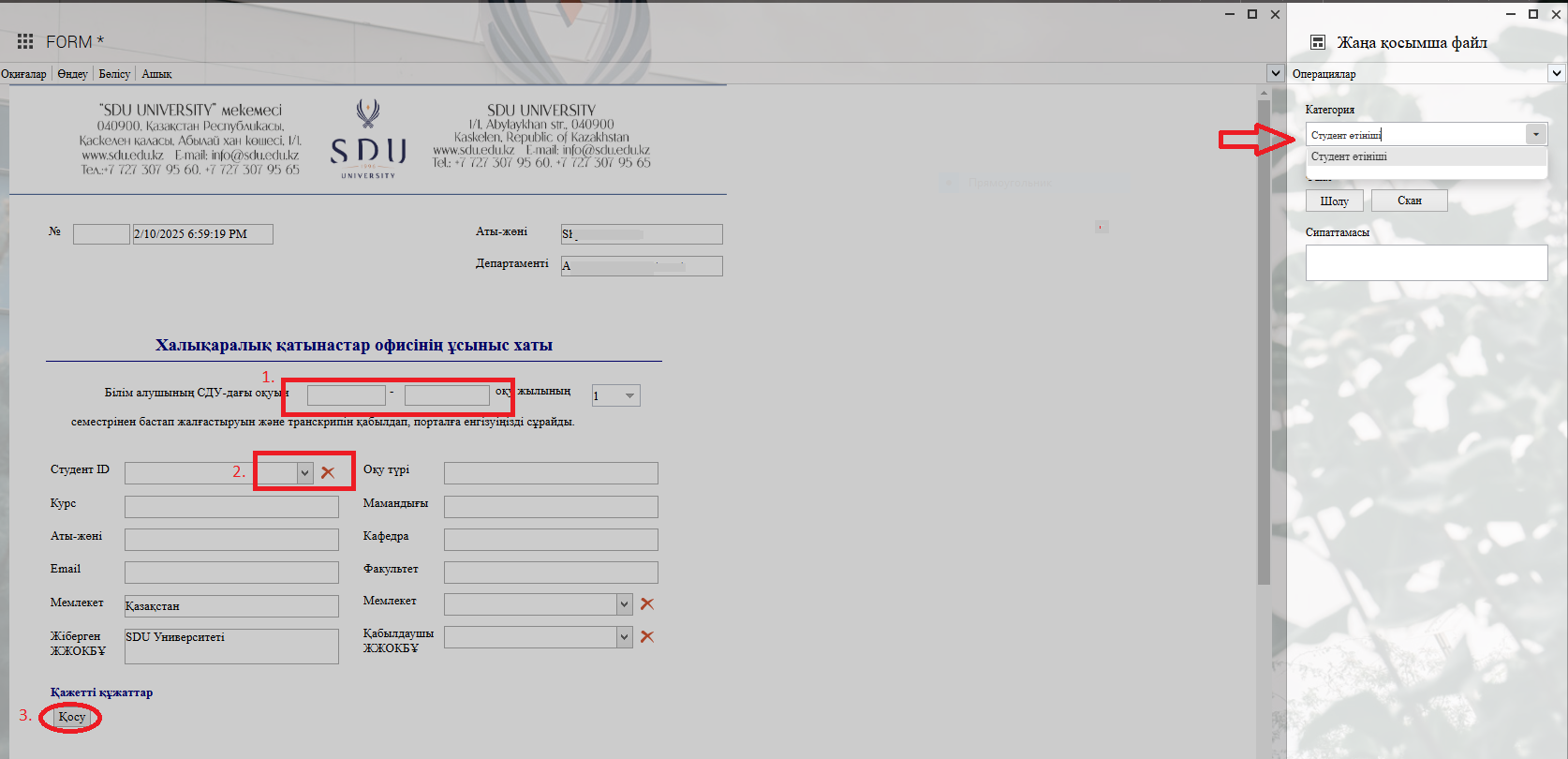
2. 1) Fill in the academic year.
3) In the opened window after clicking the "Қосу / Add" button, you can attach the required document to the categories on the left.
Process guidelines
Refund
Process purpose and use cases
This process is used by students and applicants to request a refund of tuition fees or other financial payments.
Use cases:
- If there is an overpaid or mistakenly paid tuition fee
- If a refund is needed due to withdrawal from studies or transfer to another higher education institution
- If a refund is processed for other financial reasons
How can I initiate the Refund process in the DMS system?
Process guidelines
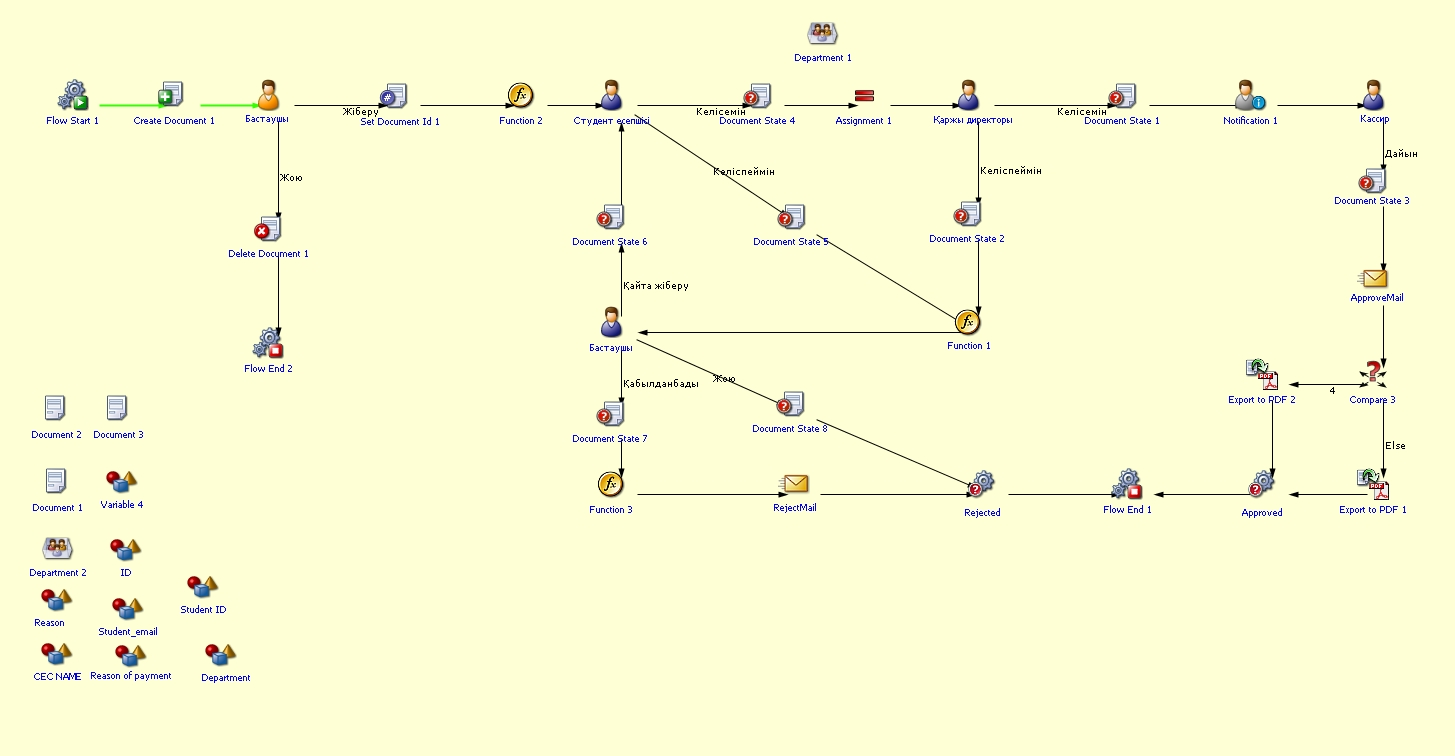
Grade equivalency
Process purpose and use cases
This process is used to equate (compare) a student's academic grades and make necessary adjustments.
Use cases:
- Aligning the grades of a transferred student with the university's grading system
- Equating course grades to eliminate academic differences
How can I initiate the Grade equivalency process in the DMS system?
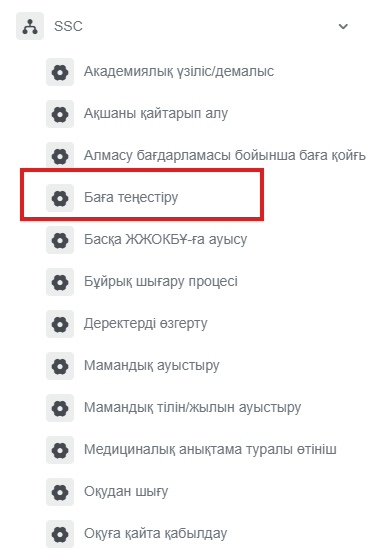
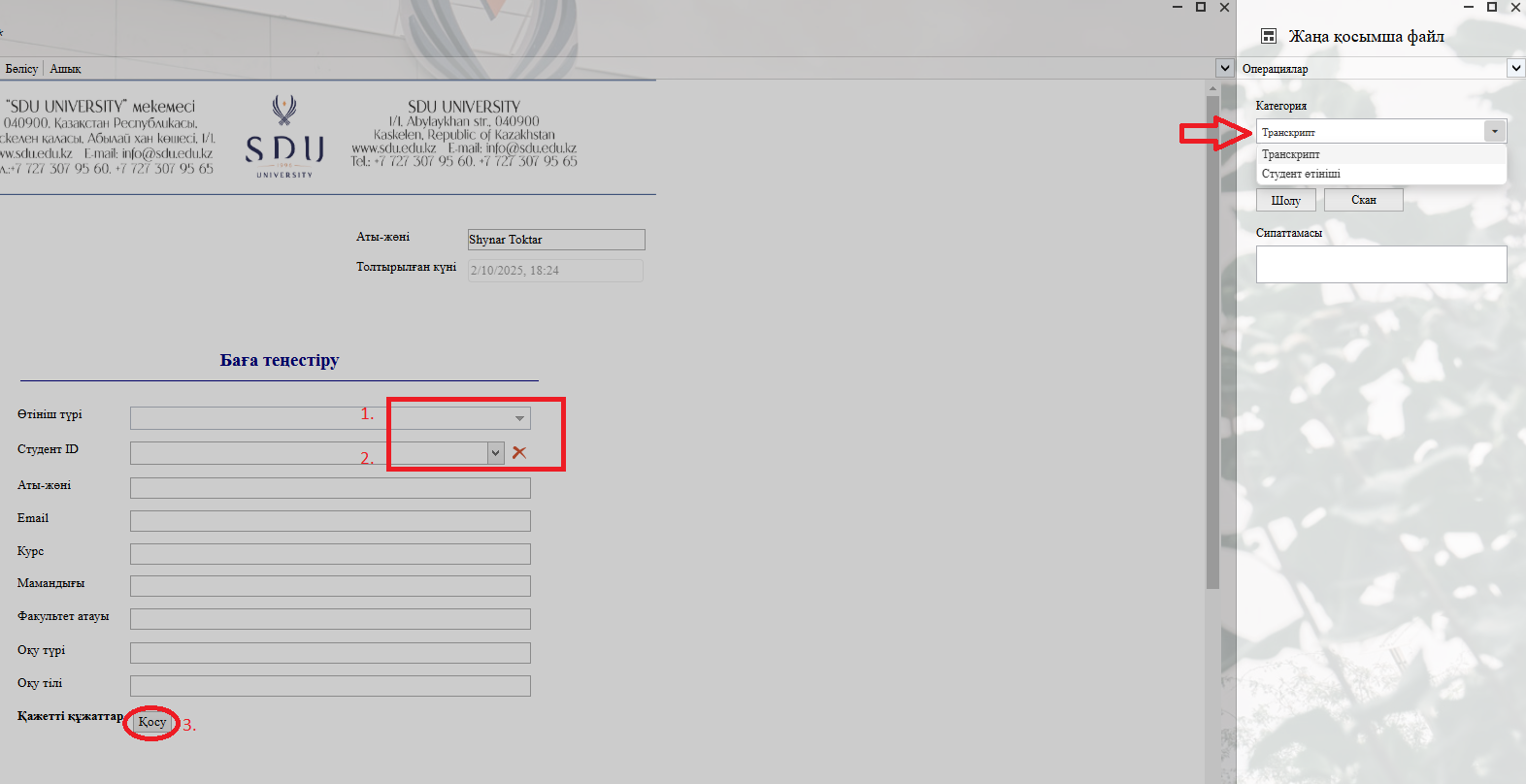
2. 1) Select the өтініш түрі / application type.
2) Click the button in the Студент ID / Student ID column and enter the student's ID number or full name in the opened window. Once you select the required student, the remaining fields will be filled in automatically.
3) In the opened window after clicking the "Қосу" — "Add" button, you can attach the required document to the categories on the left.
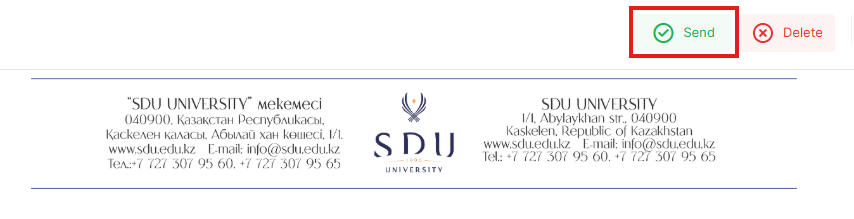
Process guidelines
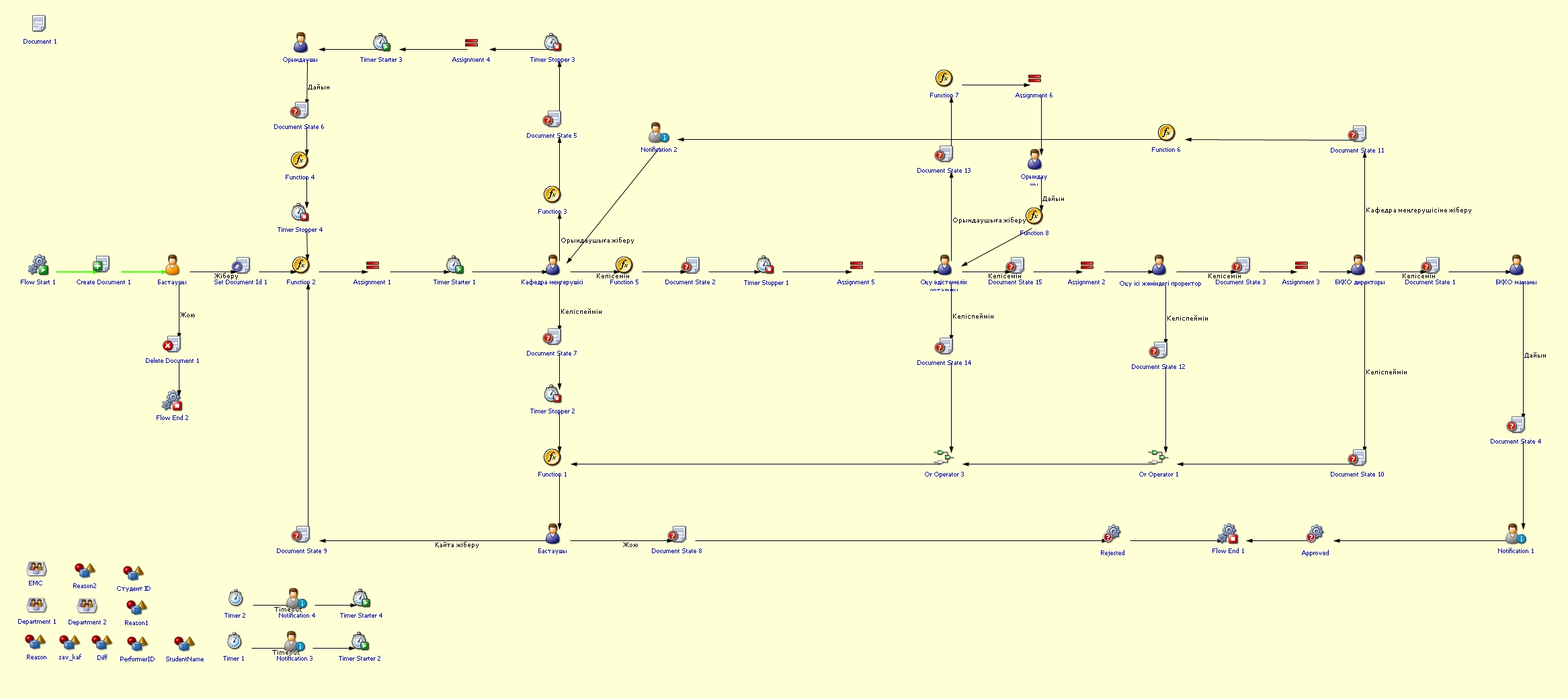
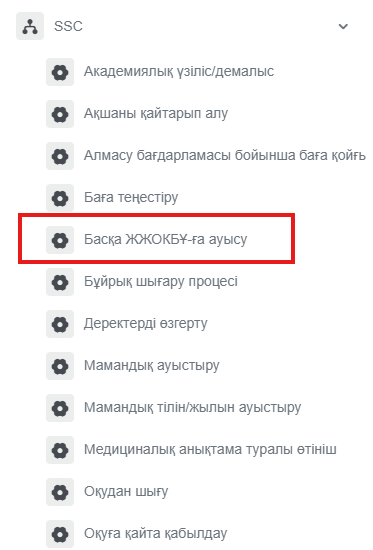
Transfer to another higher education institution
Process purpose and use cases
This process is used for processing a student's transfer to another higher education institution.
How can I initiate the Transfer to another higher education institution process in the DMS system?
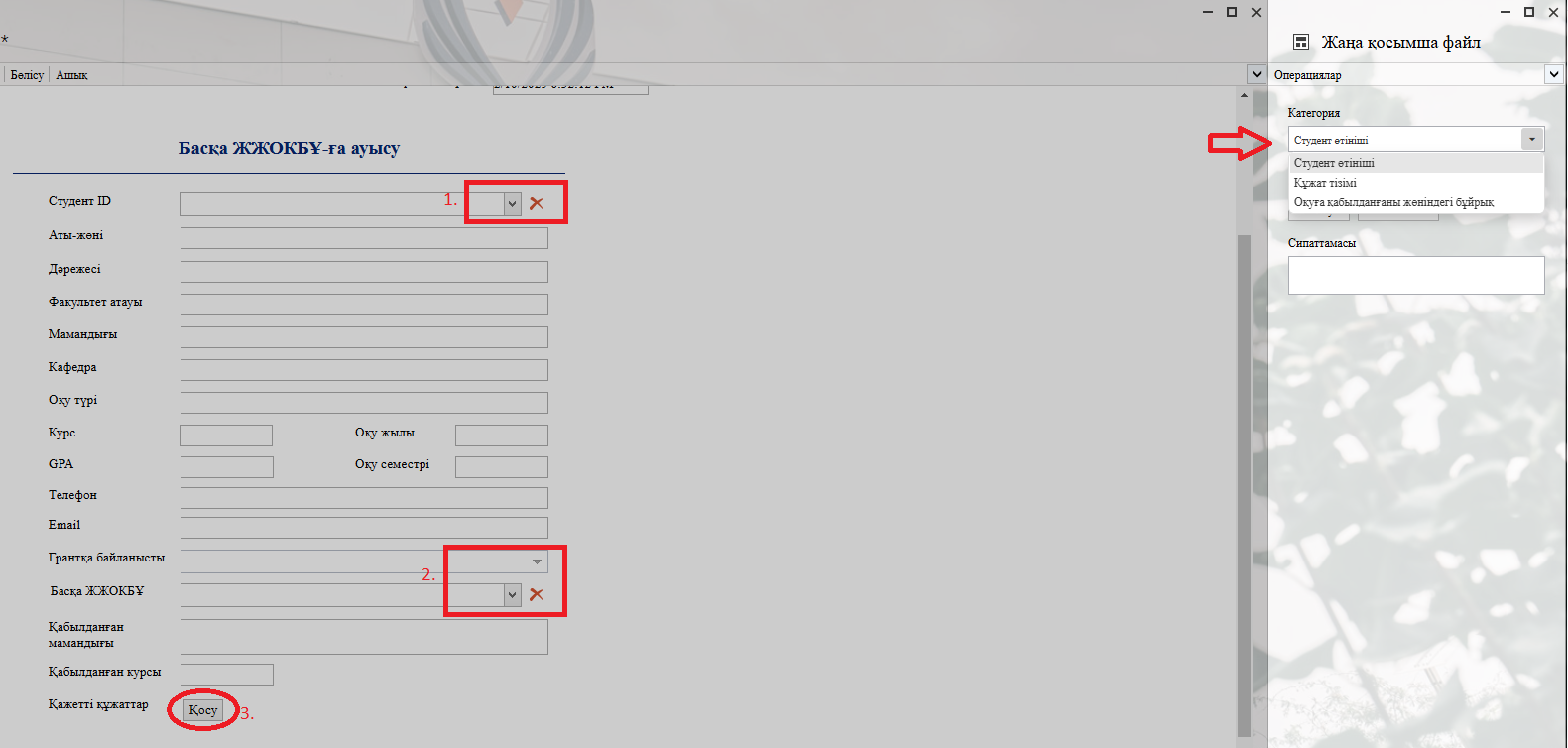
2. 1) Click the button in the Студент ID / Student ID column and enter the student's ID number or full name in the opened window. Once you select the required student, the remaining fields will be filled in automatically.
2) Select the other higher education institution. Enter the accepted major and course.
3) In the opened window after clicking the "Қосу" — "Add" button, you can attach the required document to the categories on the left.
Process guidelines
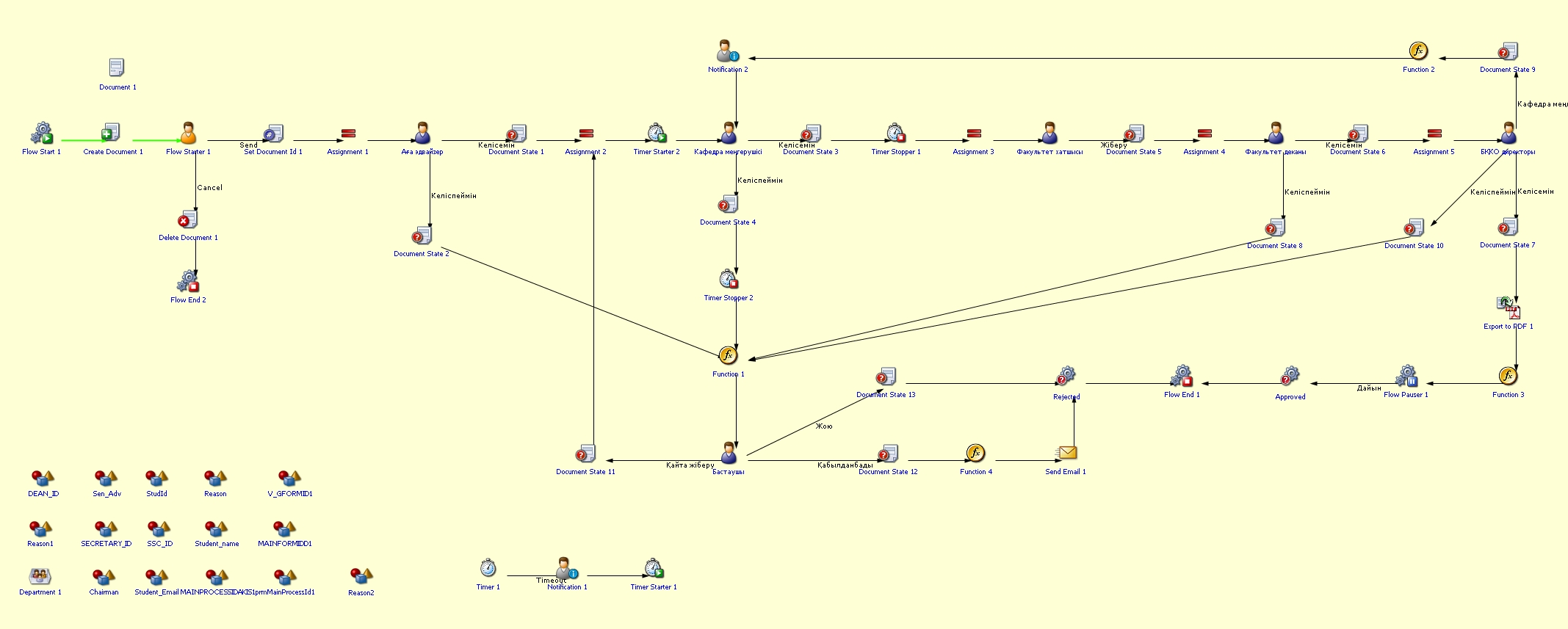
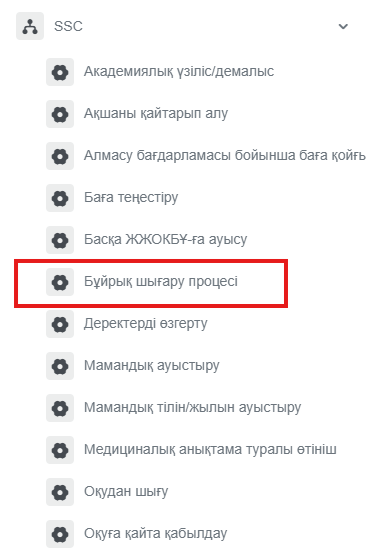
Order issuance process
Process purpose and use cases
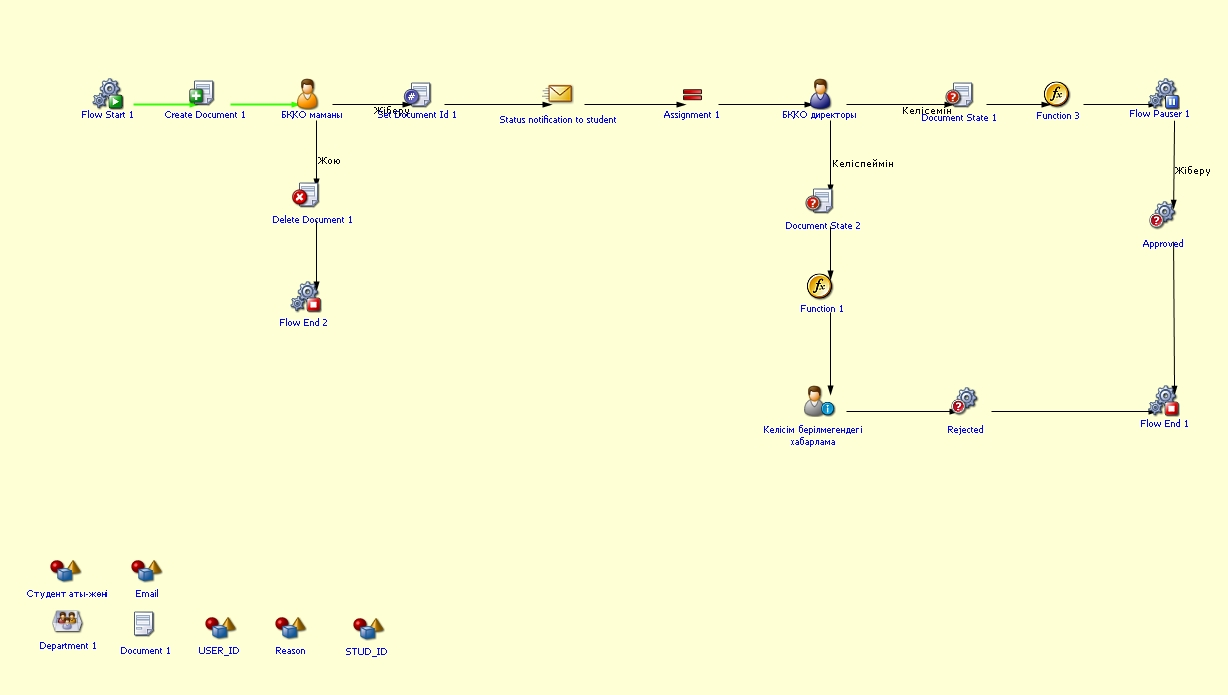
This process is intended for issuing official orders related to administrative and academic matters within the university. It is an internal process that continues automatically within the BQCO processes. The order process includes more than 15 different types of orders.
Use cases:
- Changing students' academic status (expulsion, reinstatement, etc.)
- Issuing orders related to the academic process and administrative decisions
Once the order is entered into the system, it is sent for approval and distributed to the relevant departments.
How can I initiate the Order issuance process in the DMS system?
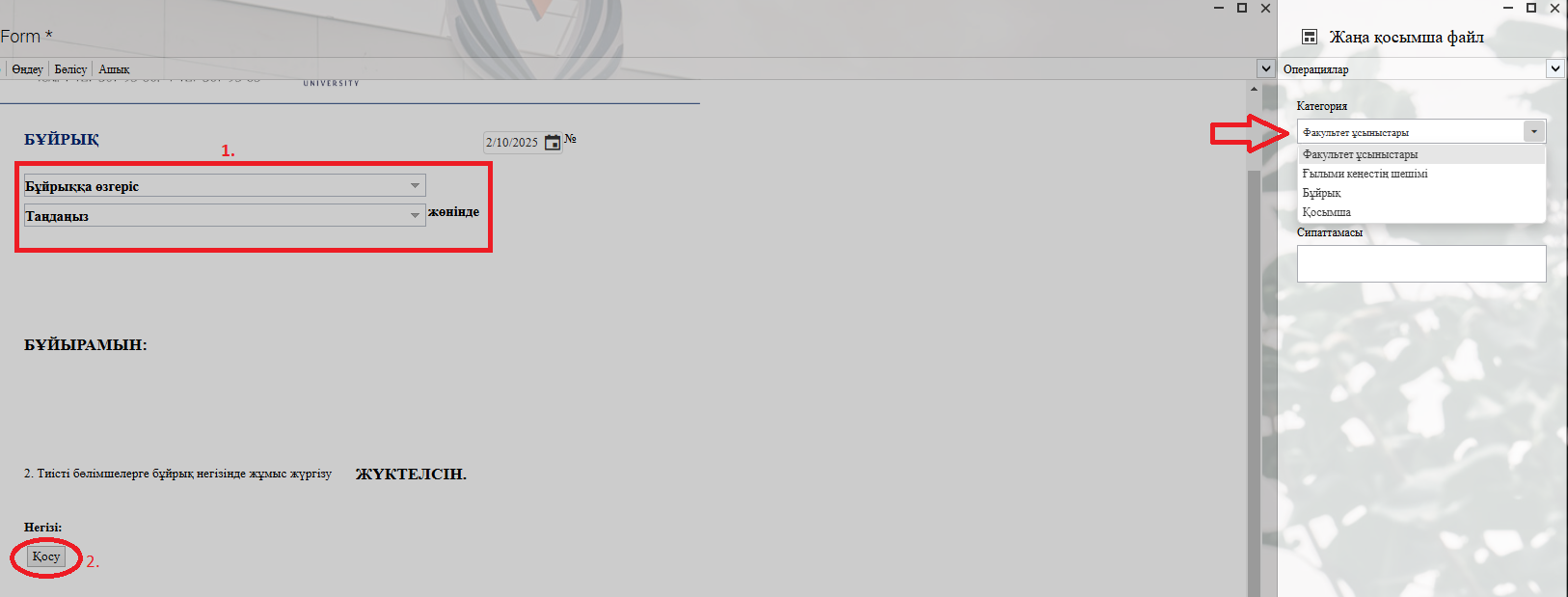
2. 1) Don't forget to select the required information from the provided list in the fields.
2) In the opened window after clicking the "Қосу" — "Add" button, you can attach the required document to the categories on the left.
Process guidelines
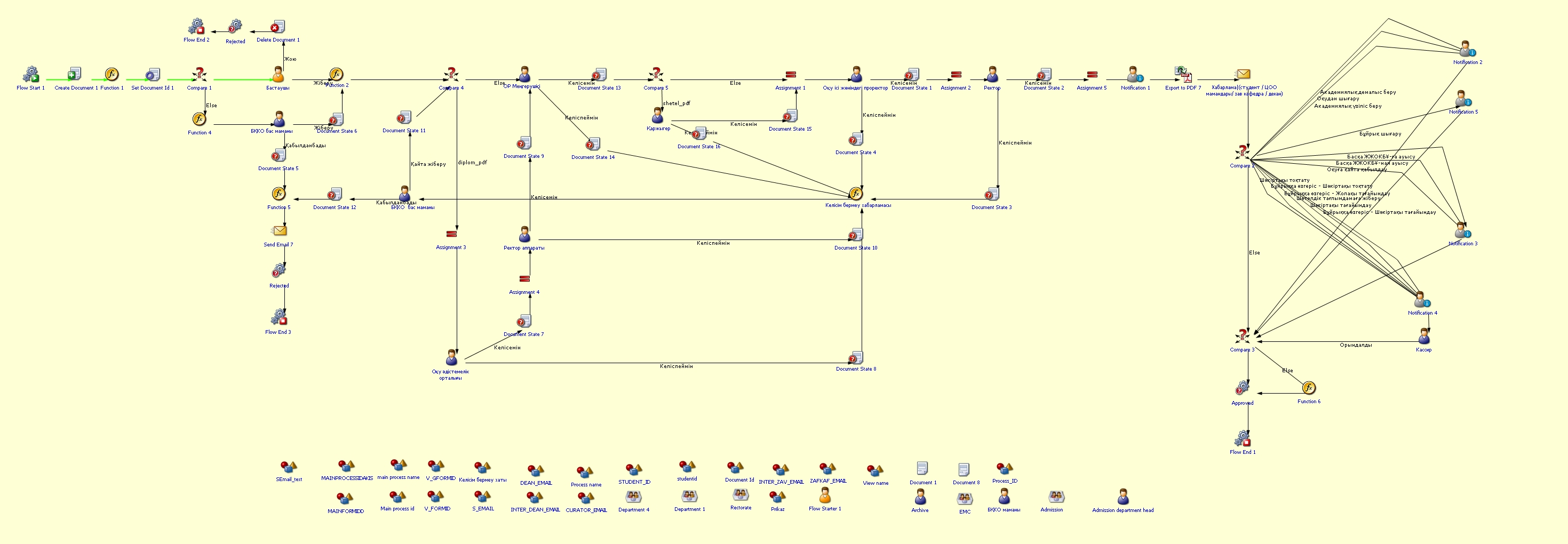
Change of major language/year
Process purpose and use cases
This process is used to automate and formalize the procedure for changing a student's language of instruction or academic year.
Use cases:
- When a student requests to change the language of instruction (Kazakh, Russian, English)
- When a student needs to change the academic year due to academic reasons (e.g., repeating a course or advancing)
- When the academic year or language of instruction needs to be changed based on a special decision by the university administration
How can I initiate the Change of major language/year process in the DMS system?
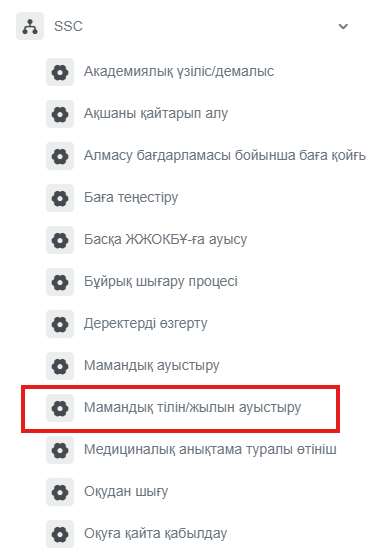
2. 1) Select the өтініш түрі / application type
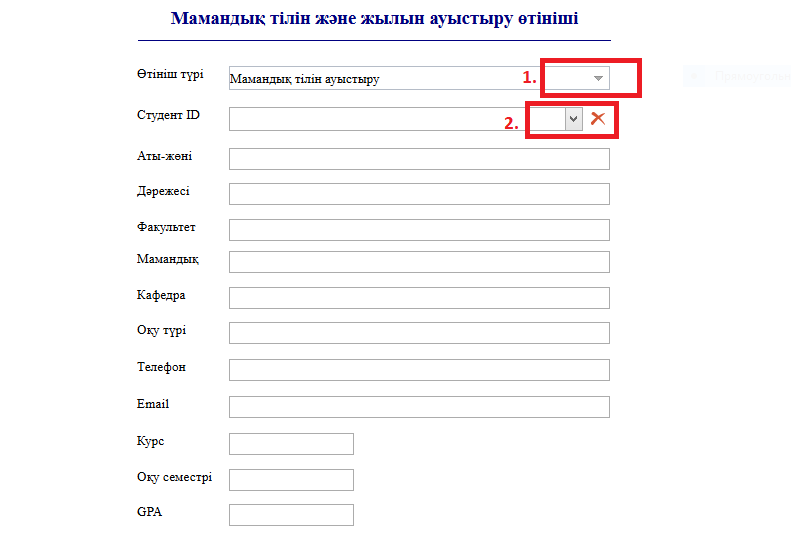
3. 1) Don't forget to fill it in.
2) In the opened window after clicking the "Қосу" — "Add" button, you can attach the required document to the categories on the left.
Process guidelines
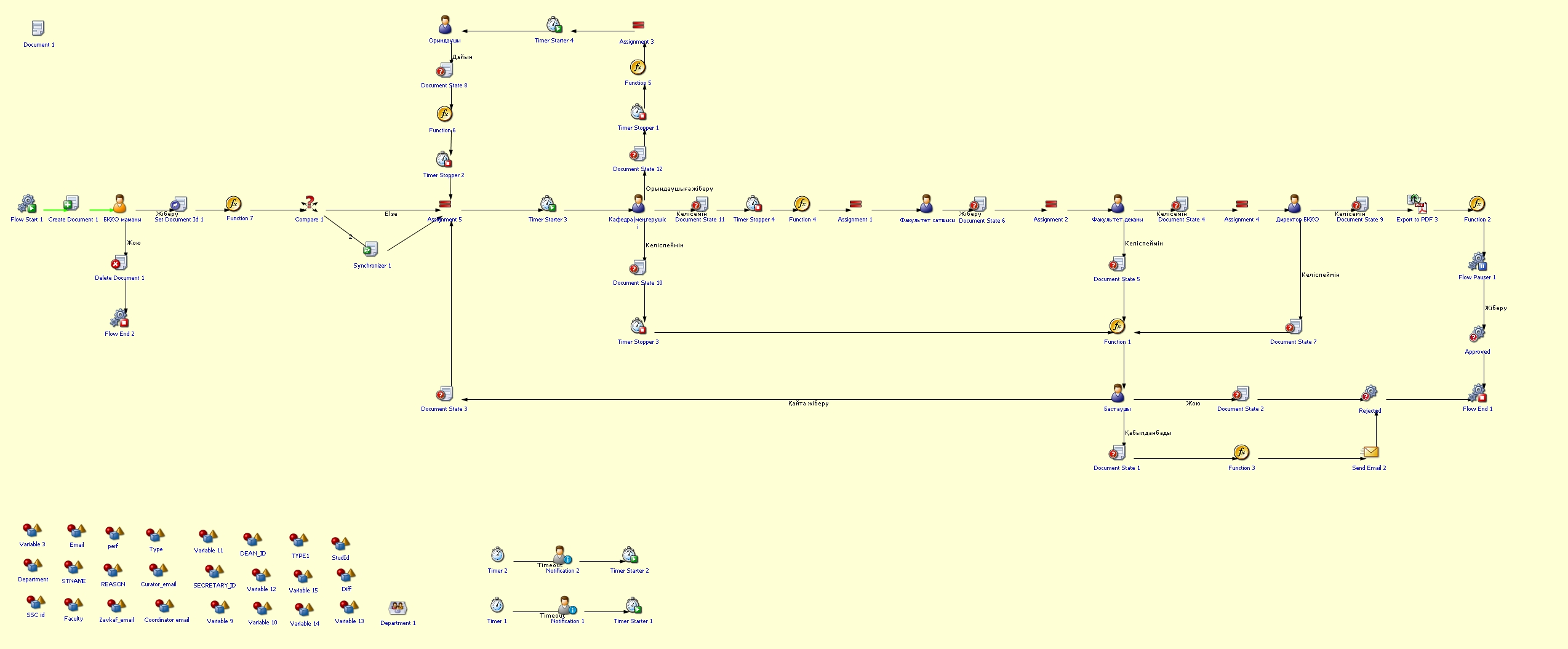
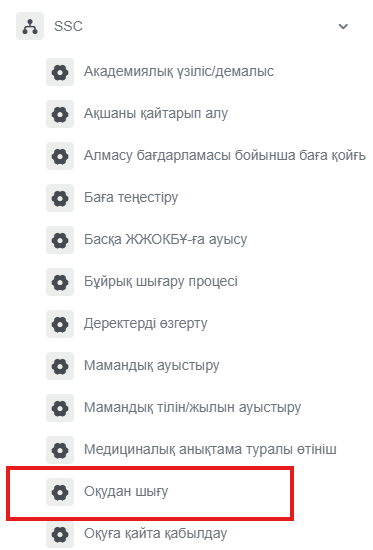
Withdrawal from studies
Process purpose and use cases
This process is used to formally process a student's withdrawal from the university.
Use cases:
- When a student voluntarily submits a withdrawal application
- When a student needs to be withdrawn due to academic or disciplinary reasons
- When withdrawal procedures are carried out for transferring to another educational institution
How can I initiate the Withdrawal from studies process in the DMS system?
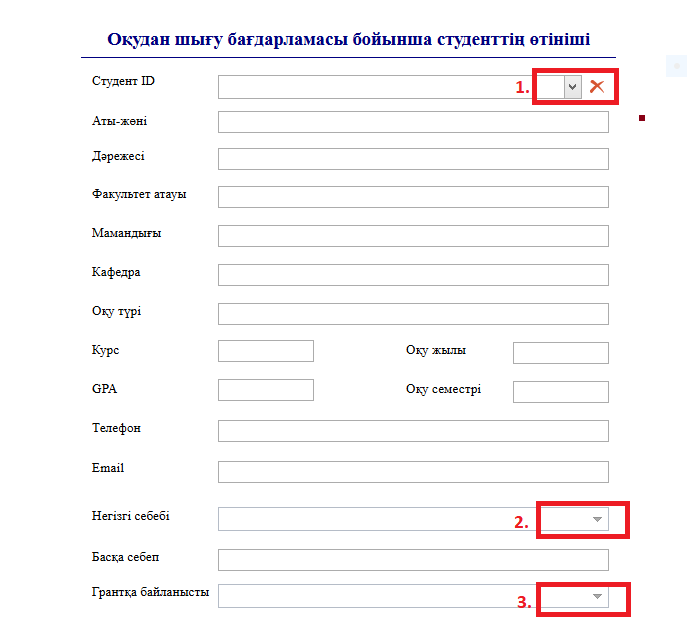
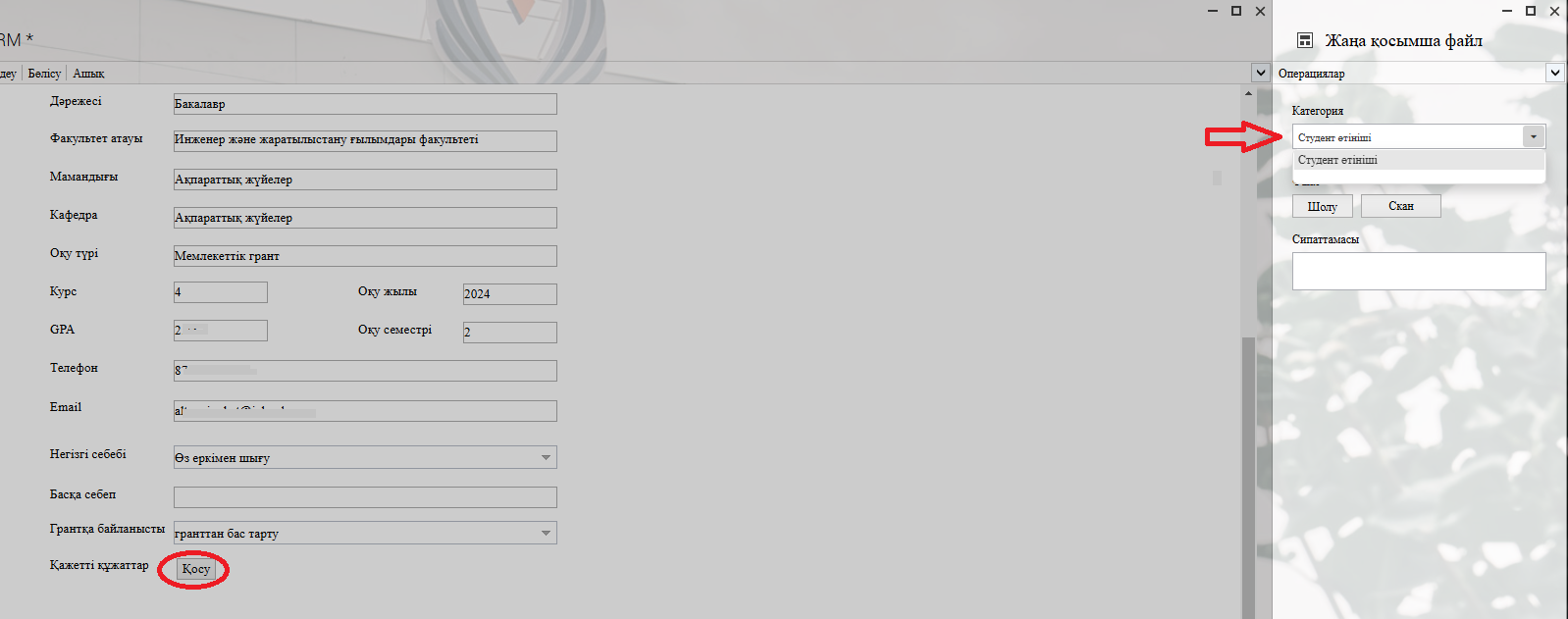
2. 1) Click the button in the Студент ID / Student ID column and enter the student's ID number or full name in the opened window. Once you select the required student, the remaining fields will be filled in automatically.
2) 3) Additionally, don't forget to fill in 2. (негізгі себеп / main reason) and 3. (грантқа байланысты / related to the grant).
3. 1) In the opened window after clicking the "Қосу" — "Add" button, you can attach the required document to the categories on the left.
Process guidelines
Transfer from another higher education institution
Process purpose and use cases
This process is used for admitting students transferring from another higher education institution.
How can I initiate the Transfer from another higher education institution process in the DMS system?
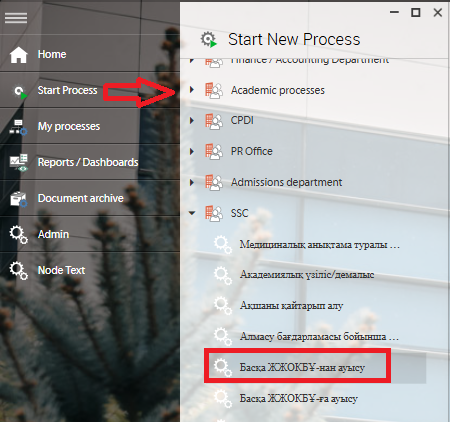
2. Fill in the applicant's personal data.
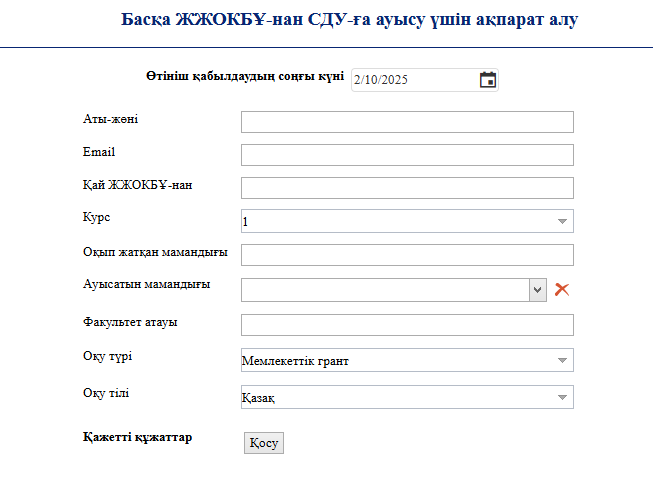
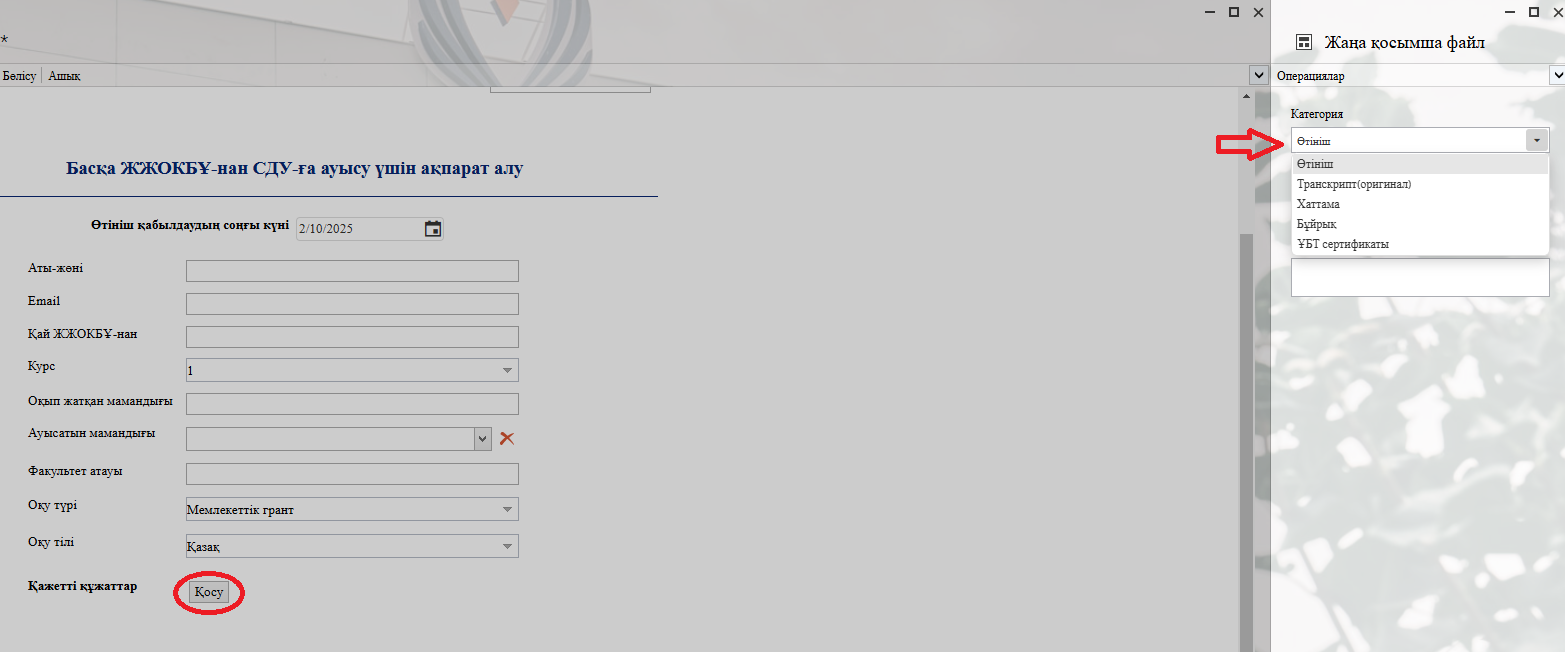
3. In the opened window after clicking the "Қосу" — "Add" button, you can attach the required document to the categories on the left.
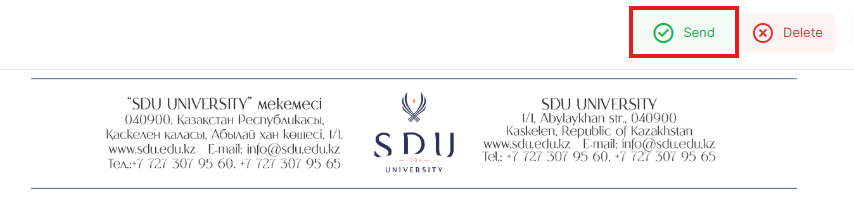
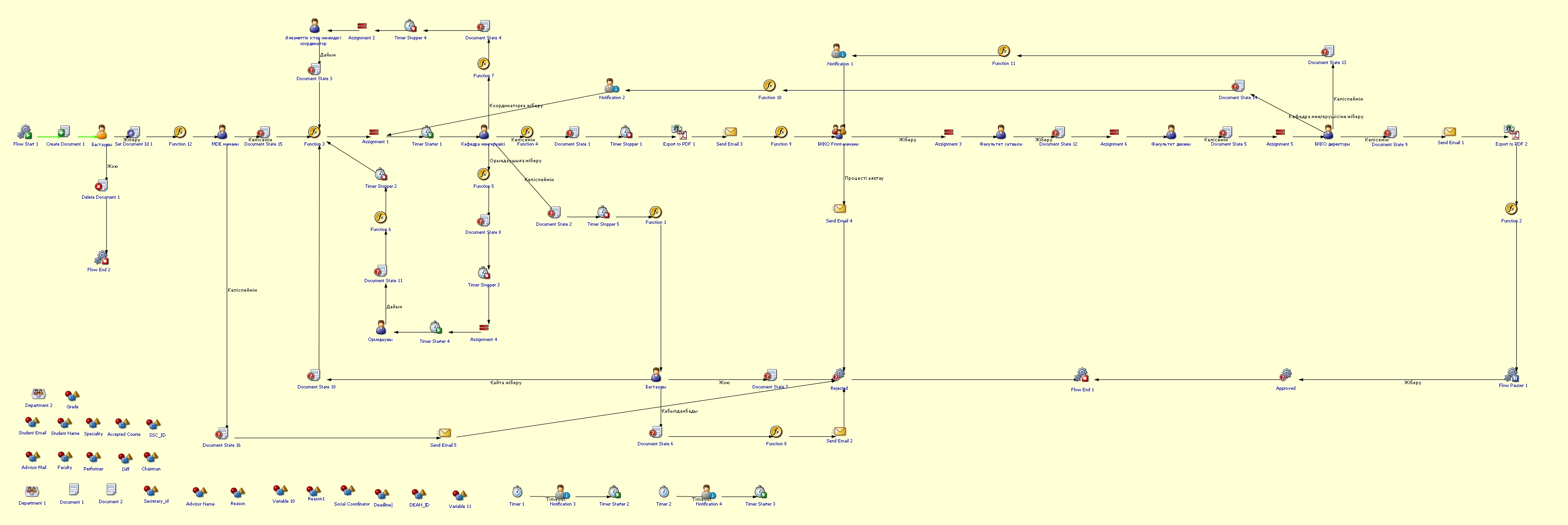
Process guidelines
Re-enrollment
Process purpose and use cases
This process is used for the re-enrollment of a student who has withdrawn from the university.
Use cases:
- When a student voluntarily withdrew and requests re-enrollment
- When a student who was withdrawn due to academic or administrative reasons wants to be re-enrolled
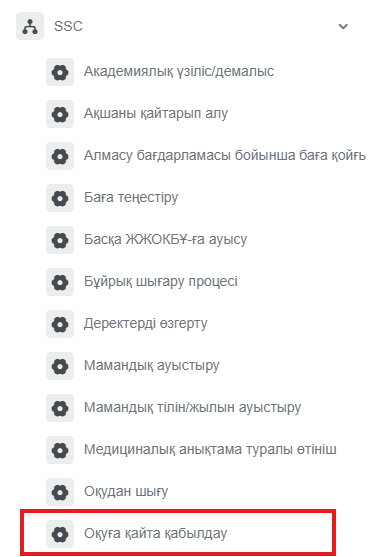
How can I initiate the Re-enrollment process in the DMS system?
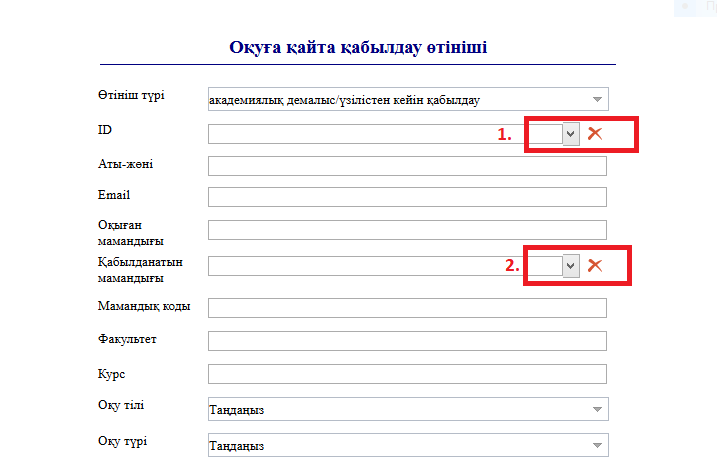
2. 1) Click the button in the ID column, then enter the student's ID number or full name in the opened window. Once you select the required student, their аты-жөні / full name, email, and оқыған мамандығы / previous major will be filled in automatically.
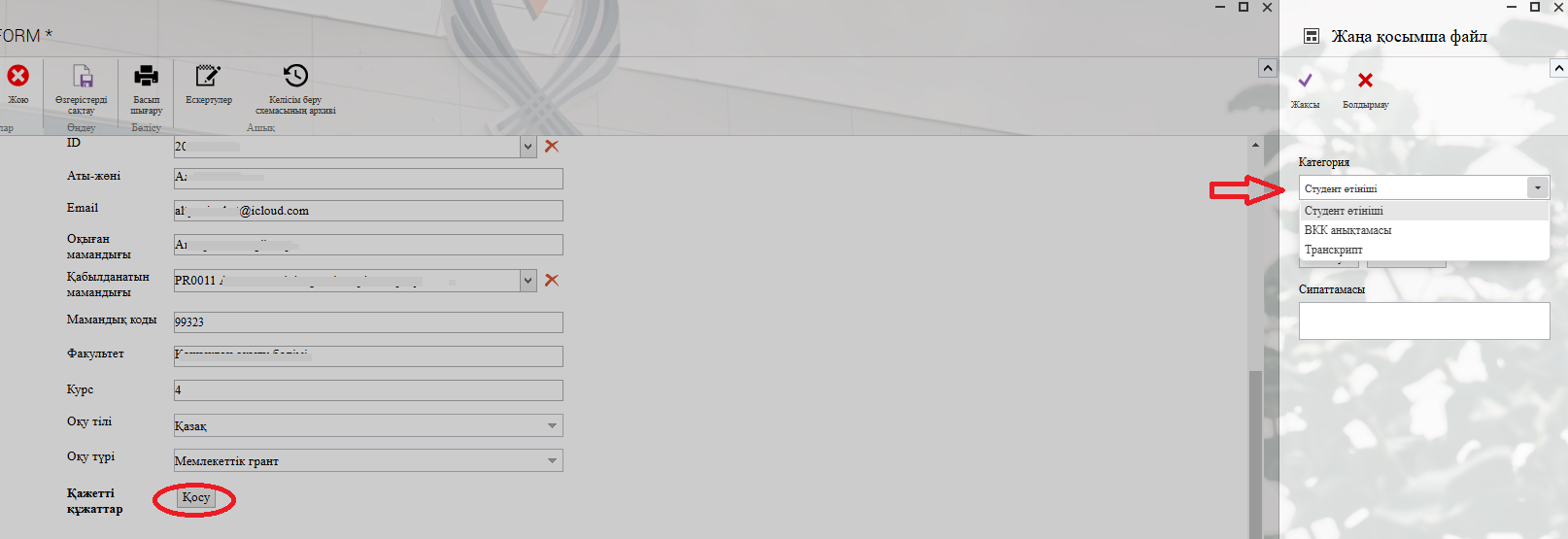
3. 1) In the opened window after clicking the "Қосу" — "Add" button, you can attach the required document to the categories on the left.
Process guidelines
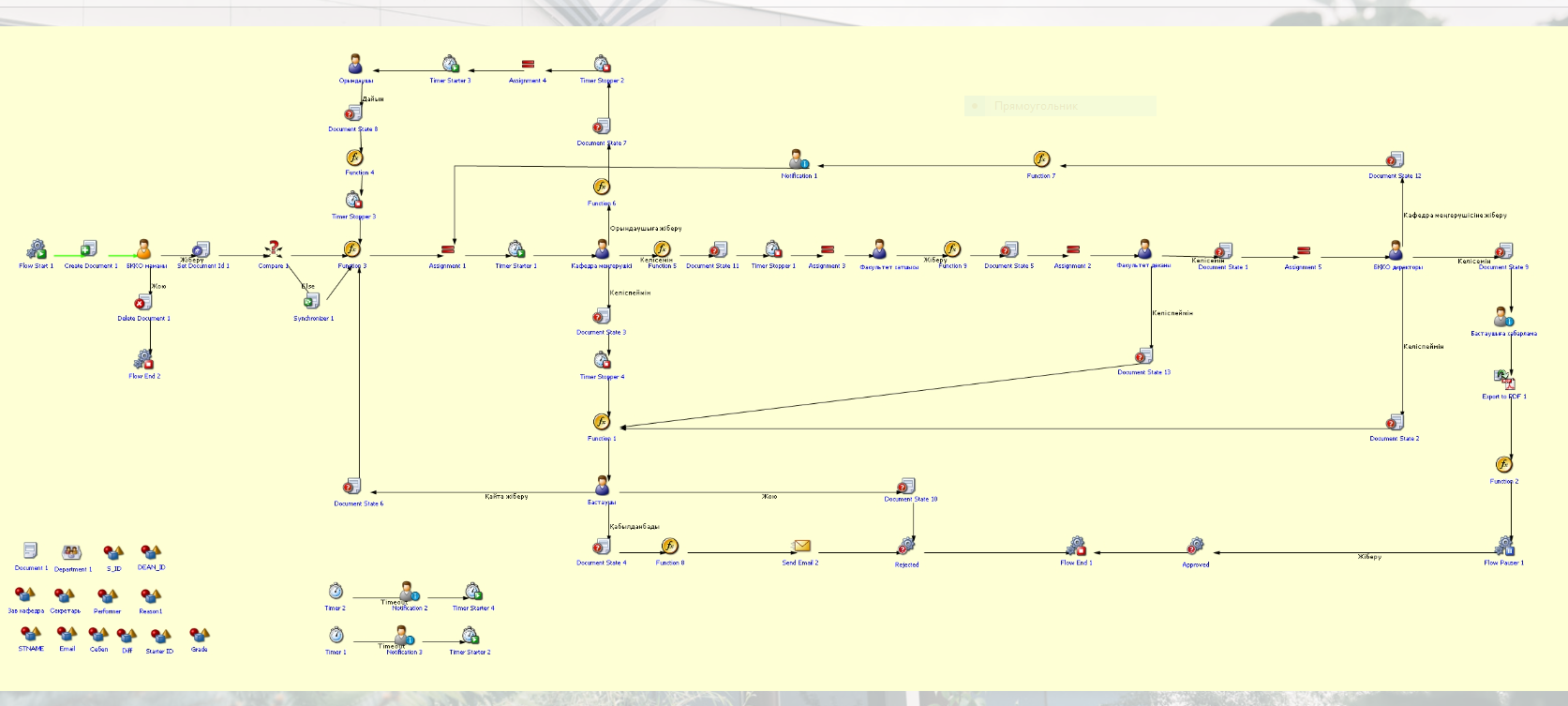
Change of major
Process purpose and use cases
This process is used to formalize and automate the procedure for changing a student's major.
Use cases:
- When a student submits a request to transfer to another major
- When internal transfers between majors are allowed within the university
- When a change of major is required due to scholarship or contract conditions
- When a student’s interests and inclinations change during the academic process
How can I initiate the Change of major process in the DMS system?
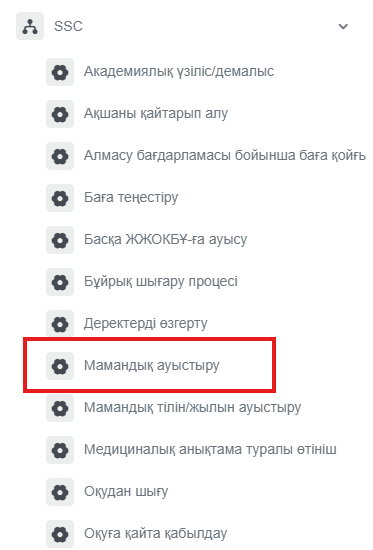
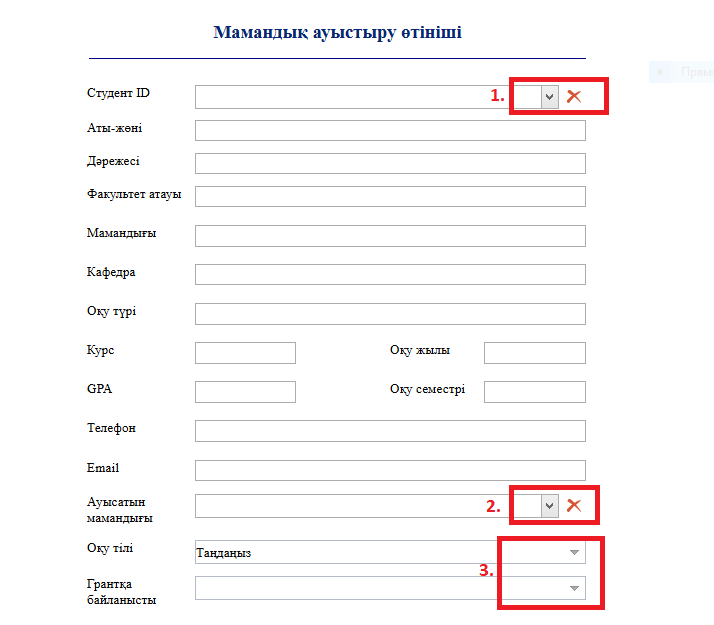
2. Click the button in the Студент ID / Student ID column and enter the student's ID number or full name in the opened window. Once you select the required student, the remaining fields will be filled in automatically.
2) You can select the new major from the list in the opened window.
3) Don't forget to select the language of instruction and grant status.
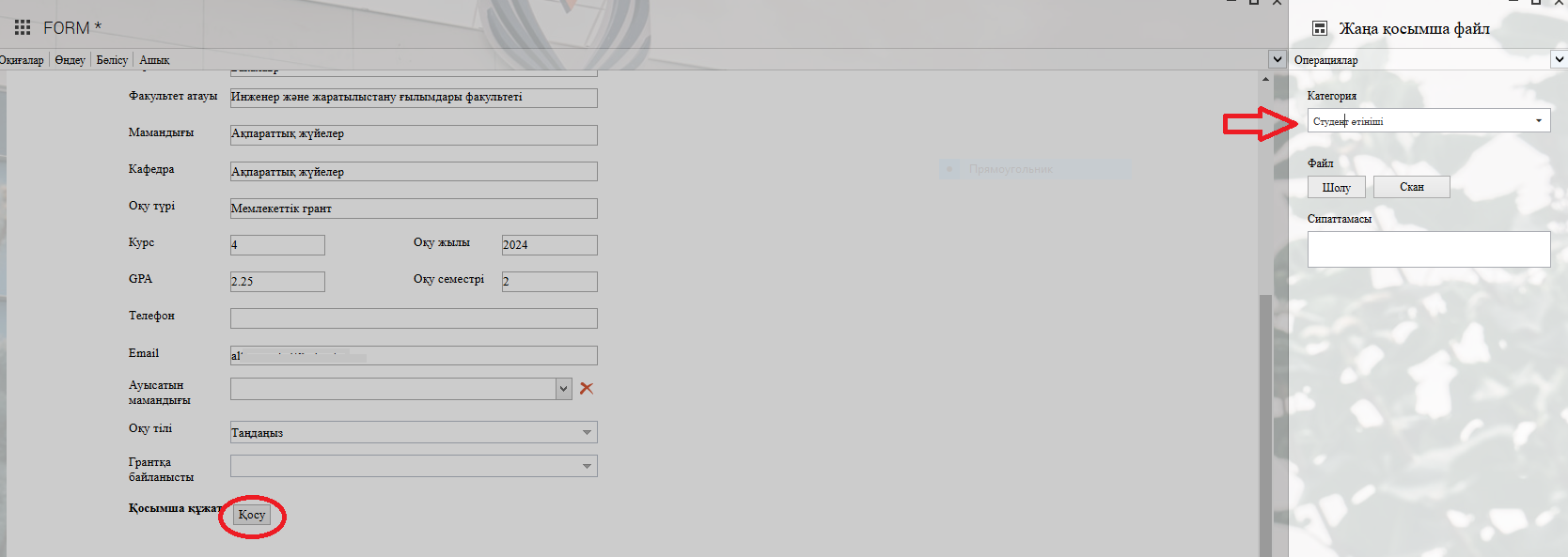
3. In the opened window after clicking the "Қосу" — "Add" button, you can attach the required document to the categories on the left.
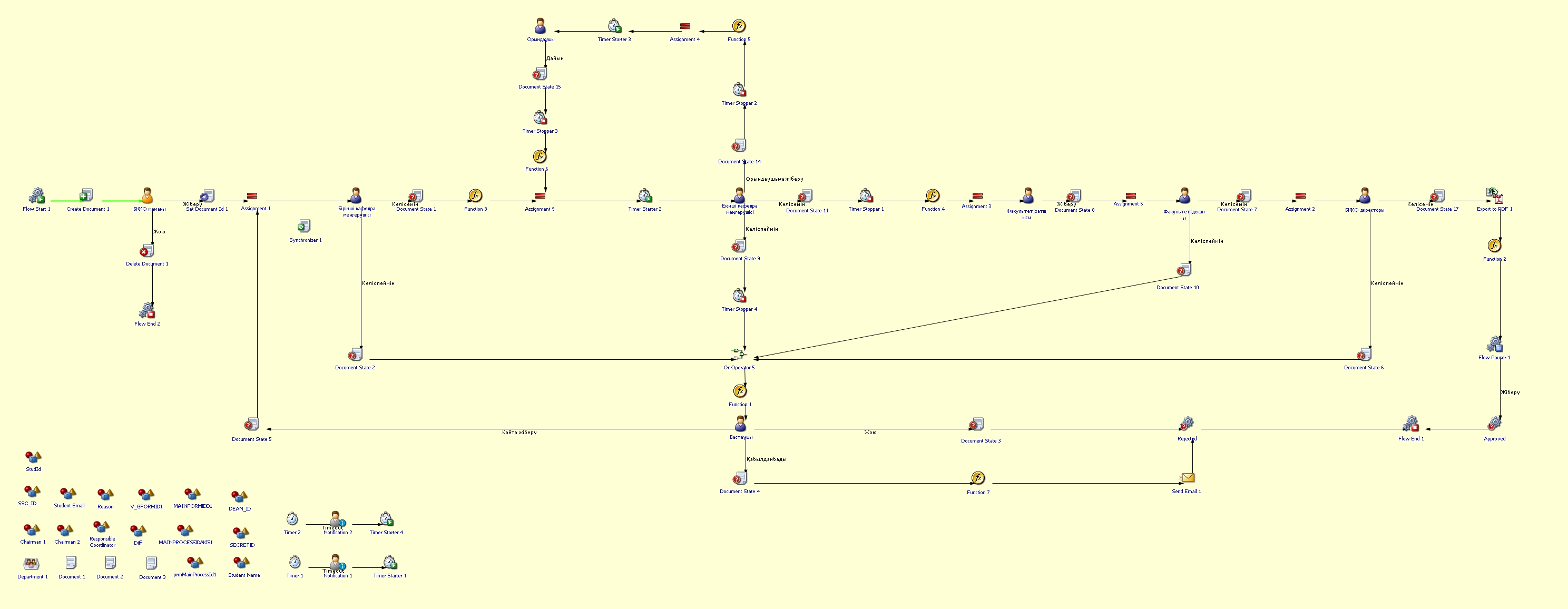
Process guidelines
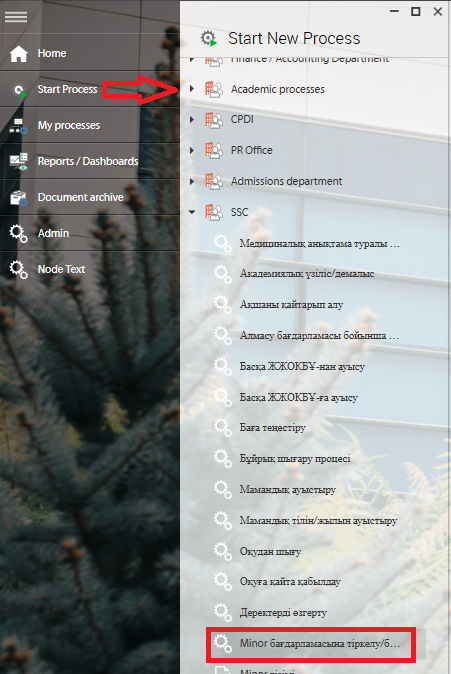
Registration/withdrawal from the MINOR program
Link to the process rules: https://my.sdu.edu.kz/common/download/MINOR.pdf
How can I initiate the Registration/withdrawal from the MINOR program process in the DMS system?
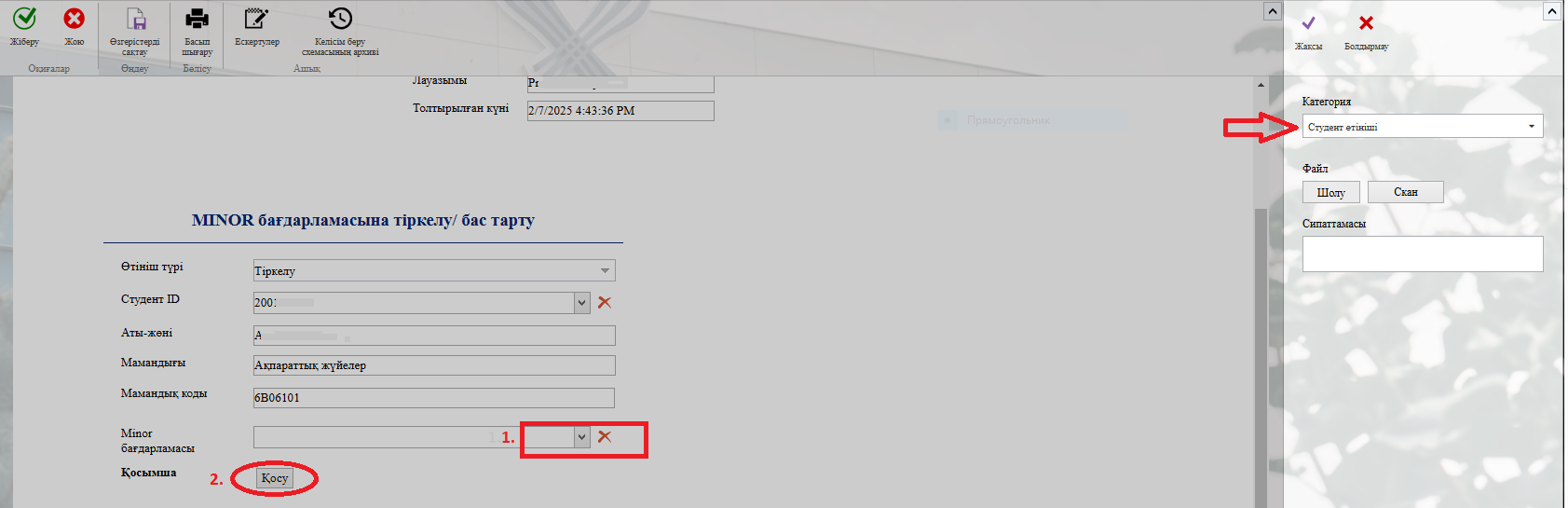
2. To fill in the fields, select either the "Тіркелу / Registration" or "Бас тарту / Withdrawal" option as the өтініш түрі / application type. Then, click the button in the "Студент ID / Student ID" column.
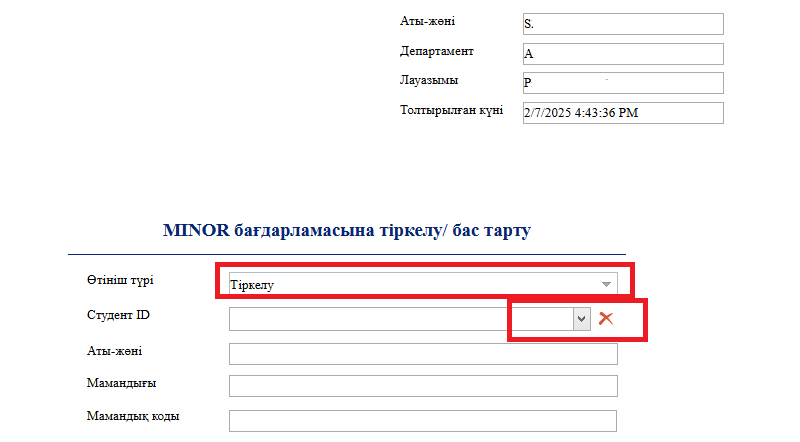
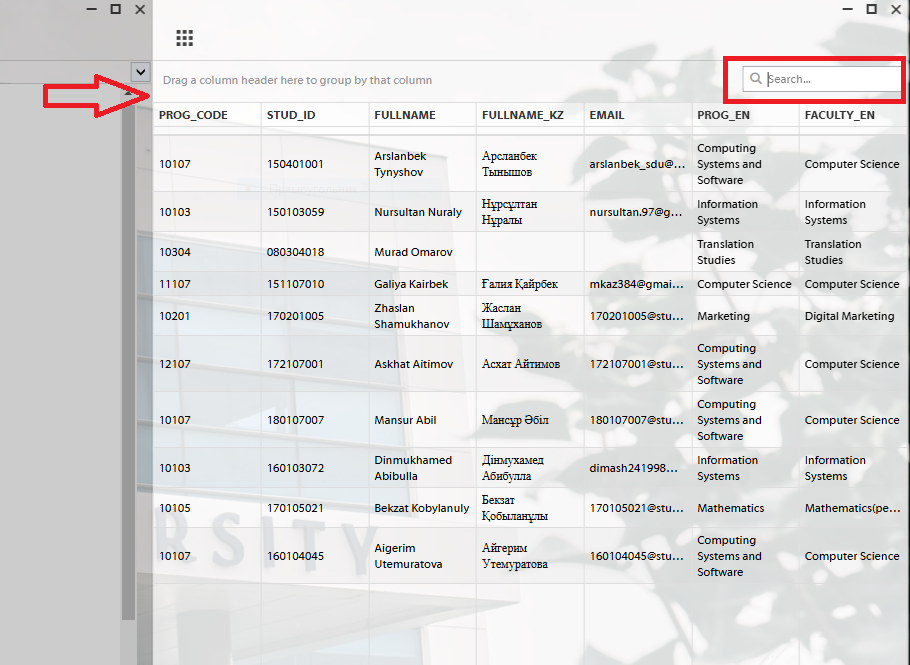
3. After clicking the "Студент ID / Student ID" button, a new window will appear. Enter the student's ID number in that window. Once you select the required Student ID, all columns will be filled in automatically.
Process guidelines
Edit data
Process purpose and use cases
This process is used for the official registration and approval of changes to SDU students' data when necessary.
How can I initiate the Edit data process in the DMS system?
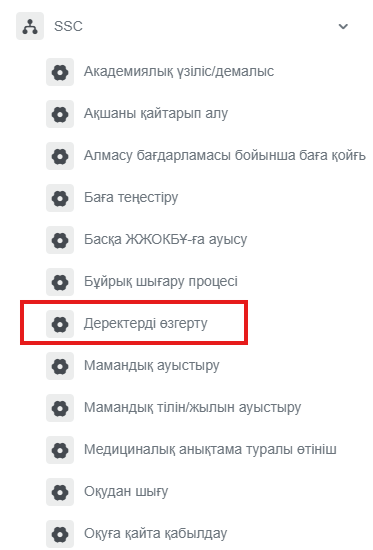
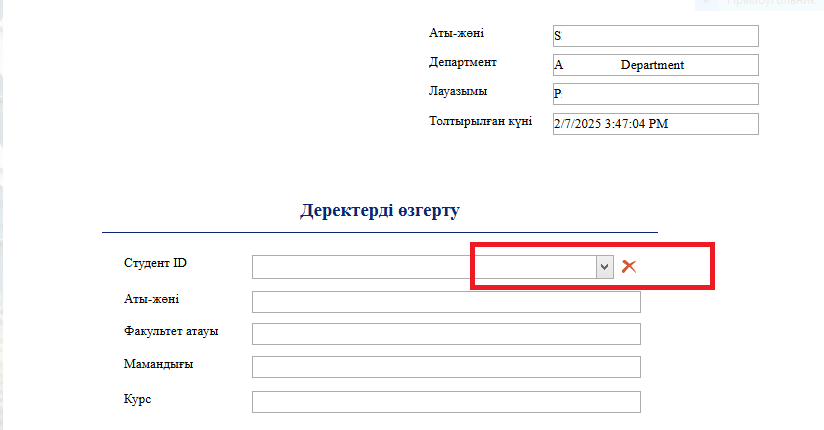
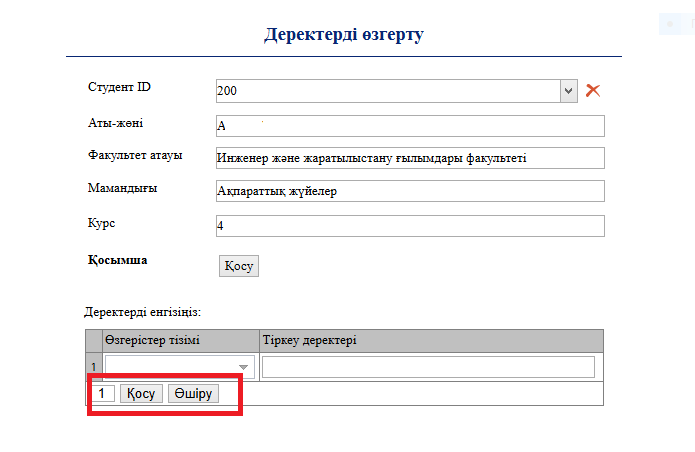
2. To select a student, click the button in the "Студент ID / Student ID" field.
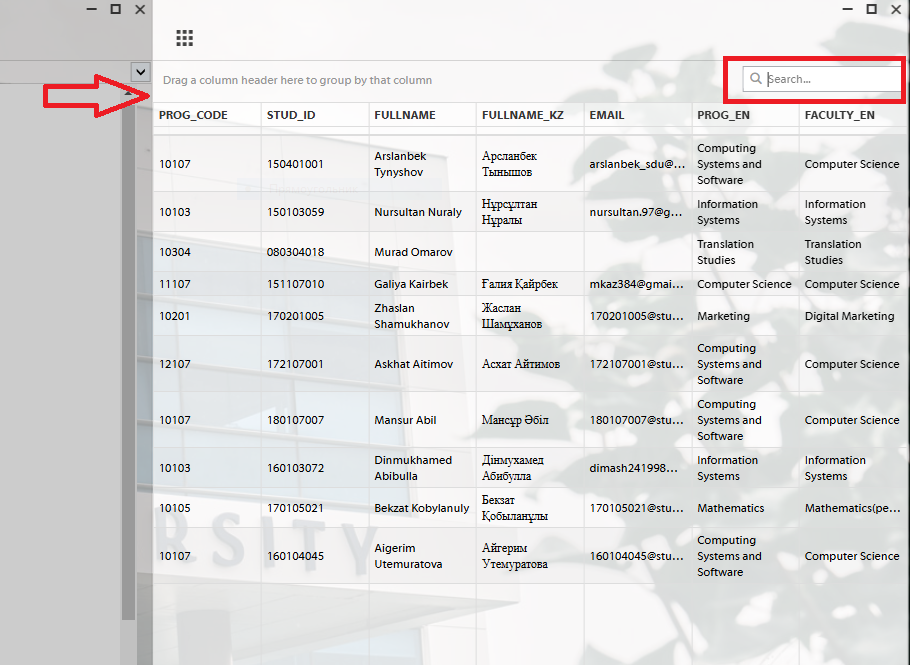
3. After clicking the button, a new window will appear. Enter the student's ID number in that window. Once the ID is entered, all fields will be filled in automatically.
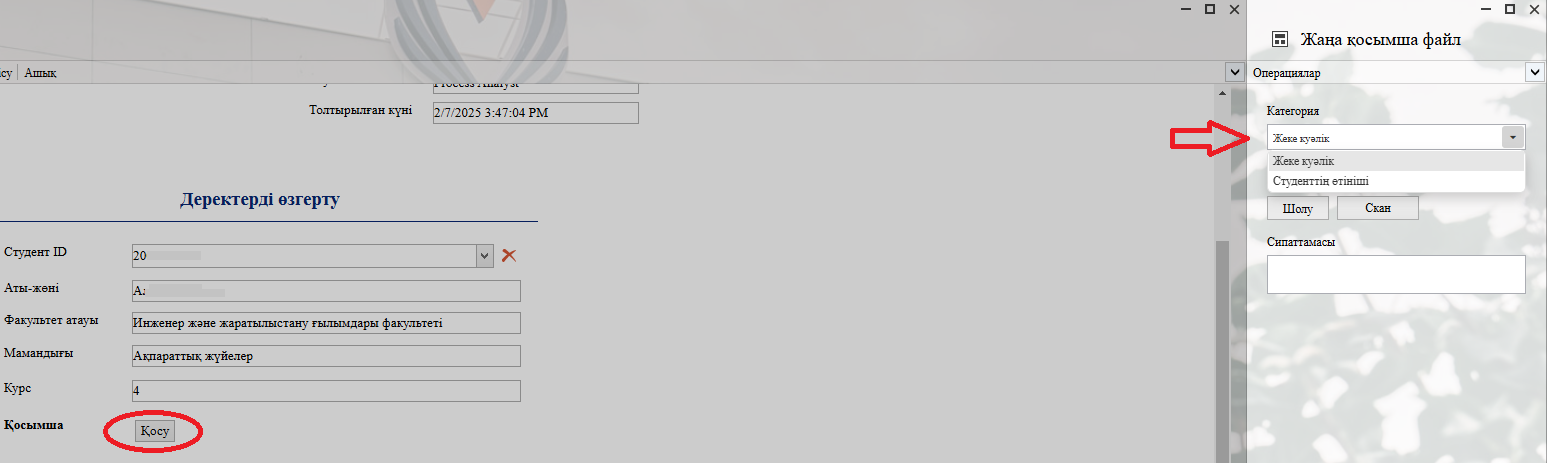
Process guidelines
Студенттік ұсыныс/қызметтік хат
Қалай DMS жүйесінде Студенттік ұсыныс/қызметтік хат үдерісін толтыра аламын?
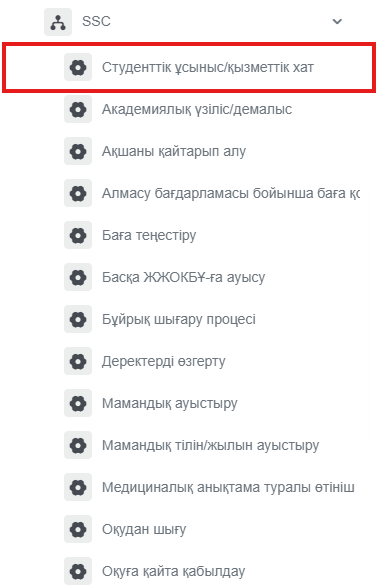
- dms.sdu.edu.kz сайтына өтіп, Процесс бастау бөліміне ауысып, SSC➝ Студенттік ұсыныс/қызметтік хат үдерісіне өтіңіз :
1) Ең алдымен, пайдаланушы хаттың санатын таңдауы тиіс. Санаттар: «Студентке қатысты» немесе «ОӘО-қа қатысты».
2) Таңдалған санатқа сәйкес жаңа хат үлгілері ашылады.
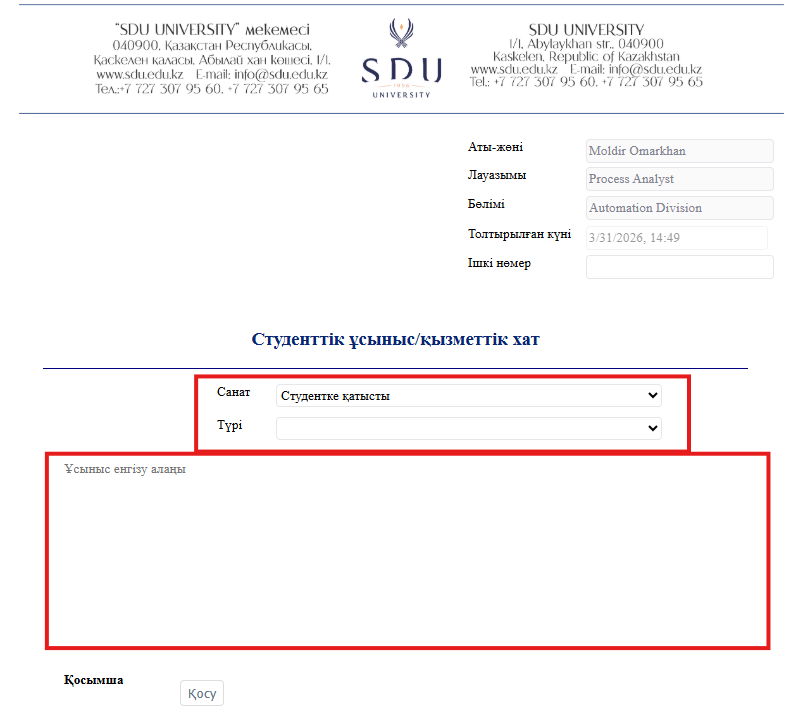
Қосымшаға міндетті түрде Студент өтініші және хаттама тіркеу қажет.