Ғылыми жоба-Research projects
- Жоба бойынша жұмысқа алу
- Recruitment within the project
- Жоба бойынша жұмыстан босату
- Dismissal / Contract termination within the project
- Жоба бойынша қызмет төлемі
- Payment for services within the project
- Жоба бойынша іс-сапар
- Business trip within the project
- Жоба бойынша тауар төлемі
- Payment for goods within the project
Жоба бойынша жұмысқа алу
Процестің мақсаты және қолданылу жағдайлары
Бұл үдеріс жаңа қызметкерді жоба бойынша жұмысқа қабылдауды рәсімдеу үшін қолданылады.
Қалай DMS жүйесінде Жоба бойынша жұмысқа алу үдерісін бастай аламын?
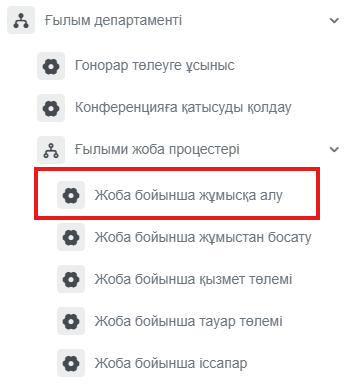
1. dms.sdu.edu.kz сайтына өтіп, Процесс бастау бөліміне ауысып, Ғылым департаменті➝ Ғылыми жоба процестері➝ Жоба бойынша жұмысқа алу үдерісін таңдаңыз :
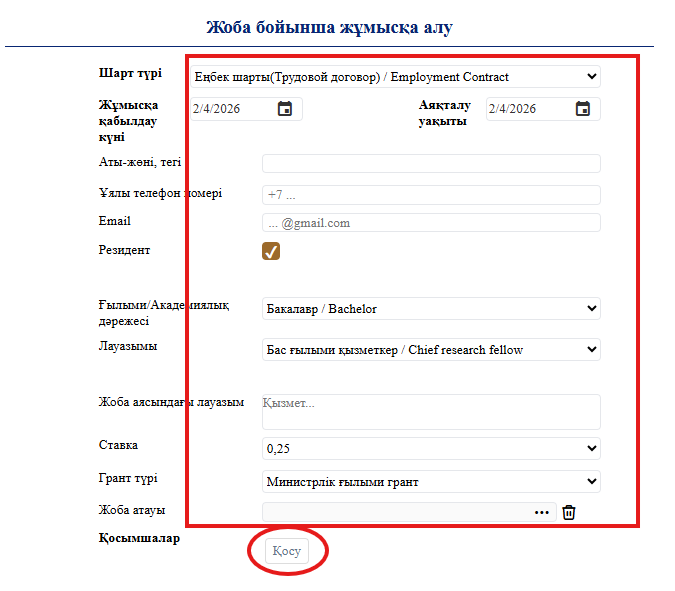
2. 1) Кандидат жайлы толық ақпаратты толтыруы қажет.
2) «Қосу» батырмасын басқан кезде ашылған терезеде қосымша тіркей аласыз.
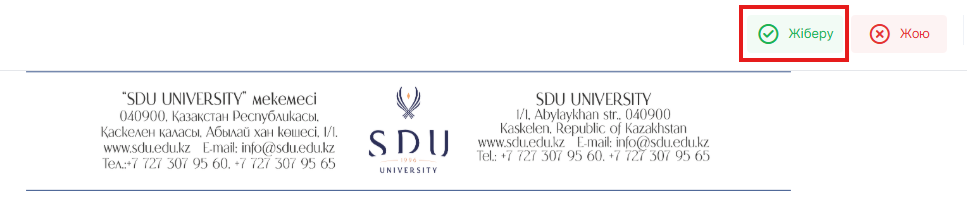
3. Қажетті ақпарат қамтамасыз етілген соң Жіберу батырмасын басыңыз:
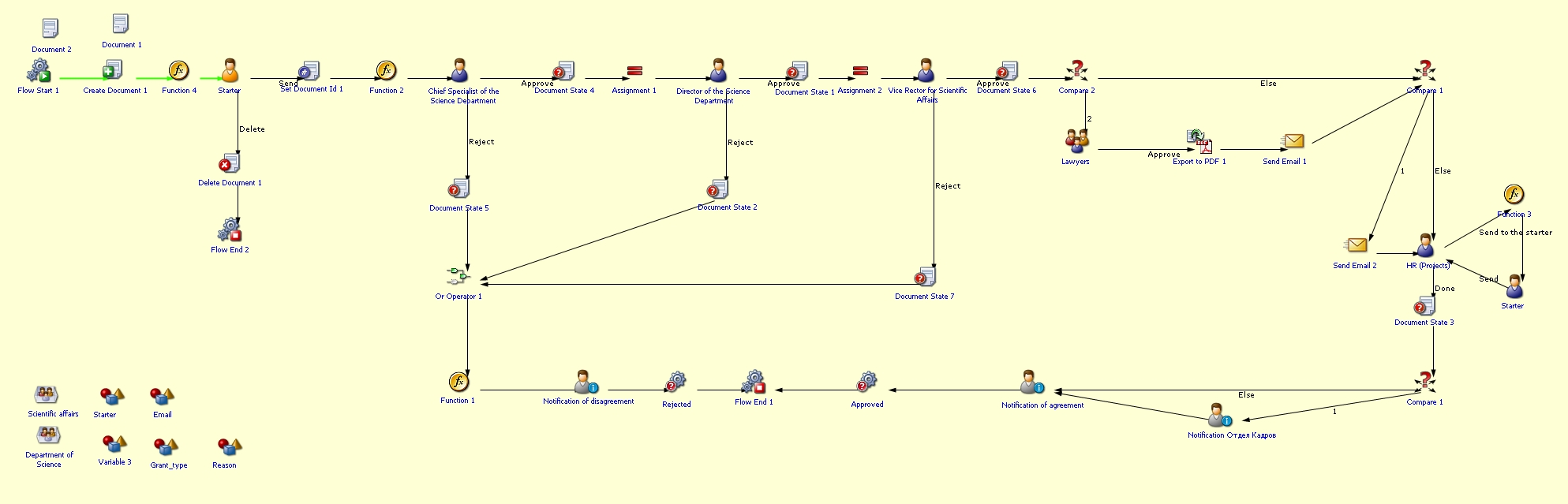
Үдерістің орындалу схемасын төменде көрсетілген бөлімнен қарауға болады.
Барлық сұрақтар бойынша helpdesk.sdu.edu.kz ➝ Submit a ticket ➝ BPM арқылы қоя аласыздар немесе біздің dms@sdu.edu.kz поштасына жаза аласыздар!
Recruitment within the project
Process purpose and use cases
This process is used to formalize the hiring of a new employee for a project.
How can I initiate the Recruitment within the project process in the DMS system?
1. Go to dms.sdu.edu.kz, navigate to the "Start Process" section, and proceed to Department of Science➝ Research project processes ➝ Recruitment within the project process.
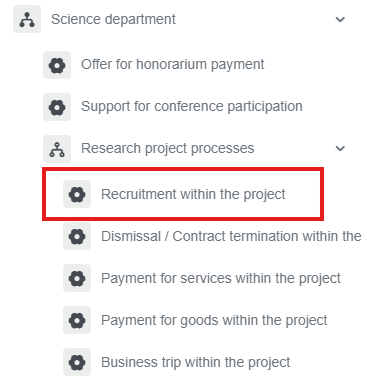
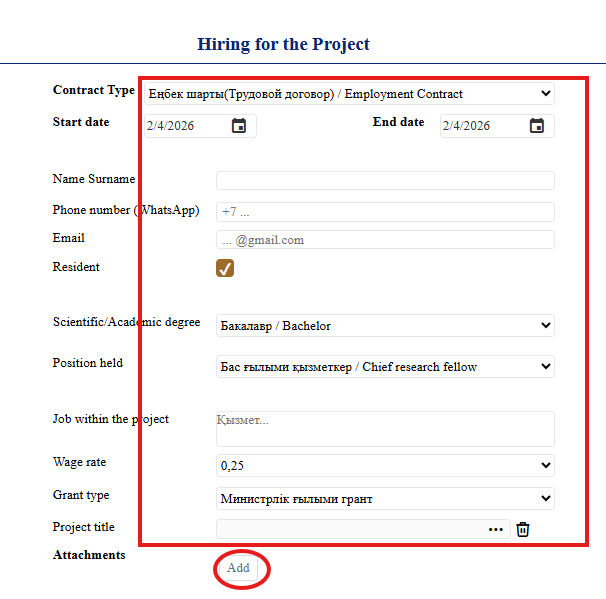
2. 1) The candidate must fill in all the required information.
2) When you click the "Add" button, you can attach additional files in the opened window.
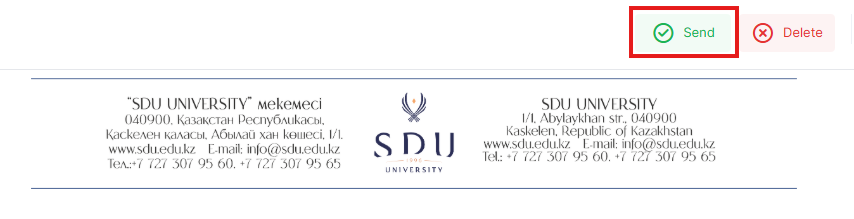
3. Once the required information is provided, click the "Send" button.
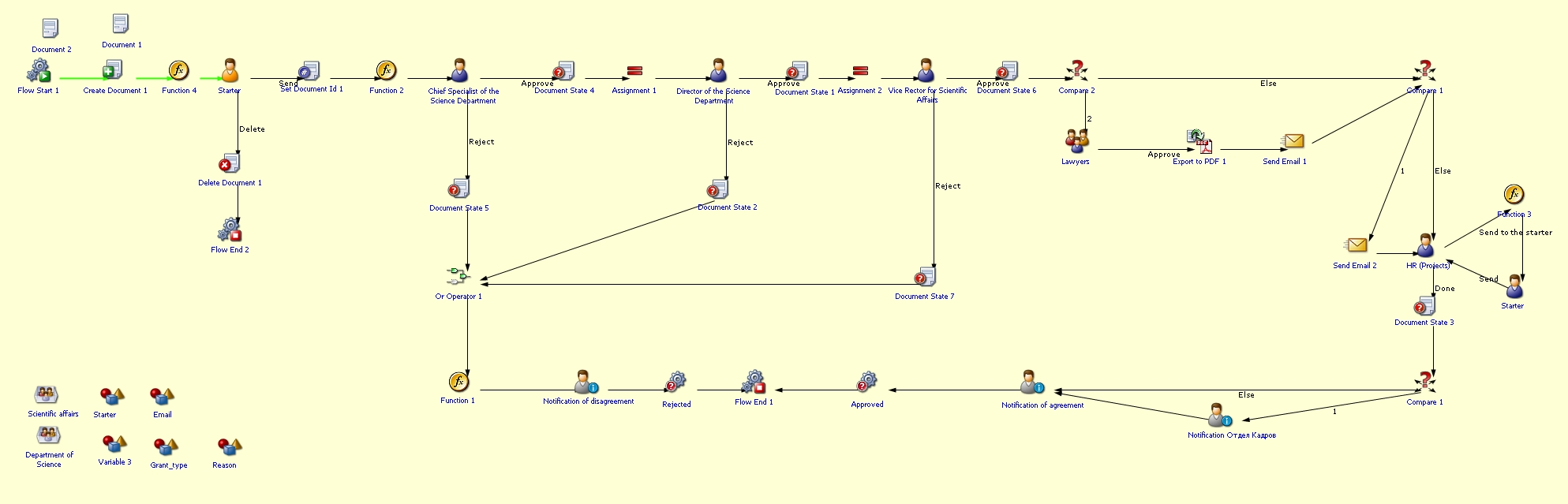
Process guidelines
You can view the process workflow in the section below.
For all inquiries, you can submit a request through helpdesk.sdu.edu.kz ➝ "Submit a ticket" ➝ "BPM" or contact us via email at dms@sdu.edu.kz!
Жоба бойынша жұмыстан босату
Процестің мақсаты және қолданылу жағдайлары
Бұл үдеріс қызметкердің жоба бойынша жұмыстан босатылуын рәсімдеу үшін пайдаланылады. Ол келесі жағдайларда қолданылады:
- Қызметкер өз еркімен жұмыстан шыққысы келгенде
- Тараптардың келісімі бойынша еңбек шарты тоқтатылғанда
- Келісім уақыты аяқталғанда
Қалай DMS жүйесінде Жоба бойынша жұмыстан босату үдерісін бастай аламын?
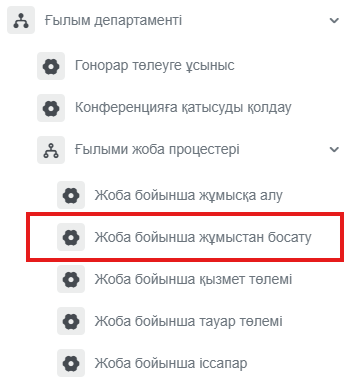
1. dms.sdu.edu.kz сайтына өтіп, Процесс бастау бөліміне ауысып, Ғылым департаменті➝ Ғылыми жоба процестері➝ Жоба бойынша жұмыстан босату үдерісін таңдаңыз :
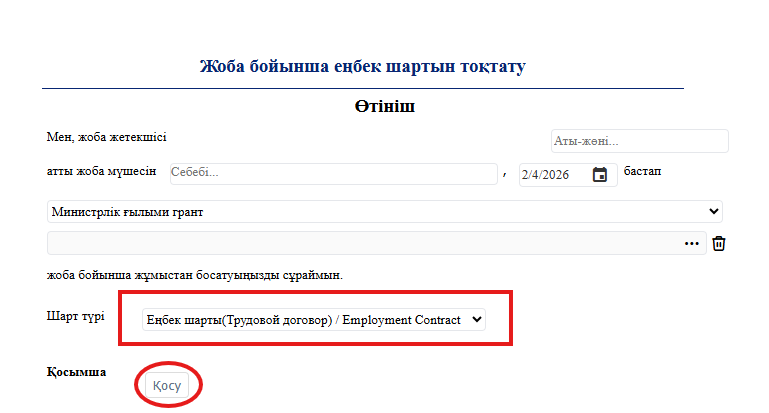
2. Өрістерді толтырыңыз
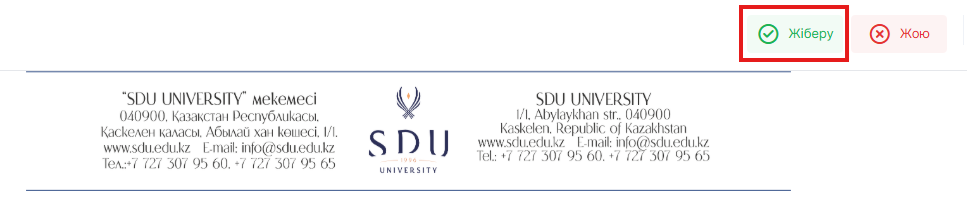
3. Қажетті ақпарат қамтамасыз етілген соң Жіберу батырмасын басыңыз:
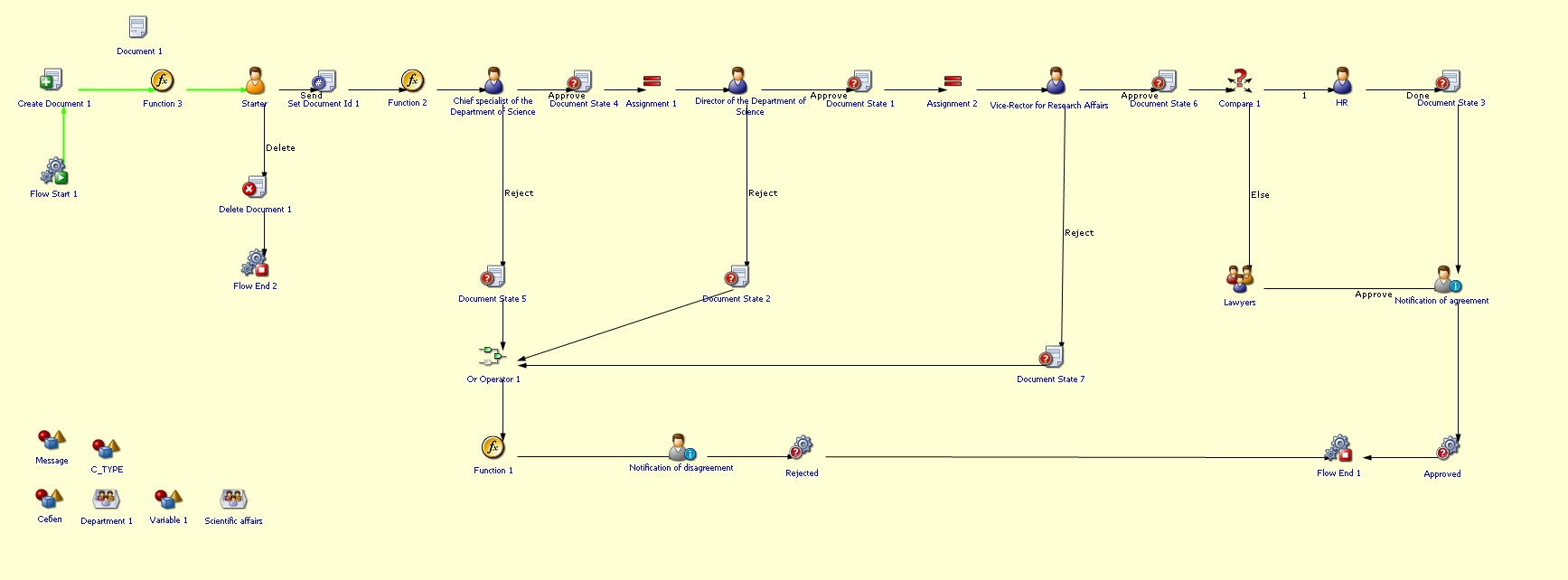
Үдерістің орындалу схемасын төменде көрсетілген бөлімнен қарауға болады.
Барлық сұрақтар бойынша helpdesk.sdu.edu.kz ➝ Submit a ticket ➝ BPM арқылы қоя аласыздар немесе біздің dms@sdu.edu.kz поштасына жаза аласыздар!
Dismissal / Contract termination within the project
Process purpose and use cases
This process is used to formalize an employee's termination from a project. It is applied in the following cases:
- When the employee wishes to resign voluntarily
- When the employment contract is terminated by mutual agreement
- When the contract period expires
How can I initiate the Dismissal / Contract termination within the project process in the DMS system?
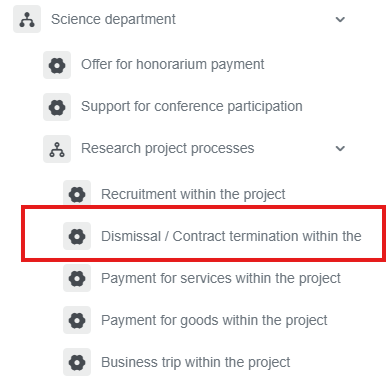
1. Go to dms.sdu.edu.kz, navigate to the "Start Process" section, and proceed to Department of Science➝ Research project processes ➝ Dismissal / Contract termination within the project process.
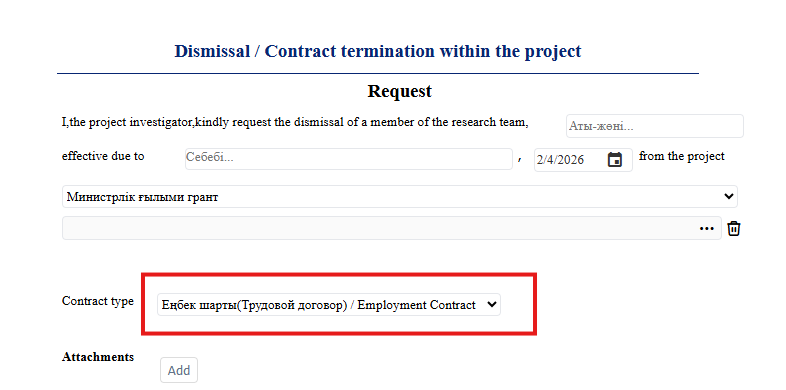
2. Fill in the fields and select the type of contract.
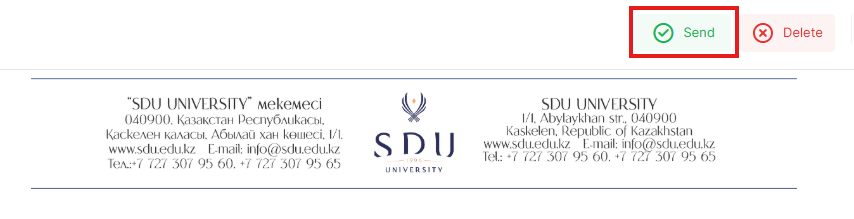
3. Once the required information is provided, click the "Send" button.
Process guidelines
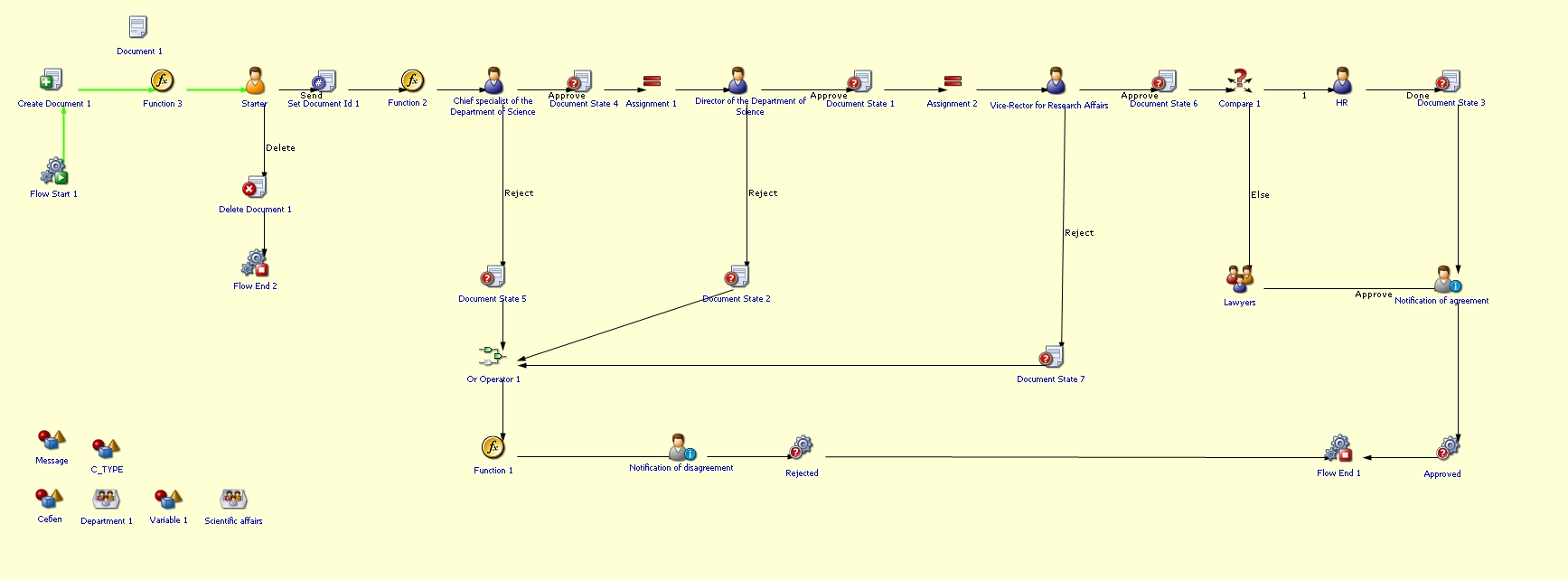
You can view the process workflow in the section below.
For all inquiries, you can submit a request through helpdesk.sdu.edu.kz ➝ "Submit a ticket" ➝ "BPM" or contact us via email at dms@sdu.edu.kz!
Жоба бойынша қызмет төлемі
Процестің мақсаты және қолданылу жағдайлары
Бұл үдеріс жоба бойынша қызмет көрсету үшін төлем жасау мақсатында пайдаланылады. Ол келесі жағдайларда қолданылады:
- Үшінші тарап ұйымдарына немесе жеке тұлғаларға көрсетілген қызметтер үшін төлем жасау
Қалай DMS жүйесінде Жоба бойынша қызмет төлемі үдерісін бастау аламын?
1. dms.sdu.edu.kz сайтына өтіп, Процесс бастау бөліміне ауысып, Ғылым департаменті➝ Ғылыми жоба процестері➝ Жоба бойынша қызмет төлемі үдерісін таңдаңыз :
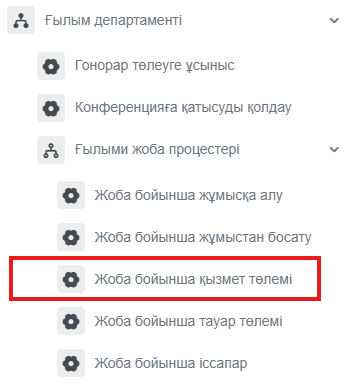
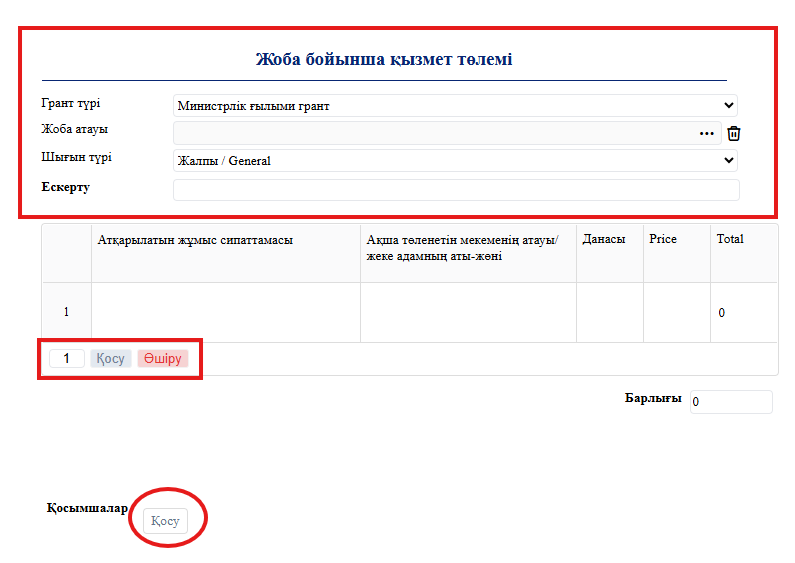
2. 1) Жоба/Грант түрін таңдаңыз, жоба атауын енгізіңіз.
2) Кестедегі барлық бағандарды толтыру қажет.
3) «Қосу» батырмасын басқан кезде ашылған терезеде қажетті қосымшаны тіркей аласыз.
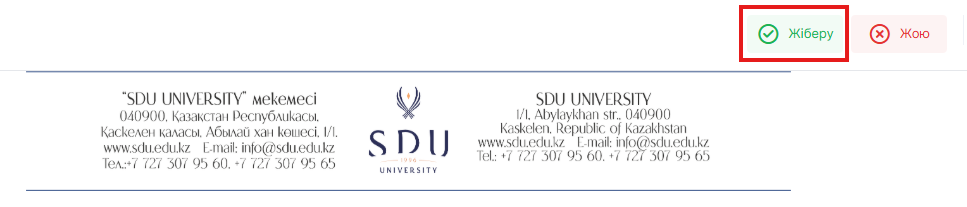
3. Қажетті ақпарат қамтамасыз етілген соң Жіберу батырмасын басыңыз:
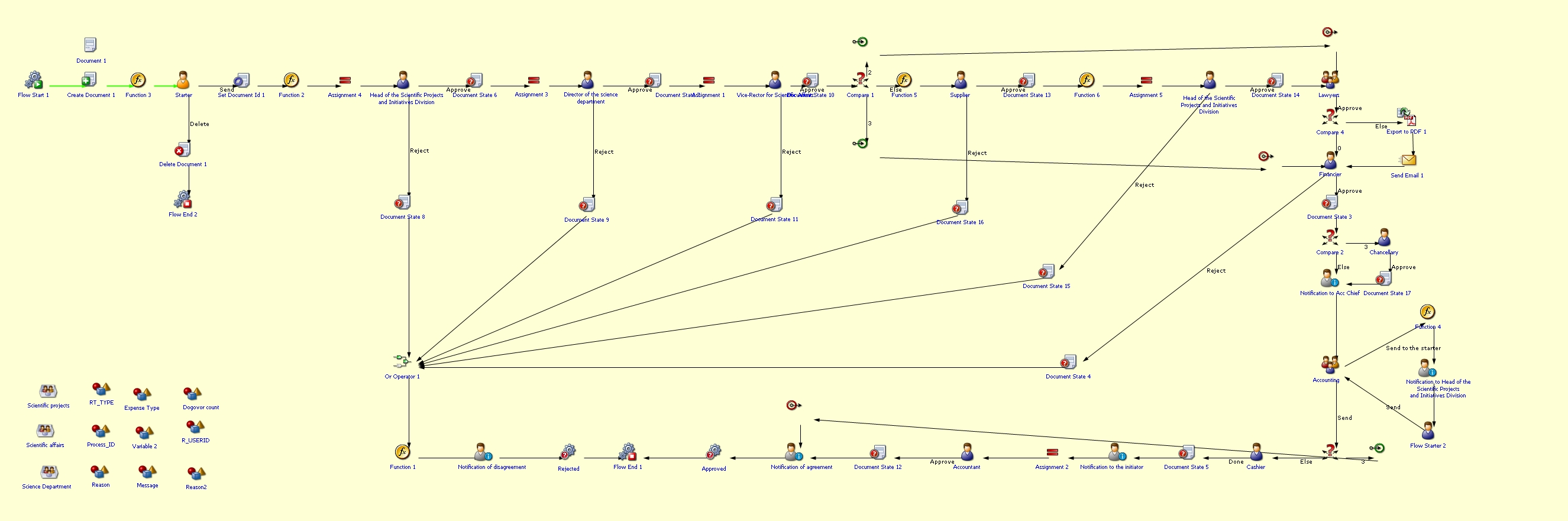
Үдерістің орындалу схемасын төменде көрсетілген бөлімнен қарауға болады.
Барлық сұрақтар бойынша helpdesk.sdu.edu.kz ➝ Submit a ticket ➝ BPM арқылы қоя аласыздар немесе біздің dms@sdu.edu.kz поштасына жаза аласыздар!
Payment for services within the project
Process purpose and use cases
This process is used to make payments for services provided under a project. It is applied in the following cases:
- Making payments to third-party organizations or individuals for rendered services.
How can I initiate the Payment for services within the project process in the DMS system?
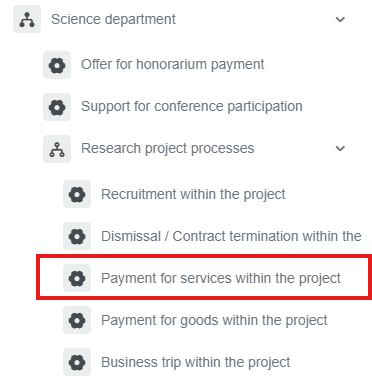
1. Go to dms.sdu.edu.kz, navigate to the "Start Process" section, and proceed to Department of Science➝ Research project processes ➝ Payment for services within the project process.
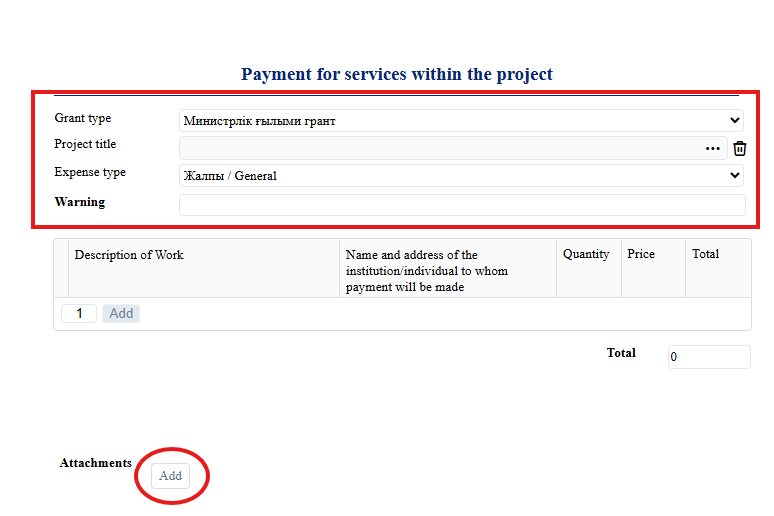
2. 1) Select the project/grant type and enter the project name.
2) All columns in the table must be filled in.
3) When you click the "Add" button, you can attach the necessary file in the opened window.
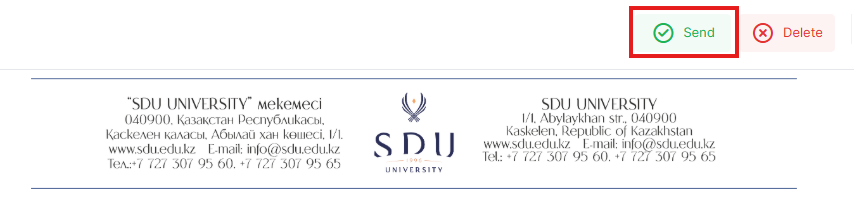
3. Once the required information is provided, click the "Send" button.
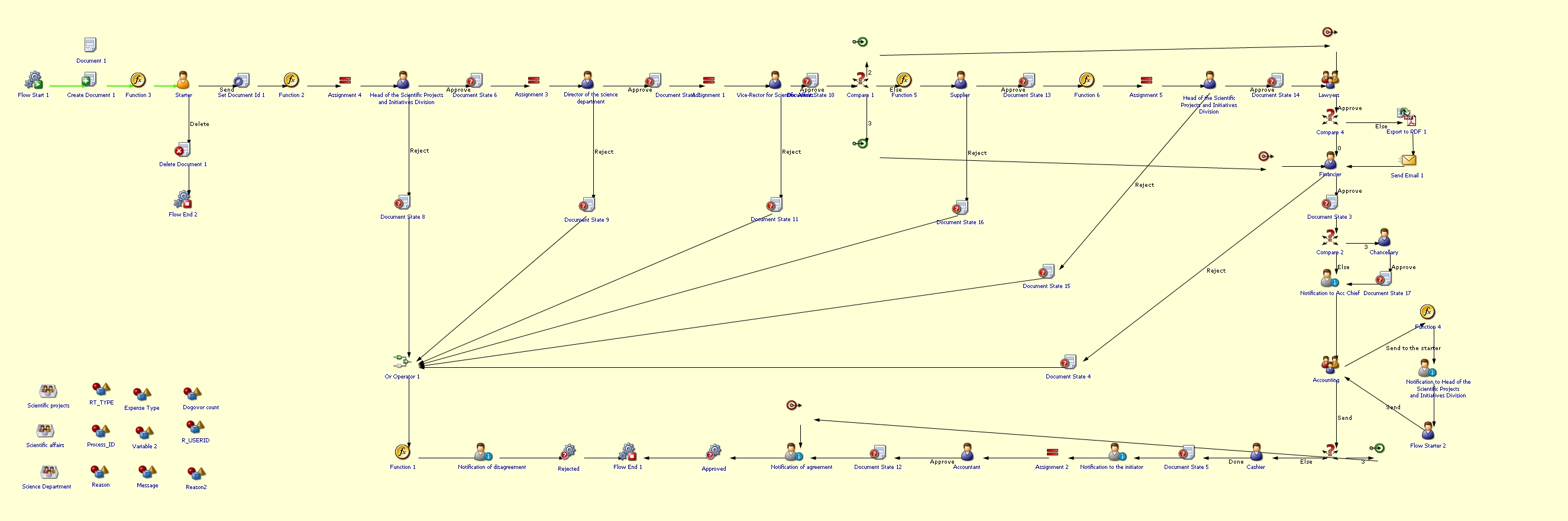
Process guidelines
You can view the process workflow in the section below.
For all inquiries, you can submit a request through helpdesk.sdu.edu.kz ➝ "Submit a ticket" ➝ "BPM" or contact us via email at dms@sdu.edu.kz!
Жоба бойынша іс-сапар
Процестің мақсаты және қолданылу жағдайлары
Бұл үдеріс қызметкерлердің жоба бойынша іссапарларын ресми түрде рәсімдеу және шығындарды өтеу тәртібін реттеу мақсатында пайдаланылады. Ол келесі жағдайларда қолданылады:
- Қызметтік міндеттерді орындау үшін өзге қалаға немесе елге іссапарға шығу
- Конференцияларға, семинарларға, оқу бағдарламаларына немесе келіссөздерге қатысу
Қалай DMS жүйесінде Жоба бойынша іс-сапар үдерісін бастай аламын?
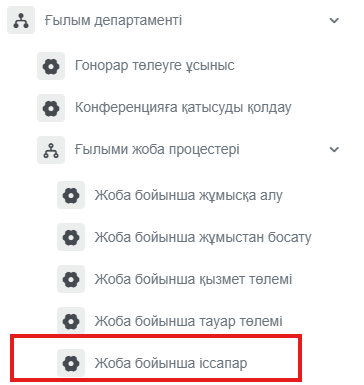
1. dms.sdu.edu.kz сайтына өтіп, Процесс бастау бөліміне ауысып, Ғылым департаменті➝ Ғылыми жоба процестері➝ Жоба бойынша іс-сапар үдерісін таңдаңыз :
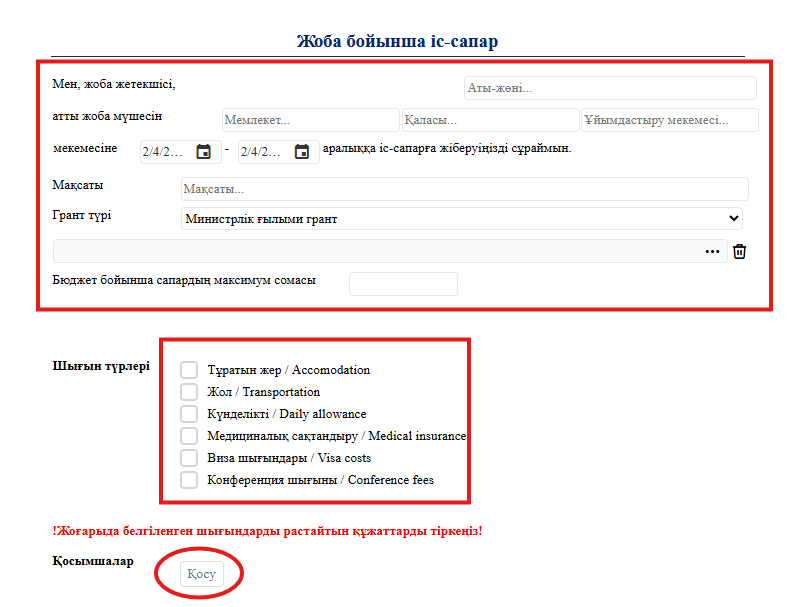
2. 1) Өрістерді толтырыңыз
2) «Қосу» батырмасын басқан кезде ашылған терезеде қажетті қосымшаны тіркеңіз.
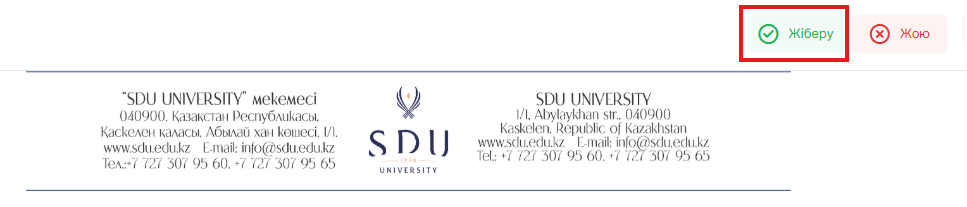
3. Қажетті ақпарат қамтамасыз етілген соң Жіберу батырмасын басыңыз:
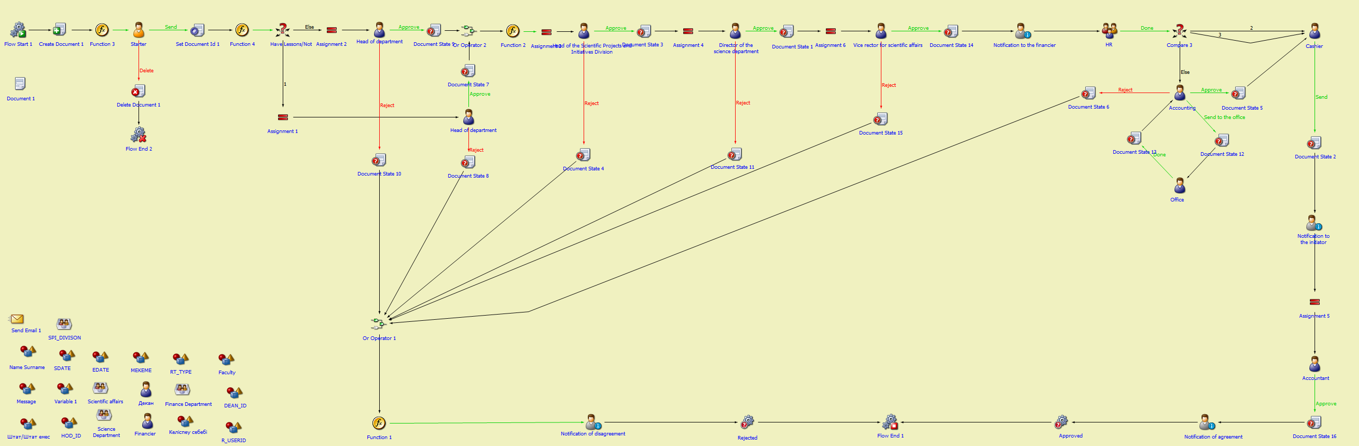
Үдерістің орындалу схемасын төменде көрсетілген бөлімнен қарауға болады.
Барлық сұрақтар бойынша helpdesk.sdu.edu.kz ➝ Submit a ticket ➝ BPM арқылы қоя аласыздар немесе біздің dms@sdu.edu.kz поштасына жаза аласыздар!
Business trip within the project
Process purpose and use cases
This process is used to officially formalize business trips for employees under a project and regulate the reimbursement procedure. It is applied in the following cases:
- Traveling to another city or country for official duties
- Participating in conferences, seminars, training programs, or negotiations
How can I initiate the Business trip within the project process in the DMS system?
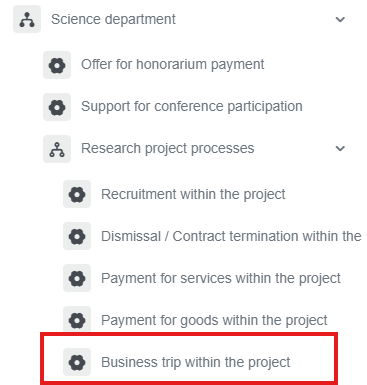
1. Go to dms.sdu.edu.kz, navigate to the "Start Process" section, and proceed to Department of Science➝ Research project processes ➝ Business trip within the project process.
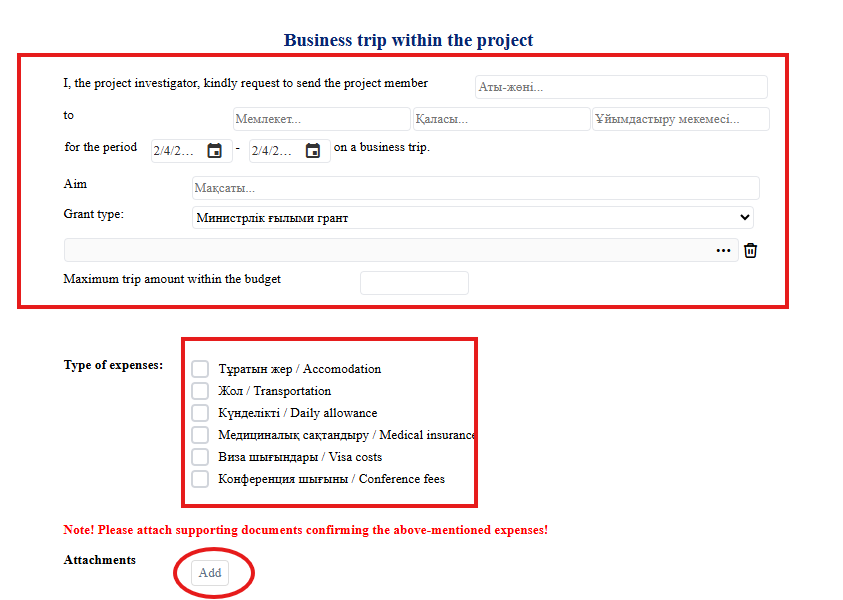
2. 1) Fill in the fields.
2) When you click the "Add" button, attach the necessary documents in the opened window
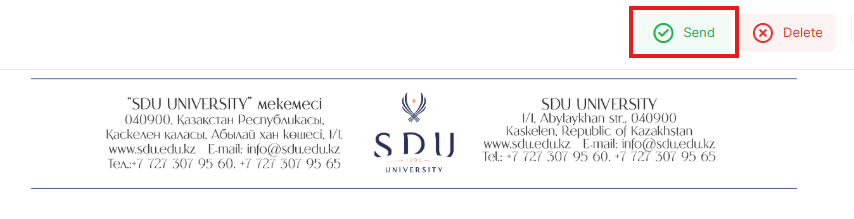
3. Once the required information is provided, click the "Send" button.
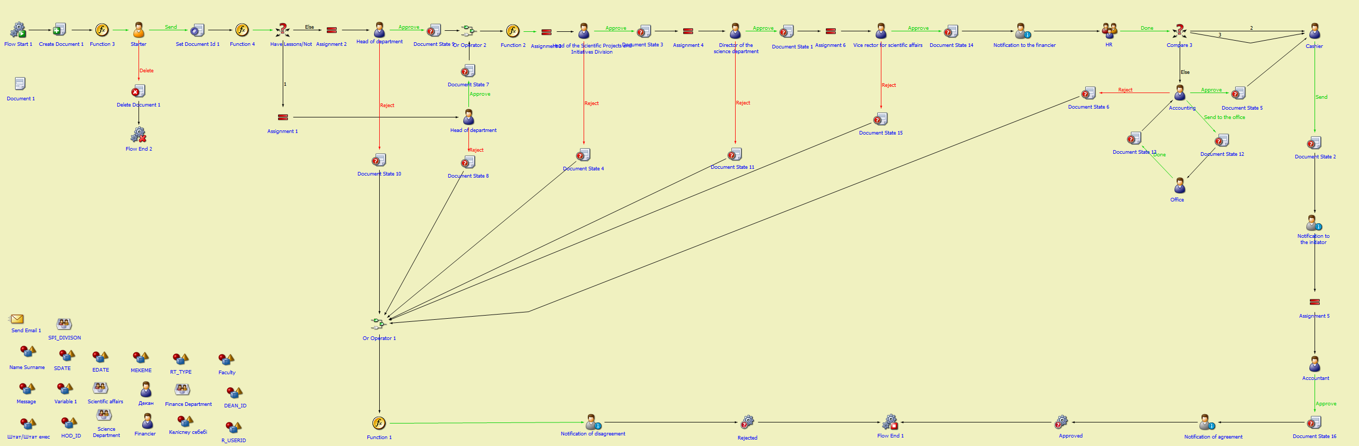
Process guidelines
You can view the process workflow in the section below.
For all inquiries, you can submit a request through helpdesk.sdu.edu.kz ➝ "Submit a ticket" ➝ "BPM" or contact us via email at dms@sdu.edu.kz!
Жоба бойынша тауар төлемі
Процестің мақсаты және қолданылу жағдайлары
Бұл үдеріс жоба бойынша тауарларды сатып алу үшін төлем жасау мақсатында пайдаланылады. Ол келесі жағдайларда қолданылады:
- Кеңсе тауарларын, жабдықтарды немесе басқа материалдарды сатып алу
- Шарт немесе шот-фактура негізінде төлем жүргізу
Қалай DMS жүйесінде Жоба бойынша тауар төлемі үдерісін бастай аламын?
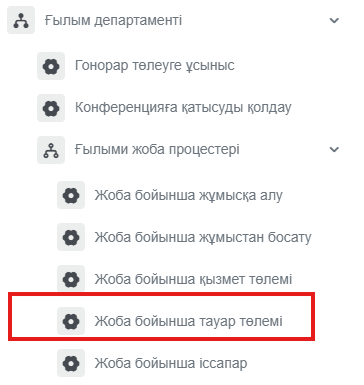
1. dms.sdu.edu.kz сайтына өтіп, Процесс бастау бөліміне ауысып, Ғылым департаменті➝ Ғылыми жоба процестері➝ Жоба бойынша тауар төлемі үдерісін таңдаңыз :
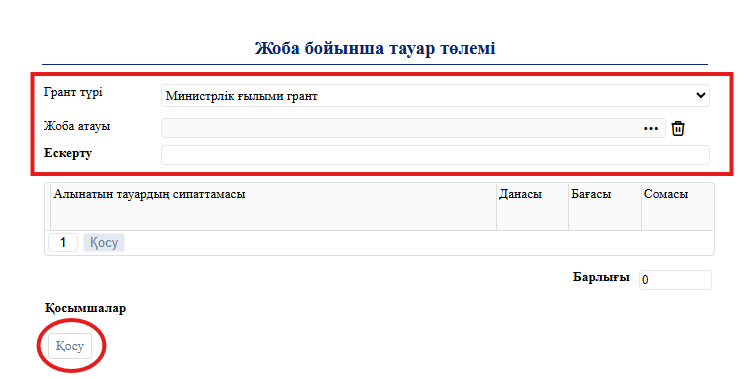
2. 1) Жоба/Грант түрін таңдаңыз, жоба атауын енгізіңіз.
2) Кестедегі барлық бағандарды толтыру қажет.
3) «Қосу» батырмасын басқан кезде ашылған терезеде қажетті қосымшаны тіркей аласыз.
3. Қажетті ақпарат қамтамасыз етілген соң Жіберу батырмасын басыңыз:
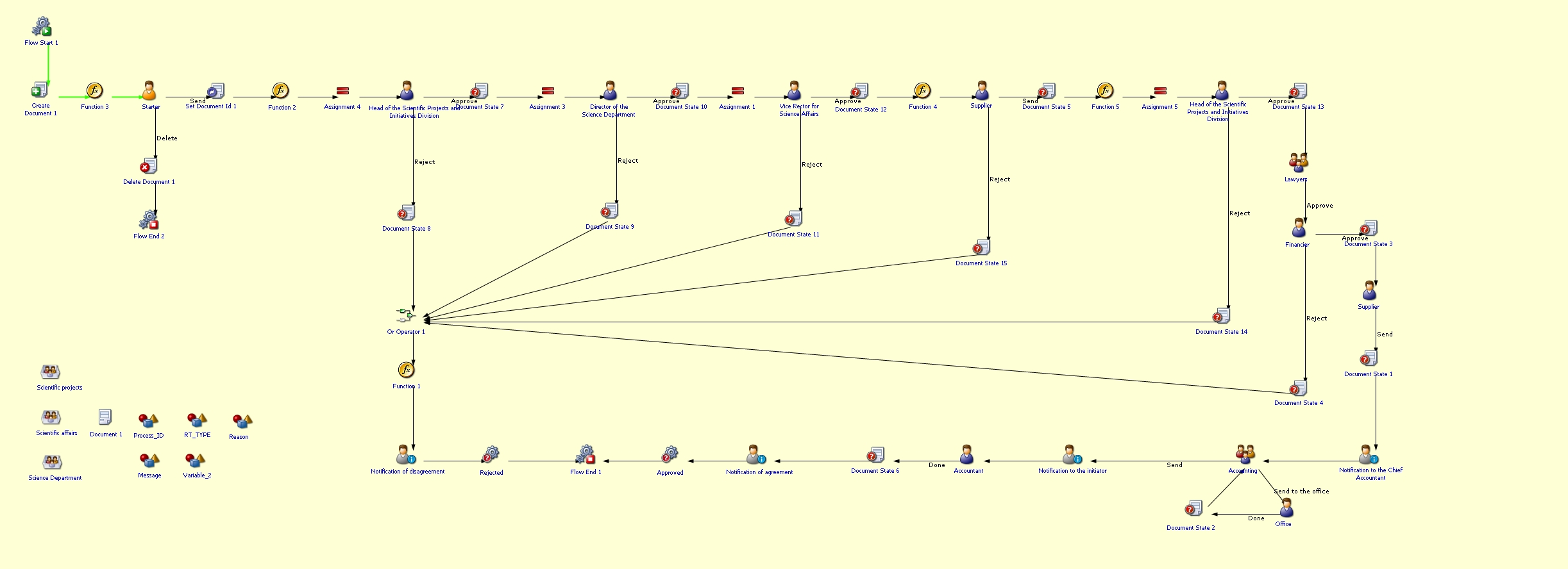
Үдерістің орындалу схемасын төменде көрсетілген бөлімнен қарауға болады.
Барлық сұрақтар бойынша helpdesk.sdu.edu.kz ➝ Submit a ticket ➝ BPM арқылы қоя аласыздар немесе біздің dms@sdu.edu.kz поштасына жаза аласыздар!
Payment for goods within the project
Process purpose and use cases
This process is used to make payments for purchasing goods under a project. It is applied in the following cases:
- Purchasing office supplies, equipment, or other materials
- Making payments based on a contract or invoice
How can I initiate the Payment for goods within the project process in the DMS system?
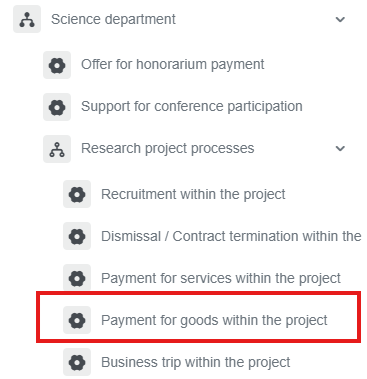
1. Go to dms.sdu.edu.kz, navigate to the "Start Process" section, and proceed to Department of Science➝ Research project processes ➝ Payment for goods within the project process.
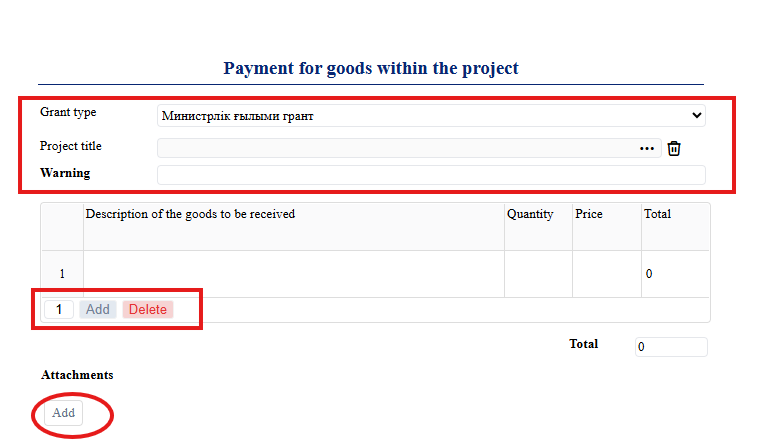
2. 1) Select the project/grant type and enter the project name.
2) All columns in the table must be filled in.
3) When you click the "Add" button, you can attach the necessary file in the opened window.
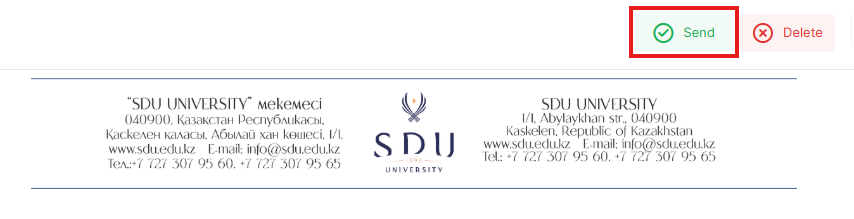
3. Once the required information is provided, click the "Send" button.
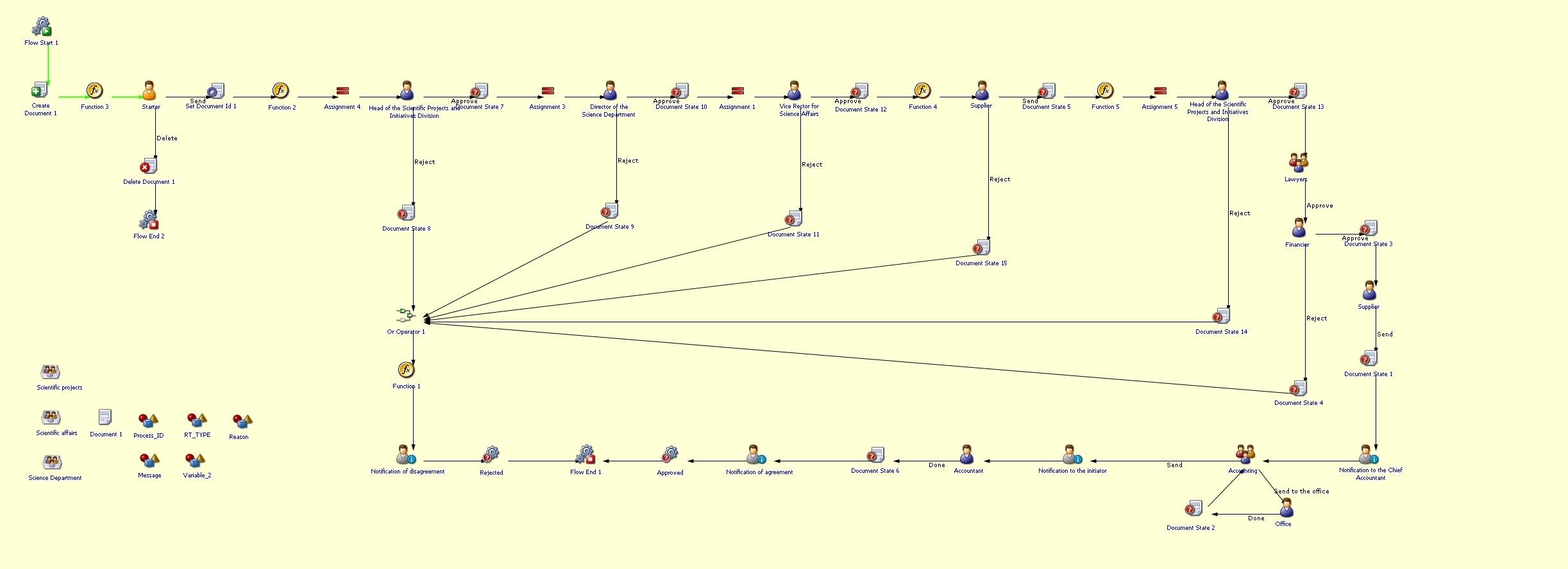
Process guidelines
You can view the process workflow in the section below.
For all inquiries, you can submit a request through helpdesk.sdu.edu.kz ➝ "Submit a ticket" ➝ "BPM" or contact us via email at dms@sdu.edu.kz!