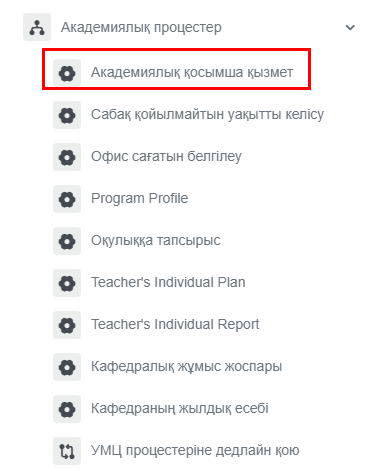
Academic processes
- Академиялық қосымша қызмет
- Academic additional service
- Сабақ қойылмайтын уақытты келісу
- Agreement on non-class time
- Офис сағатын белгілеу
- Office hours
- Program profile
- Program profile
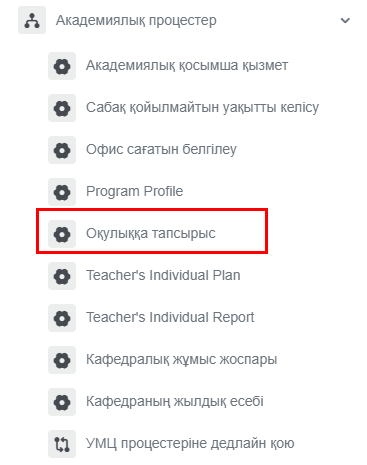
- Оқулыққа тапсырыс
- Textbook request
- Оқытушының жеке жұмыс жоспары
- Teacher's Individual Plan
- Оқытушының жеке жұмыс есебі
- Teacher's Individual Report
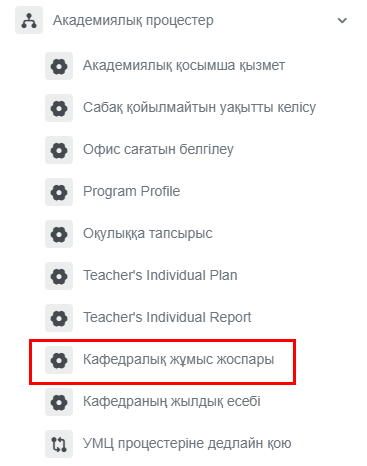
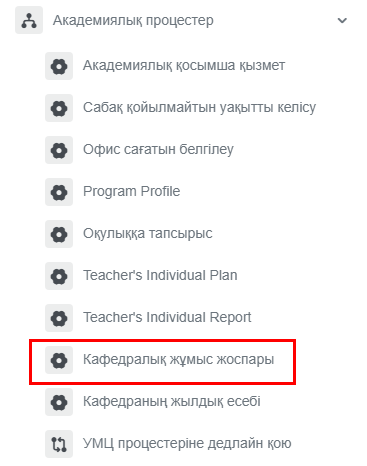
- Кафедралық жұмыс жоспар
- Departmental work plan
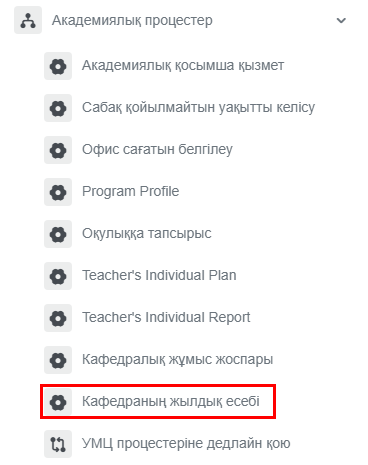
- Кафедраның жылдық есебі
- Department's annual report
Академиялық қосымша қызмет
Процестің мақсаты және қолданылу жағдайлары
- Баға қою үшін портал аштыру
- Оқытушылардың жеке жұмыс жоспарын толтыру үшін рұқсат беру
- Оқытушылардың жеке жұмыс есебін толтыру үшін рұқсат беру
- Силлабус толтыруға рұқсат беру
Қалай DMS жүйесінде Академиялық қосымша қызмет үдерісін толтыра аламын?
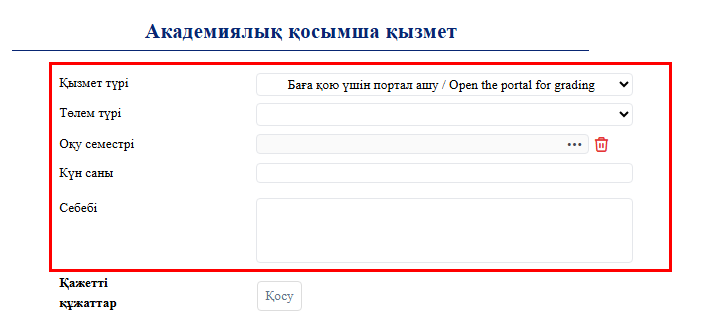
- Қызмет түрі
- Төлем түрі: Ақылы, ақысыз.
- Оқу семестрі: соңғы 4 оқу семестрі шығатын болады.
- Күн саны
- Себебі
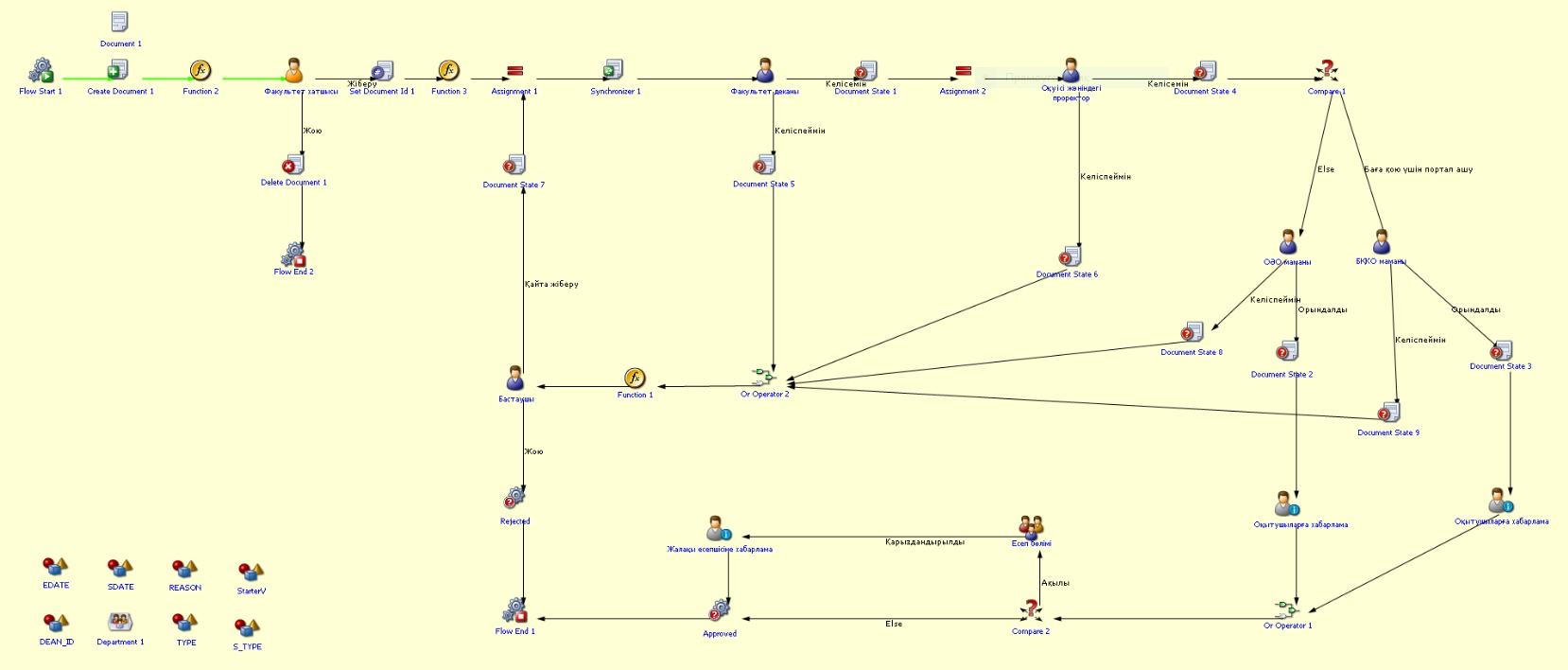
Academic additional service
Process purpose and usage scenarios
This process is used for submitting requests by instructors to provide additional services related to academic processes. It is applied in the following cases:
-
Opening the portal for grade submission
-
Granting permission to fill in the instructors’ individual work plan
-
Granting permission to fill in the instructors’ individual work report
-
Granting permission to fill in the syllabus
How can I initiate the Academic additional service process in the DMS system?
2. All fields must be filled in:
-
Type of service
-
Type of payment: paid, free of charge
-
Academic semester: the last 4 academic semesters will be displayed
-
Number of days
-
Reason
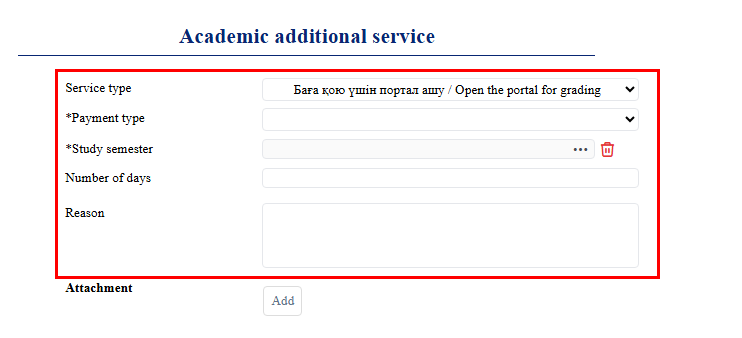
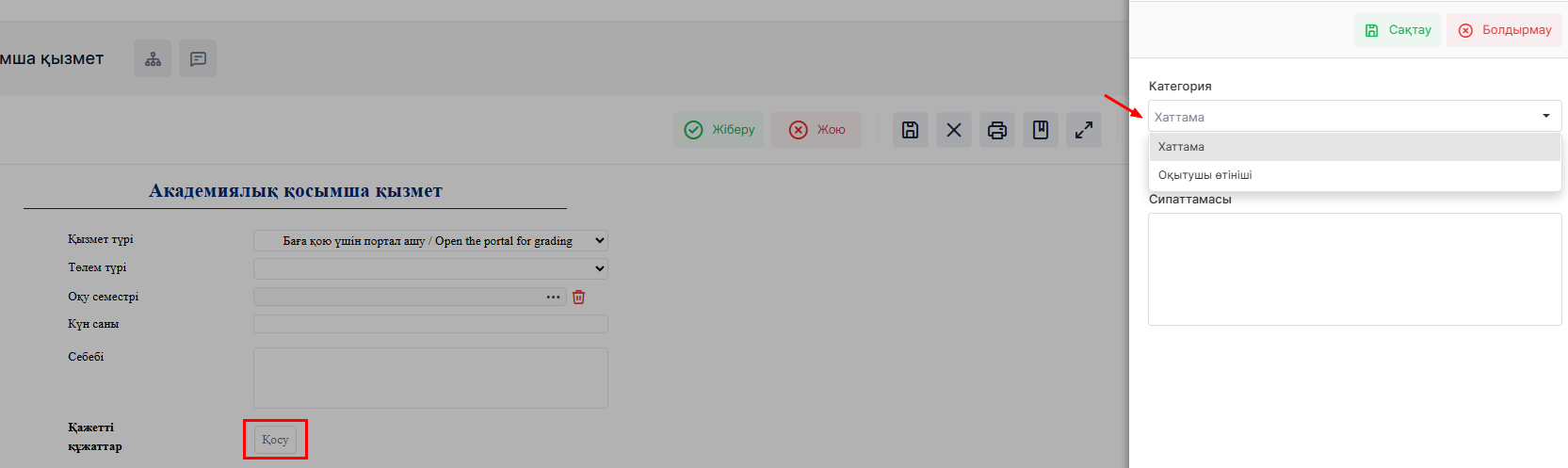
3. When the “Add” button is clicked, a new window opens where two categories on the left can be selected: protocol and instructor request.
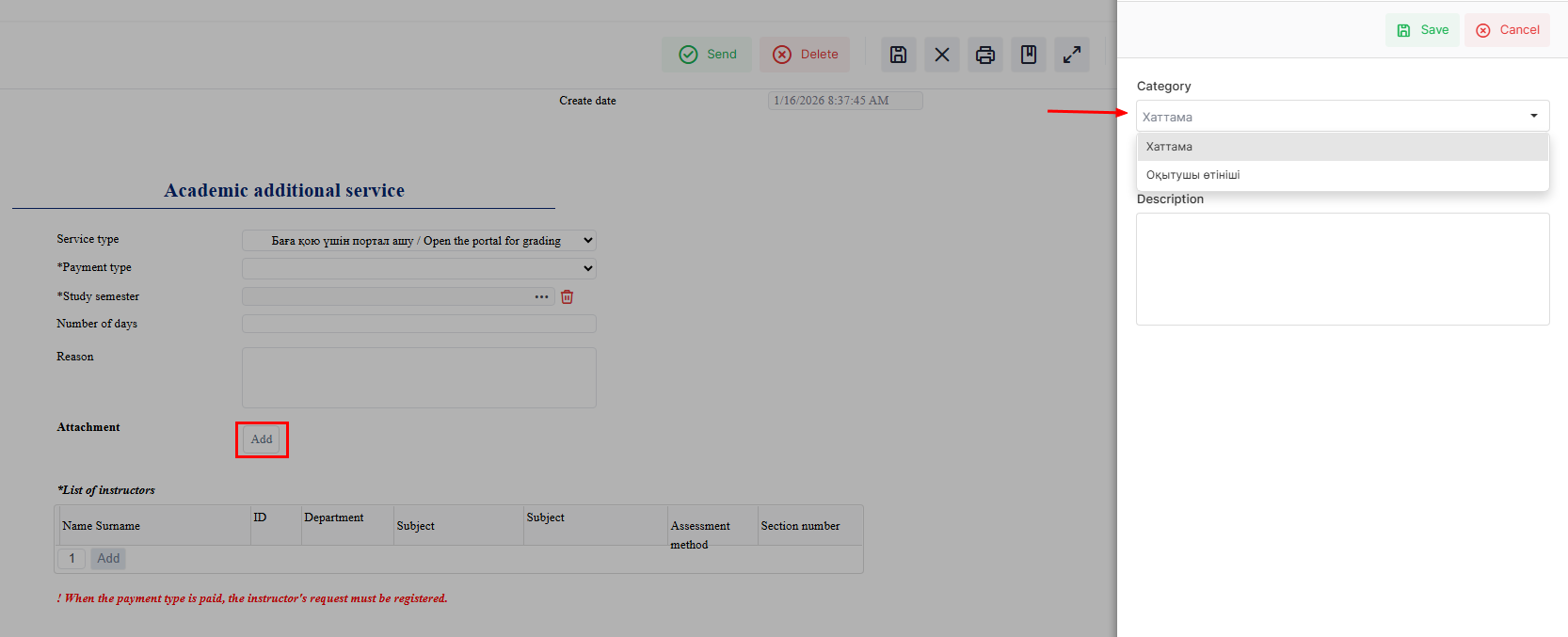
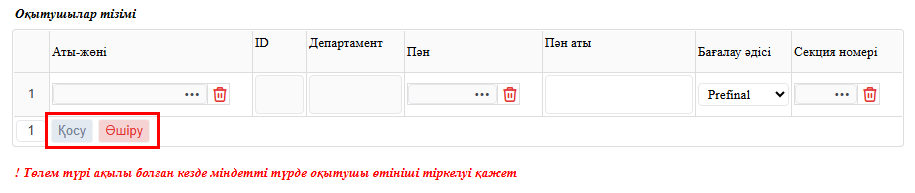
4. All columns in the table must be filled in. If necessary, new columns can be added or unnecessary ones can be removed.

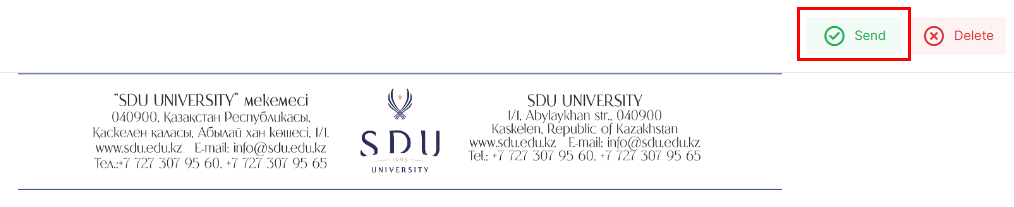
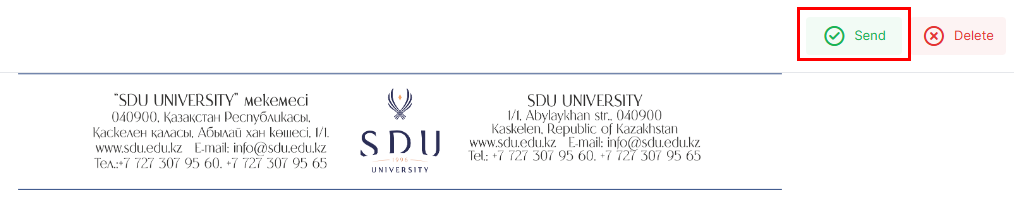
5. Once the required information is provided, click the "Submit / Жіберу" button.
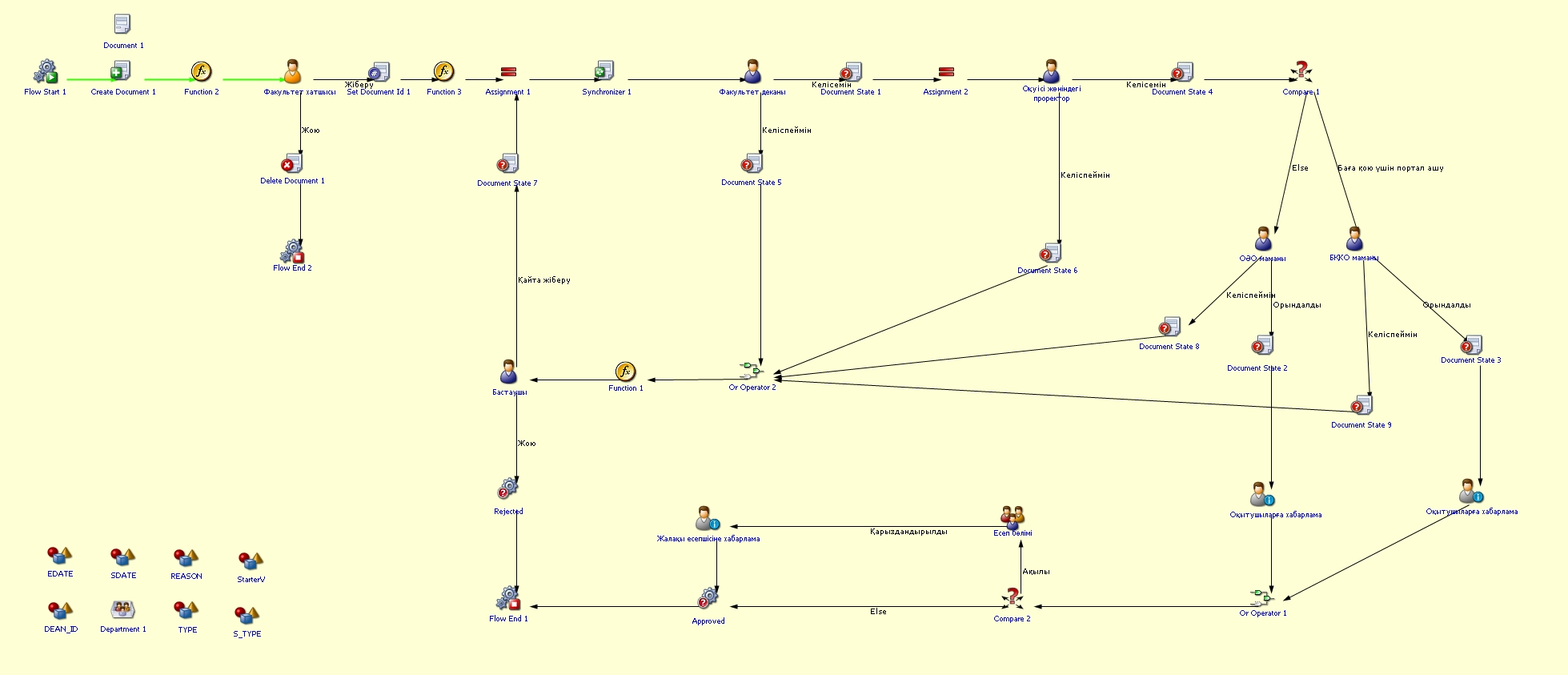
Process guidelines
Сабақ қойылмайтын уақытты келісу
Процестің мақсаты және қолданылу жағдайлары
- Оқытушының сабақ өткізе алмайтын уақытын бекіту
- Басқа маңызды міндеттерге байланысты сабақтан бос уақыт белгілеу
- Академиялық кестеге сәйкес уақыт шектеулерін ескеру
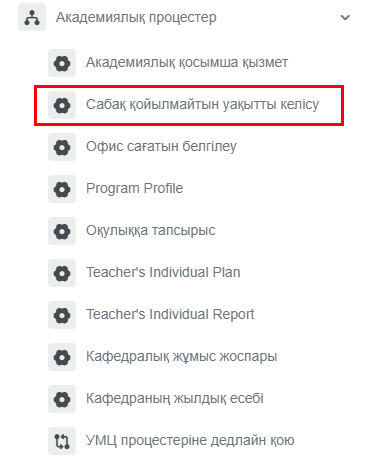
Қалай DMS жүйесінде Сабақ қойылмайтын уақытты келісу үдерісін бастай аламын?
Agreement on non-class time
Process purpose and use cases
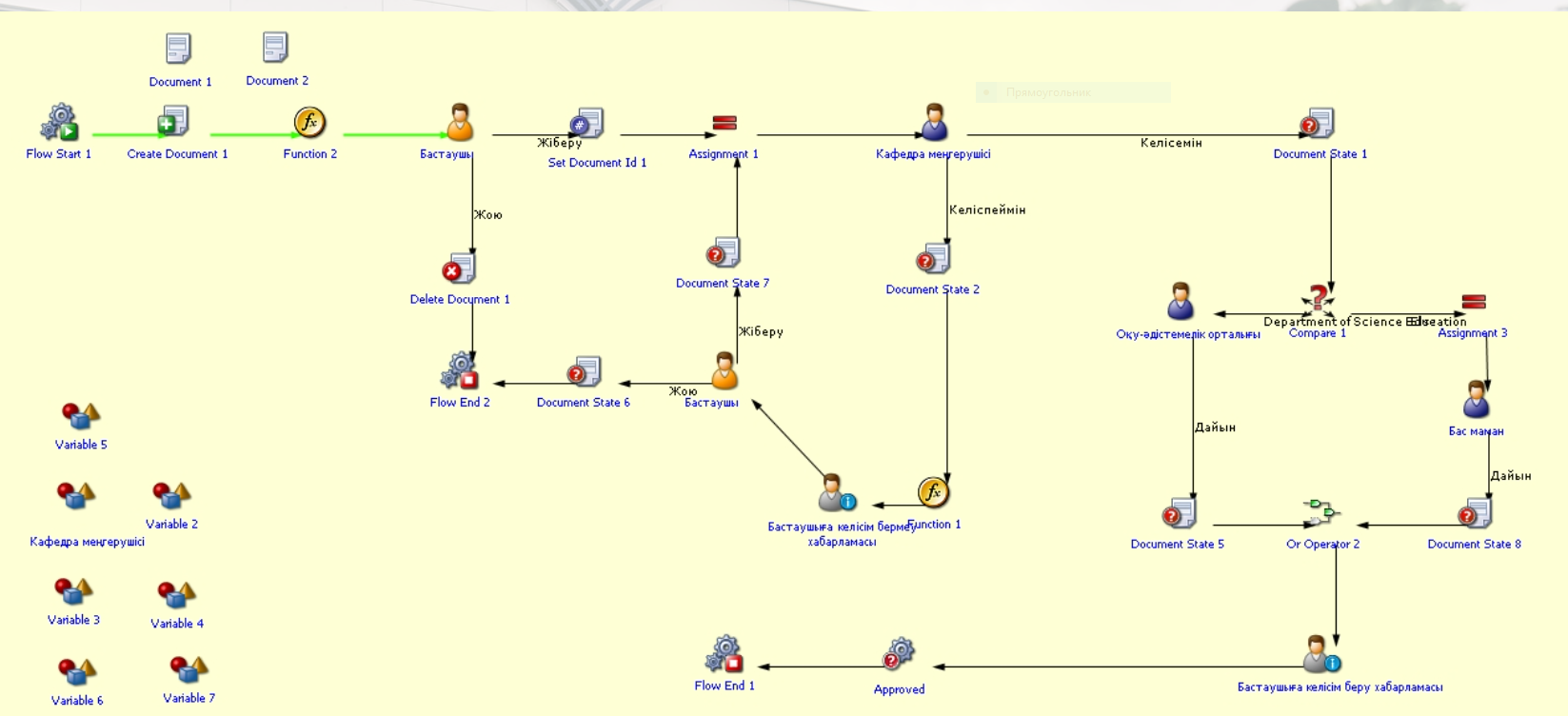
This process is used to coordinate periods when classes will not be scheduled due to personal reasons or academic circumstances of instructors.
It is used in the following cases:
- Approving the time when an instructor is unavailable for teaching
- Allocating free time due to other important responsibilities
- Considering time constraints in accordance with the academic schedule
How can I initiate the Agreement on non-class time process in the DMS system?
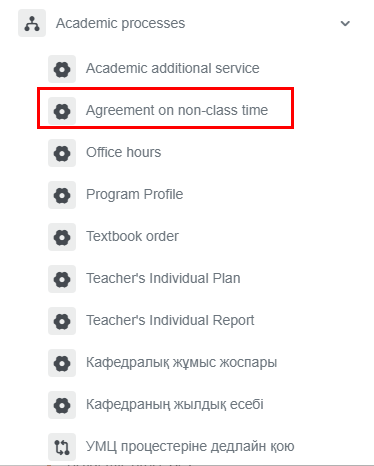
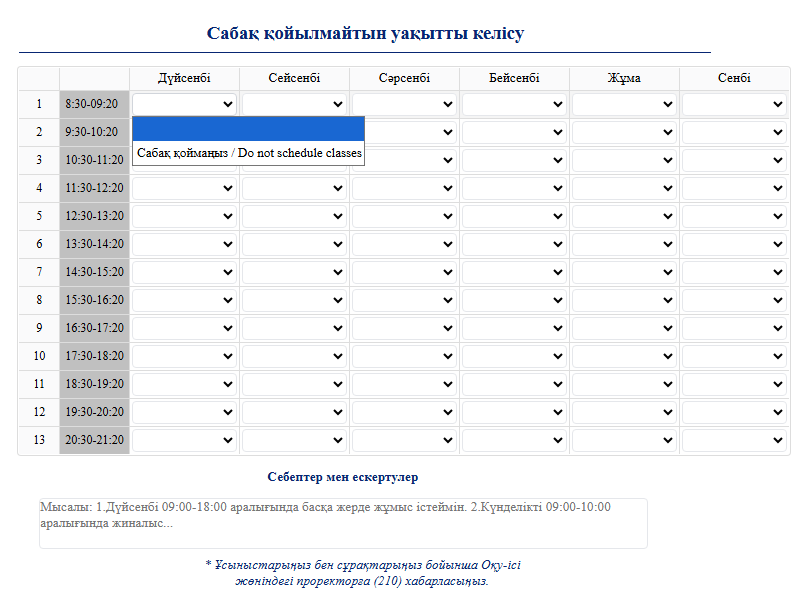
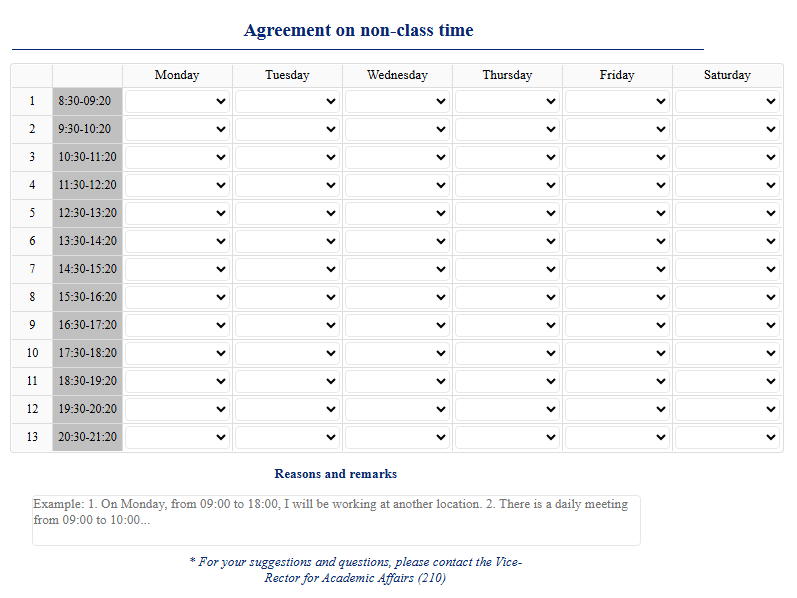
2. (1) If you select " Do not schedule classes " slots in the schedule, they can be marked.
(2) Also, if " Do not schedule classes " is selected, don't forget to specify the reasons and comments at the bottom of the schedule.
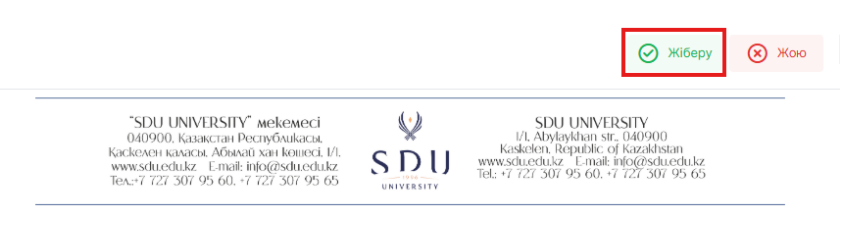
3. Once the required information is provided, click the "Submit / Жіберу" button.
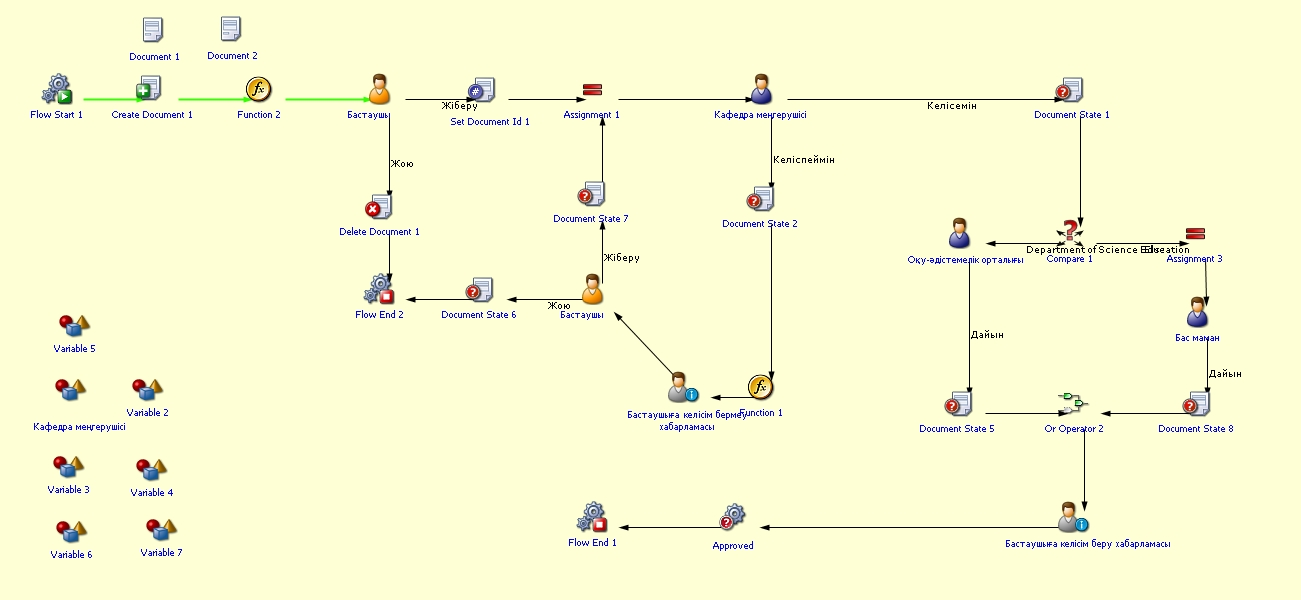
Process guidelines
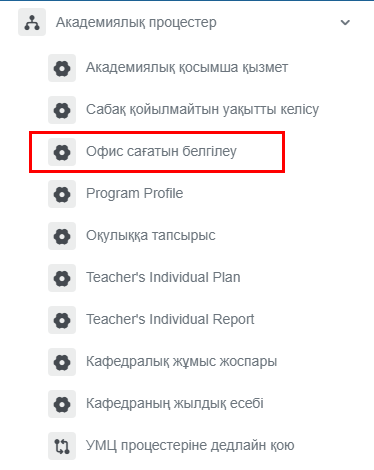
Офис сағатын белгілеу
Процестің мақсаты және қолданылу жағдайлары
Қалай DMS жүйесінде Офис сағатын белгілеуді толтыра аламын?
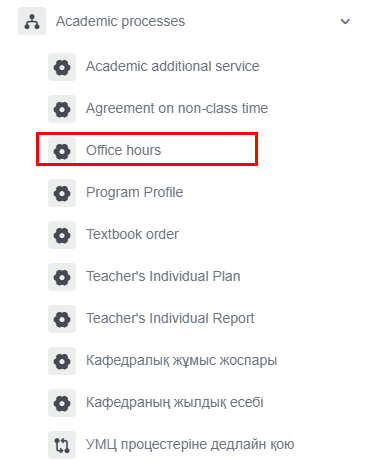
Office hours
Process purpose and use cases
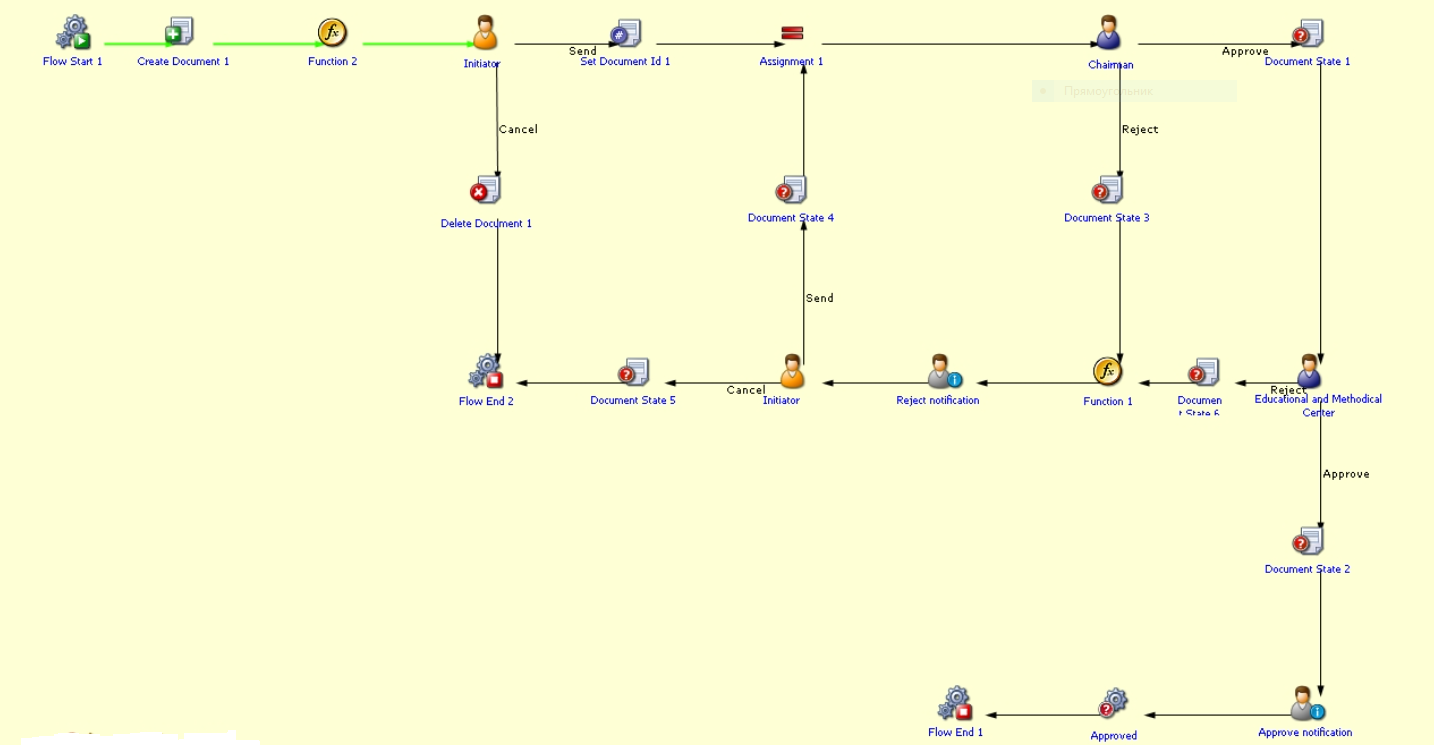
This process is used to schedule meeting times (office hours) between instructors and students.
How can I initiate the Office hours process in the DMS system?
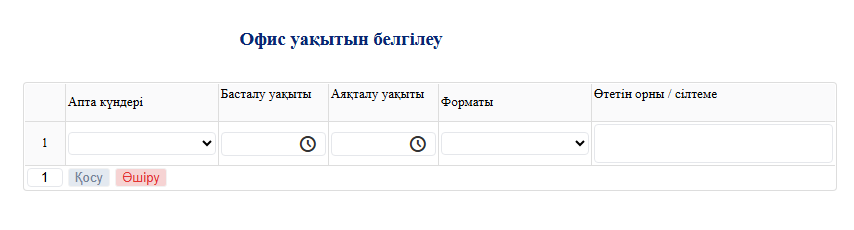
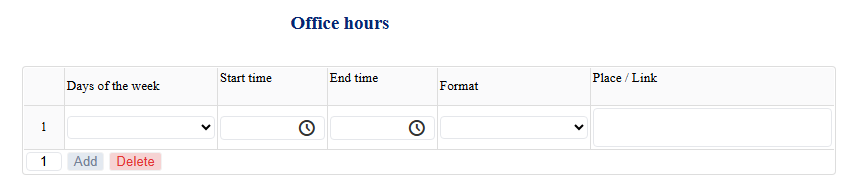
2. All columns in the schedule must be filled in. If necessary, you can add new columns or delete unnecessary ones.
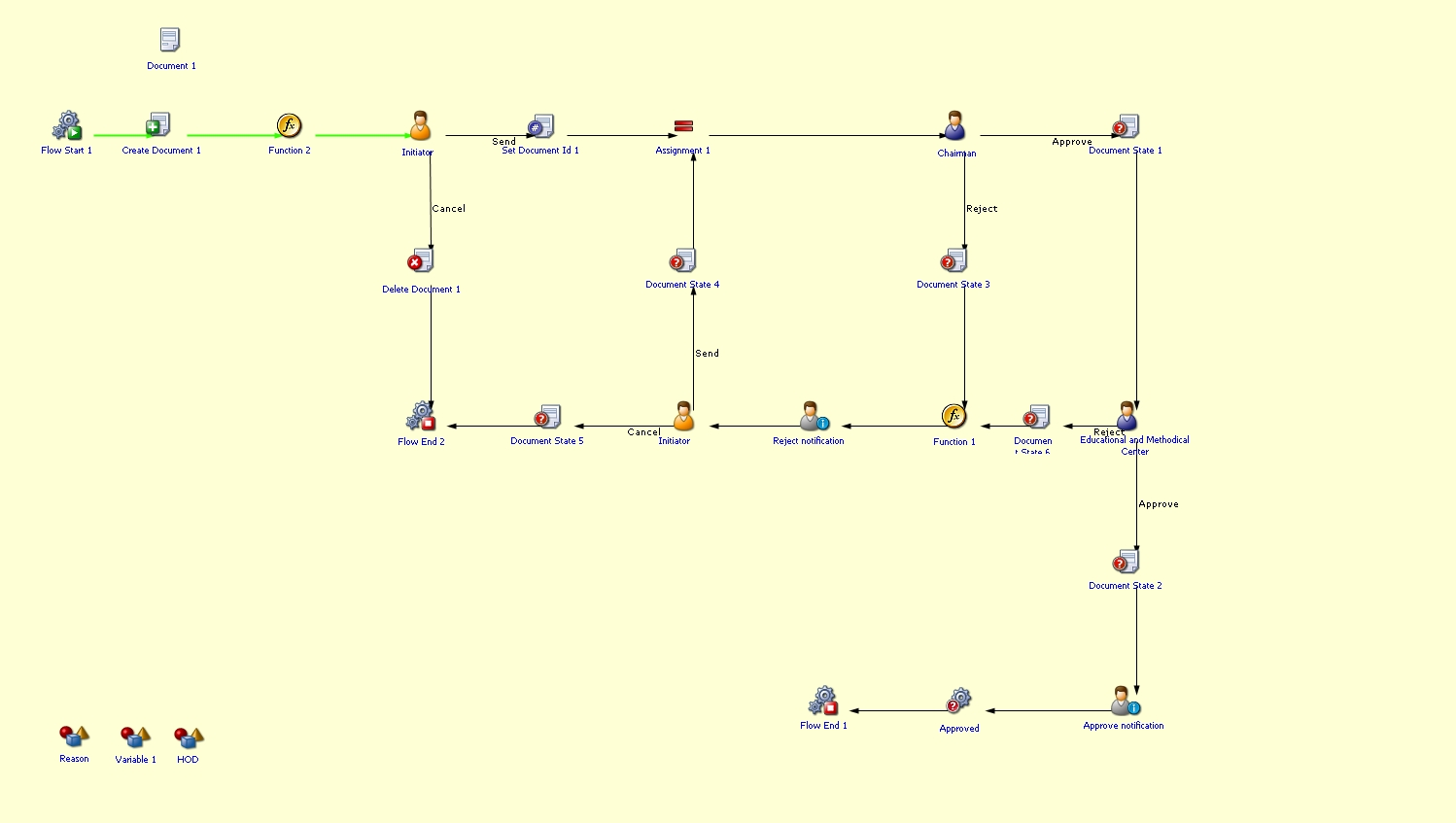
Process guidelines
Program profile
Процестің мақсаты және қолданылу жағдайлары
- Жаңа білім беру бағдарламасын әзірлеу немесе бекіту
Қалай DMS жүйесінде Program profile үдерісін толтыра аламын?
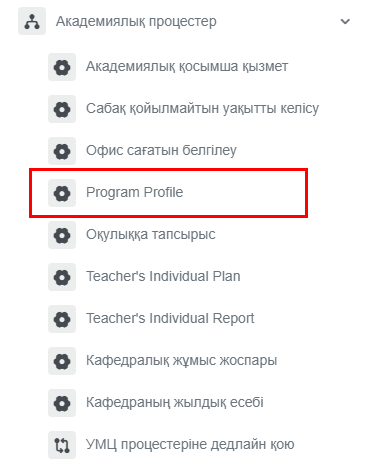
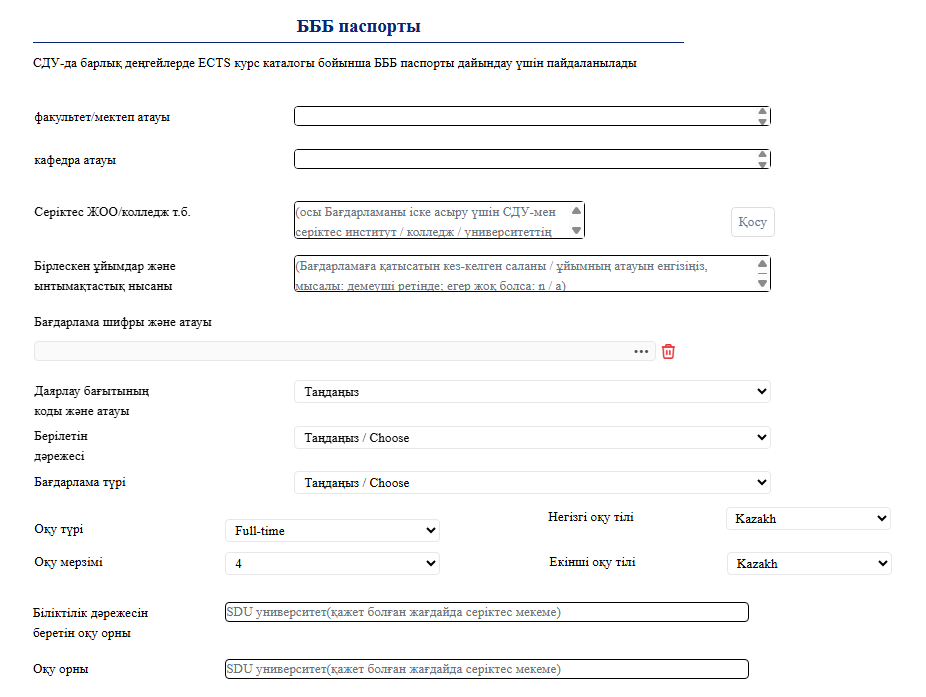
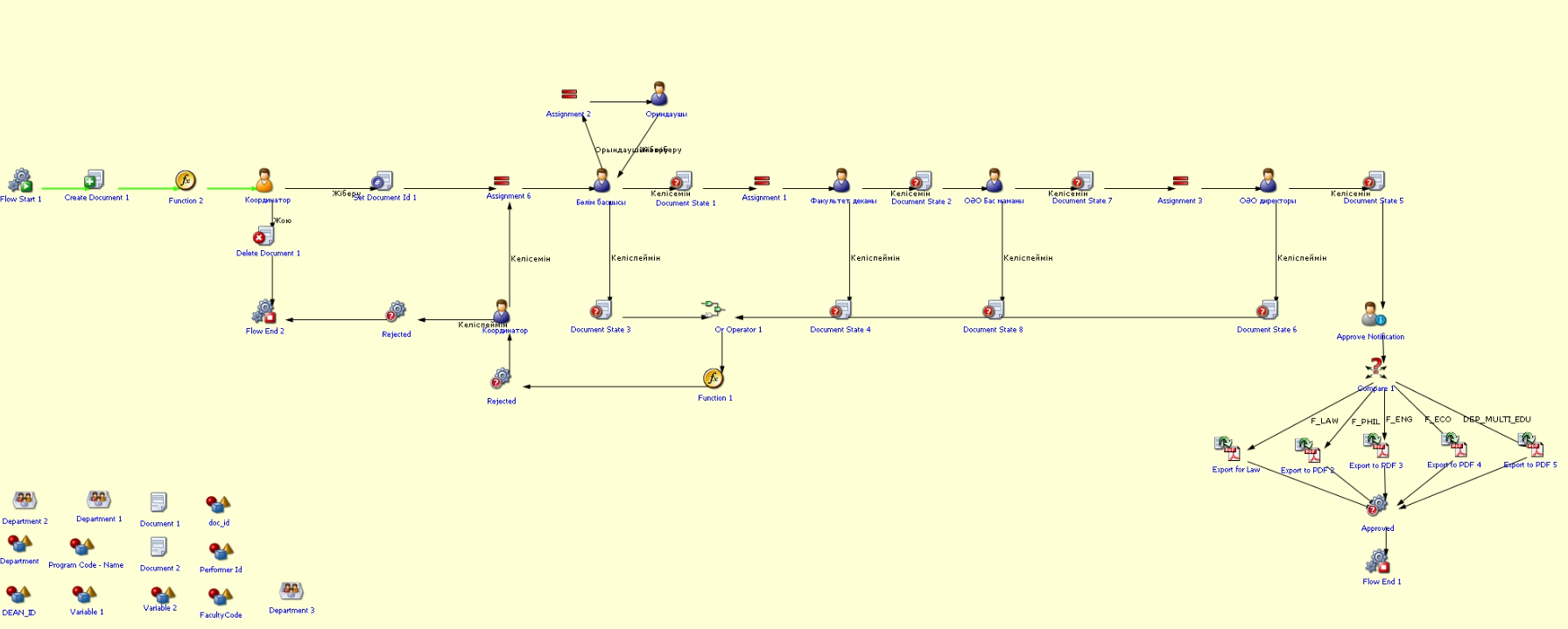
Program profile
Process purpose and use cases
This process is used to approve the structure and content of the educational program (Program Profile).
It is used in the following case:
- Development or approval of a new educational program
How can I initiate the Program profile process in the DMS system?
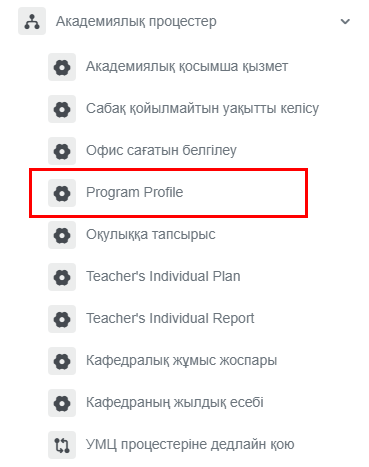
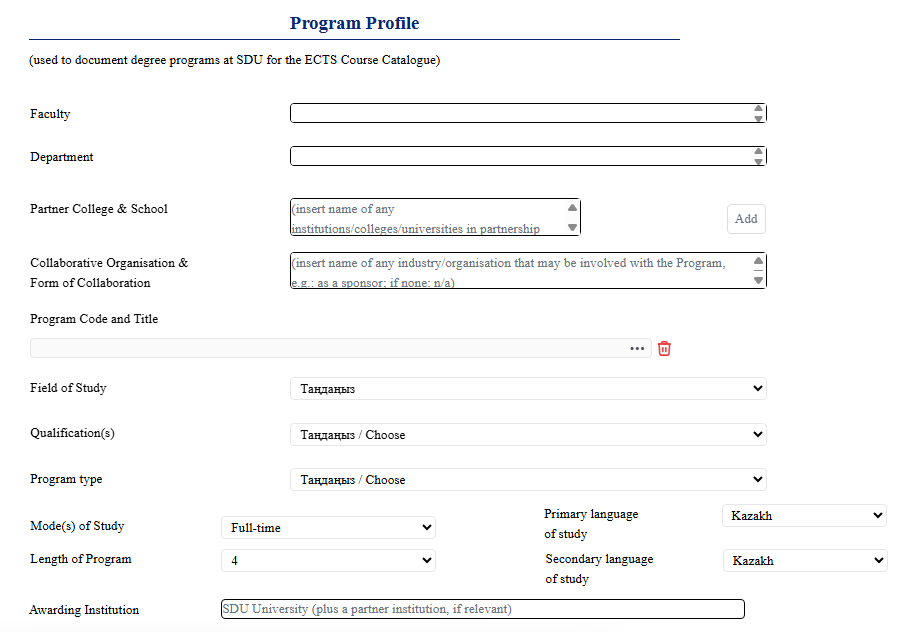
2. All columns in the table must be filled in. If necessary, you can add new columns or remove unnecessary ones.
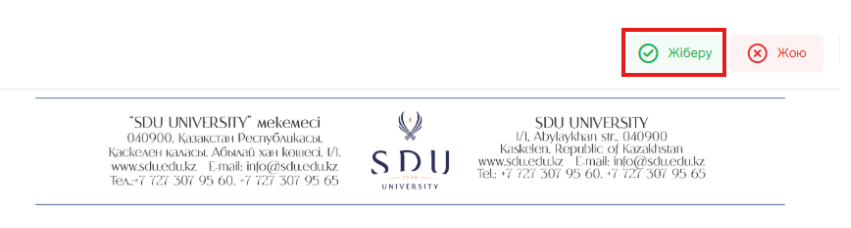
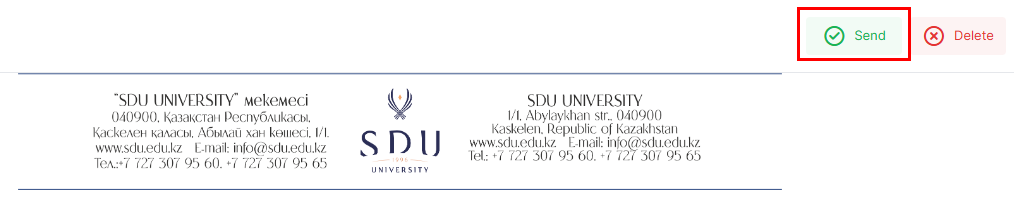
3. Once the required information is provided, click the "Submit / Жіберу" button.
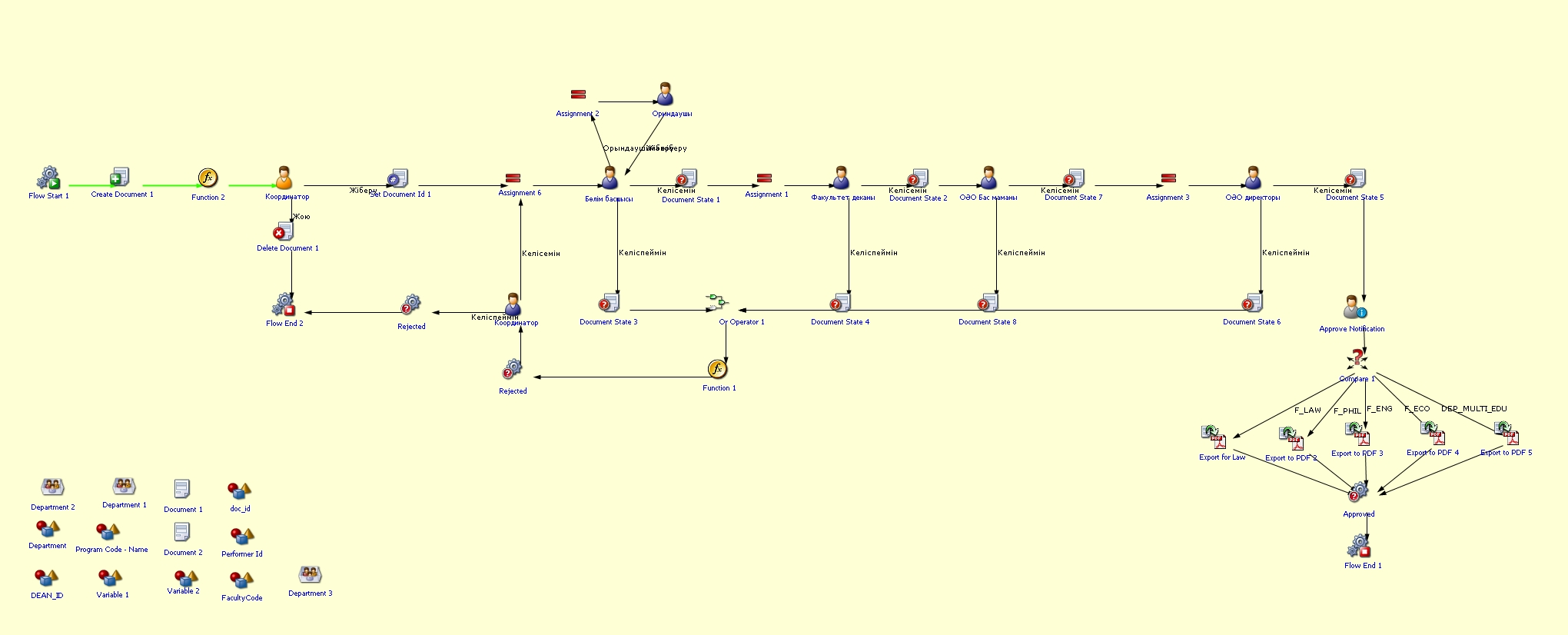
Process guidelines
Оқулыққа тапсырыс
Процестің мақсаты және қолданылу жағдайлары
- Жаңа оқу жылына қажетті оқулықтарды алдын ала жоспарлау
- Бар кітапханалық қорда жоқ оқулықтарды сатып алу
- Жаңартылған немесе жетілдірілген басылымдарға тапсырыс беру
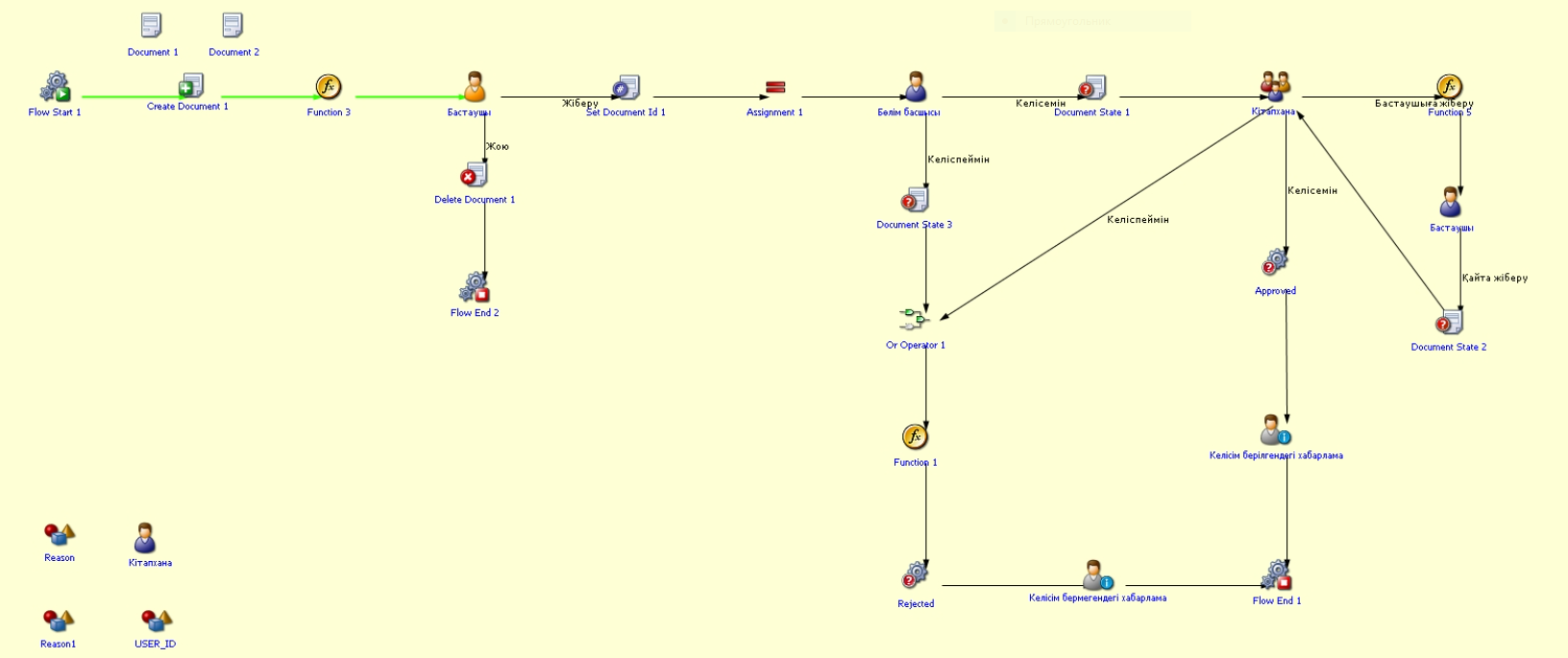
Қалай DMS жүйесінде Оқулыққа тапсырыс үдерісін толтыра аламын?
Textbook request
Process purpose and usage scenarios
This process is used by instructors and departments to purchase or order textbooks required for the academic process. It is applied in the following cases:
-
Advance planning of textbooks required for the new academic year
-
Purchasing textbooks that are not available in the existing library collection
-
Ordering updated or revised editions of textbooks
How can I initiate the Textbook request process in the DMS system?
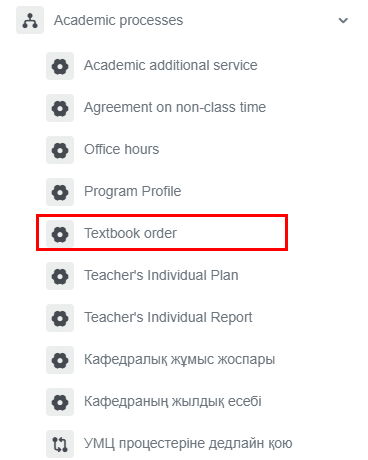
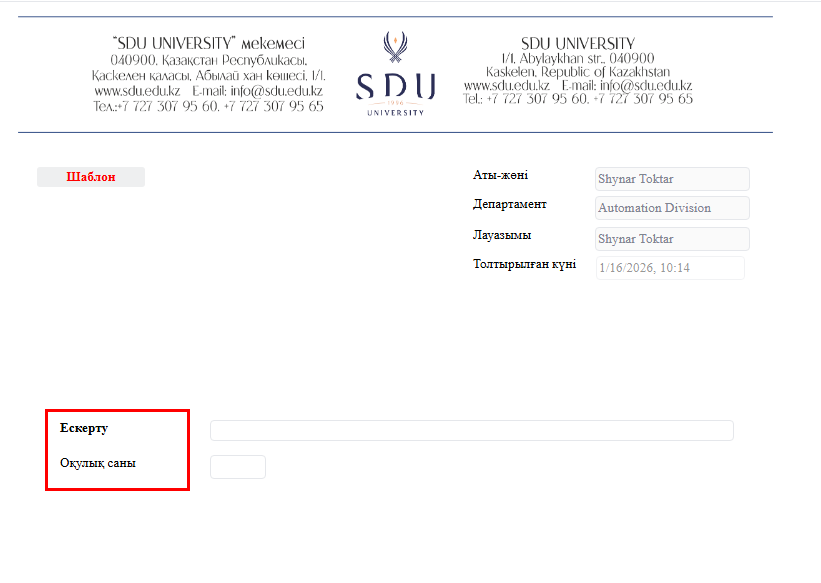
2. All fields must be filled in.
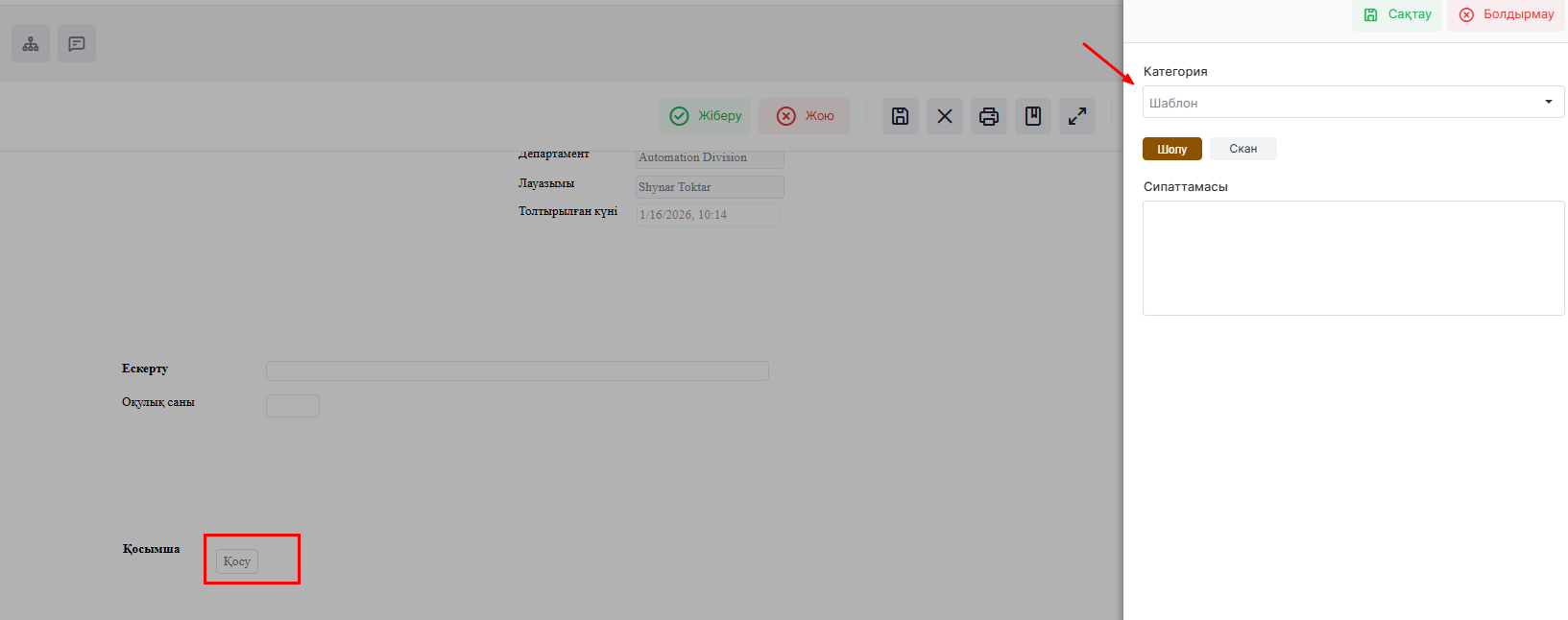
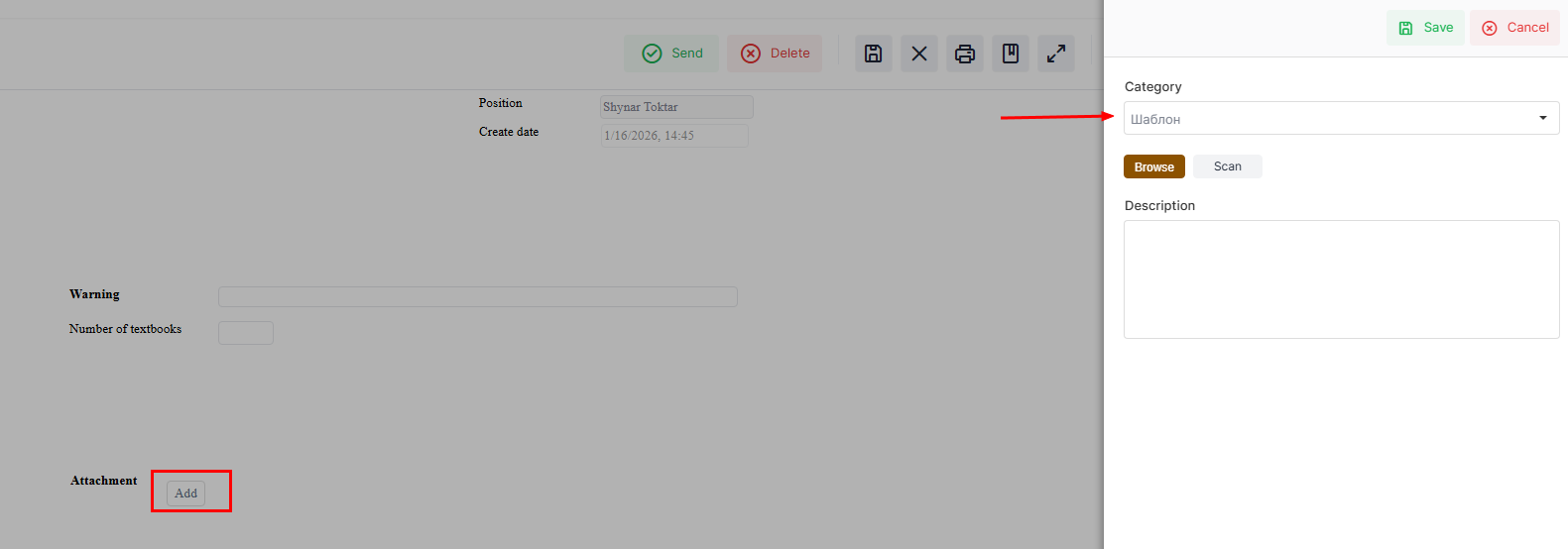
3. When the “Add” button is clicked, a new window opens where two categories on the left can be selected: template and invoice for payment.
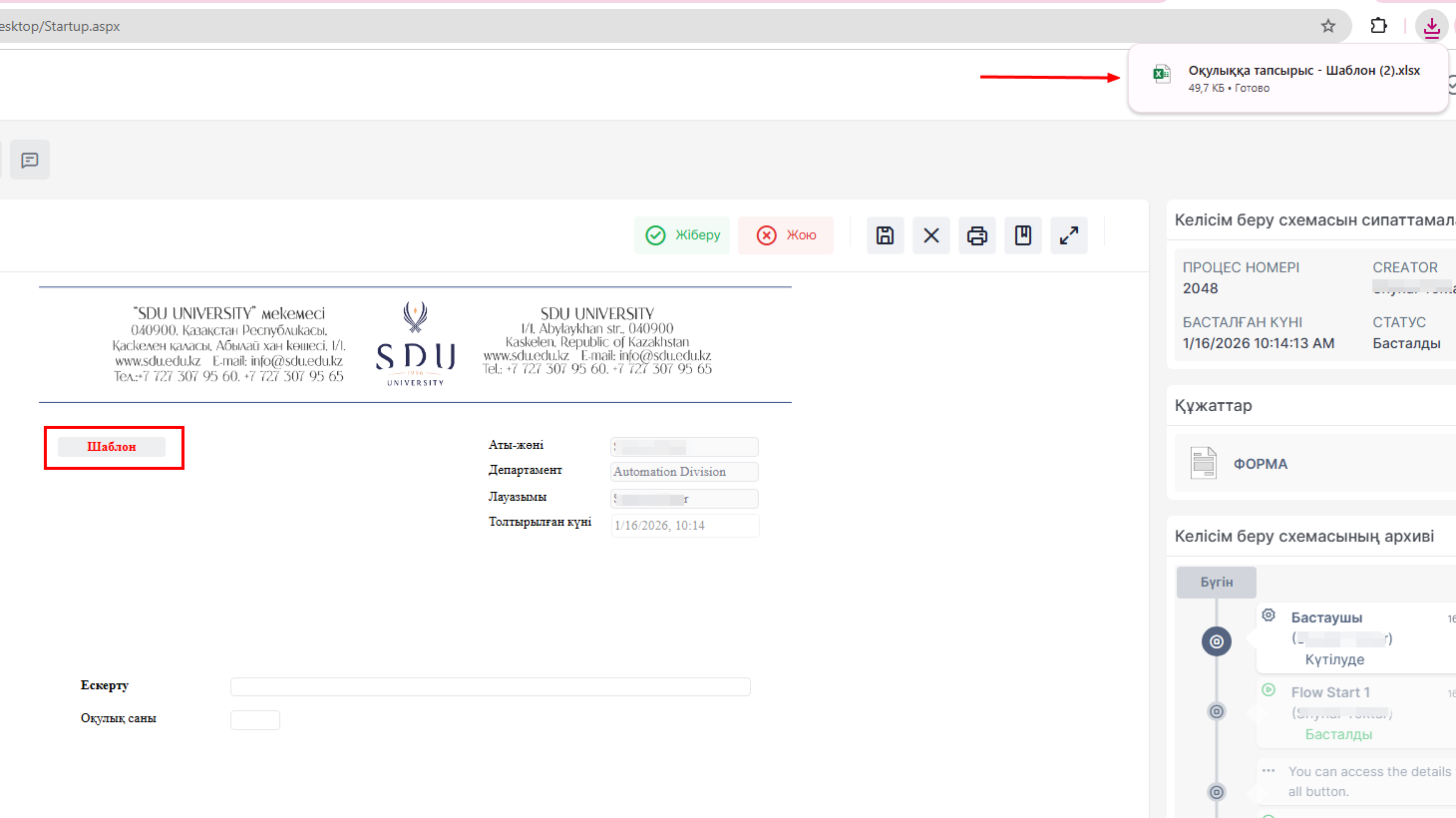
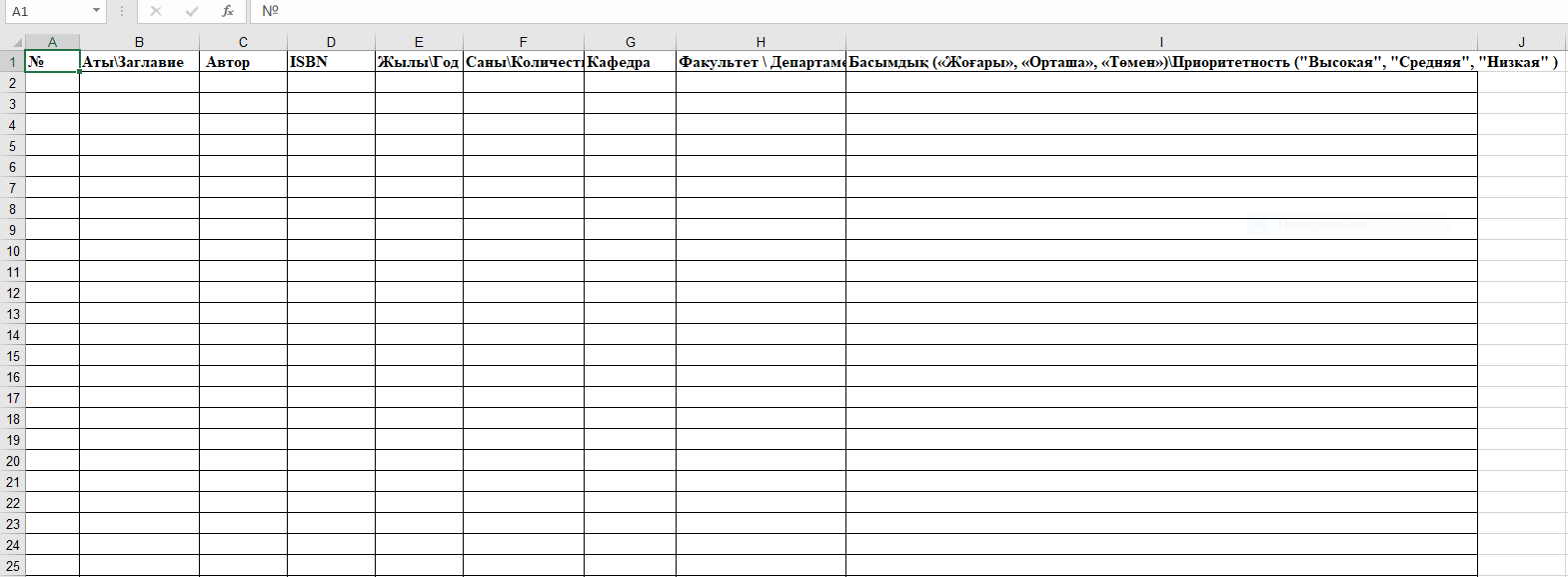
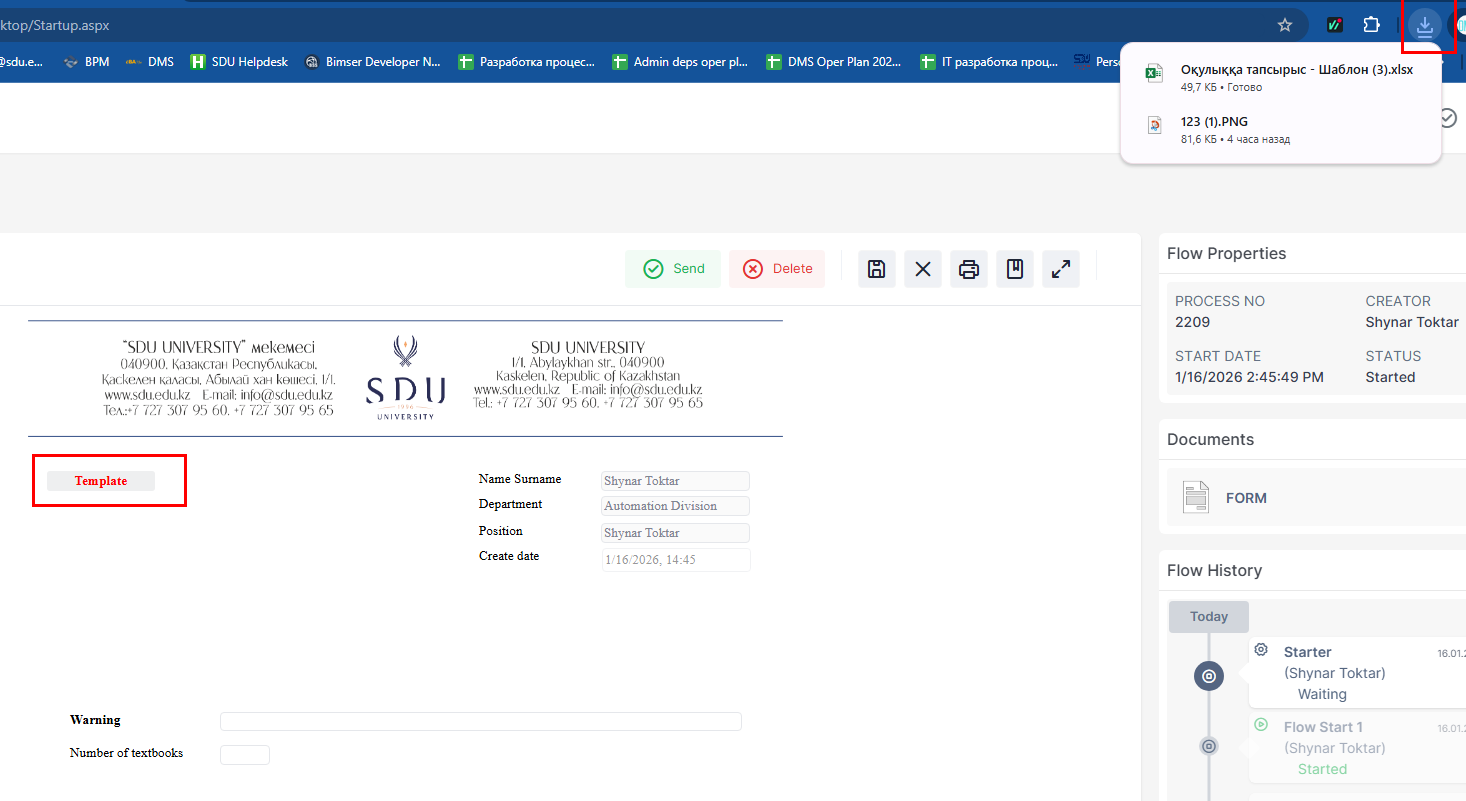
4. To fill in the template, click the button on the left side of the form. After clicking the button, the template will be downloaded. Then you can open the template from the downloaded files and fill it in.
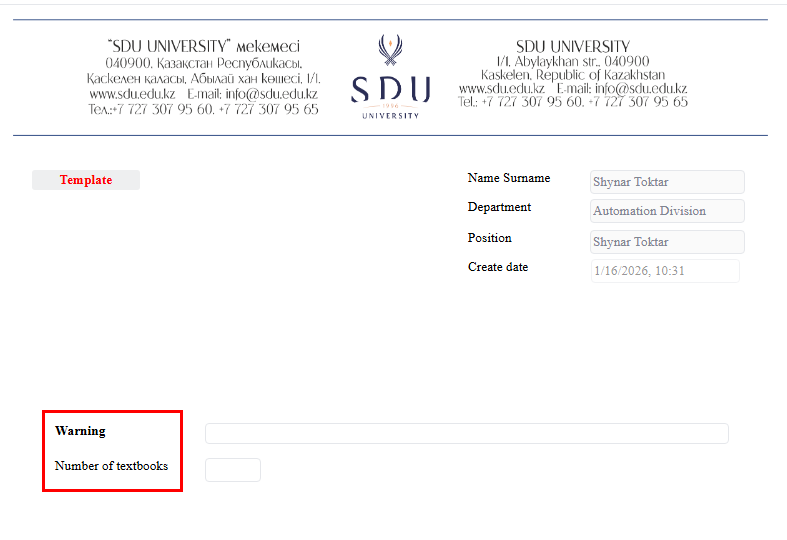
5. This is a sample of the template. Make sure to fill in all the required columns and upload it as an attachment.
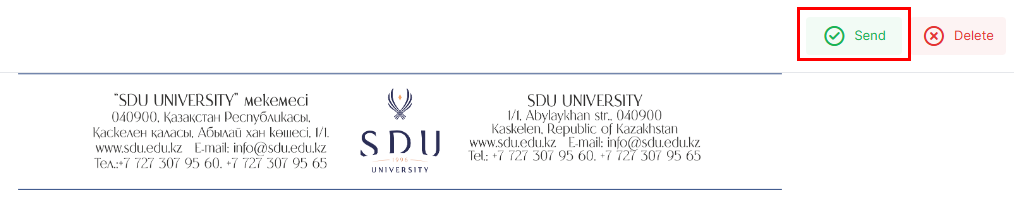
6. Once the required information is provided, click the "Submit / Жіберу" button.
Process guidelines
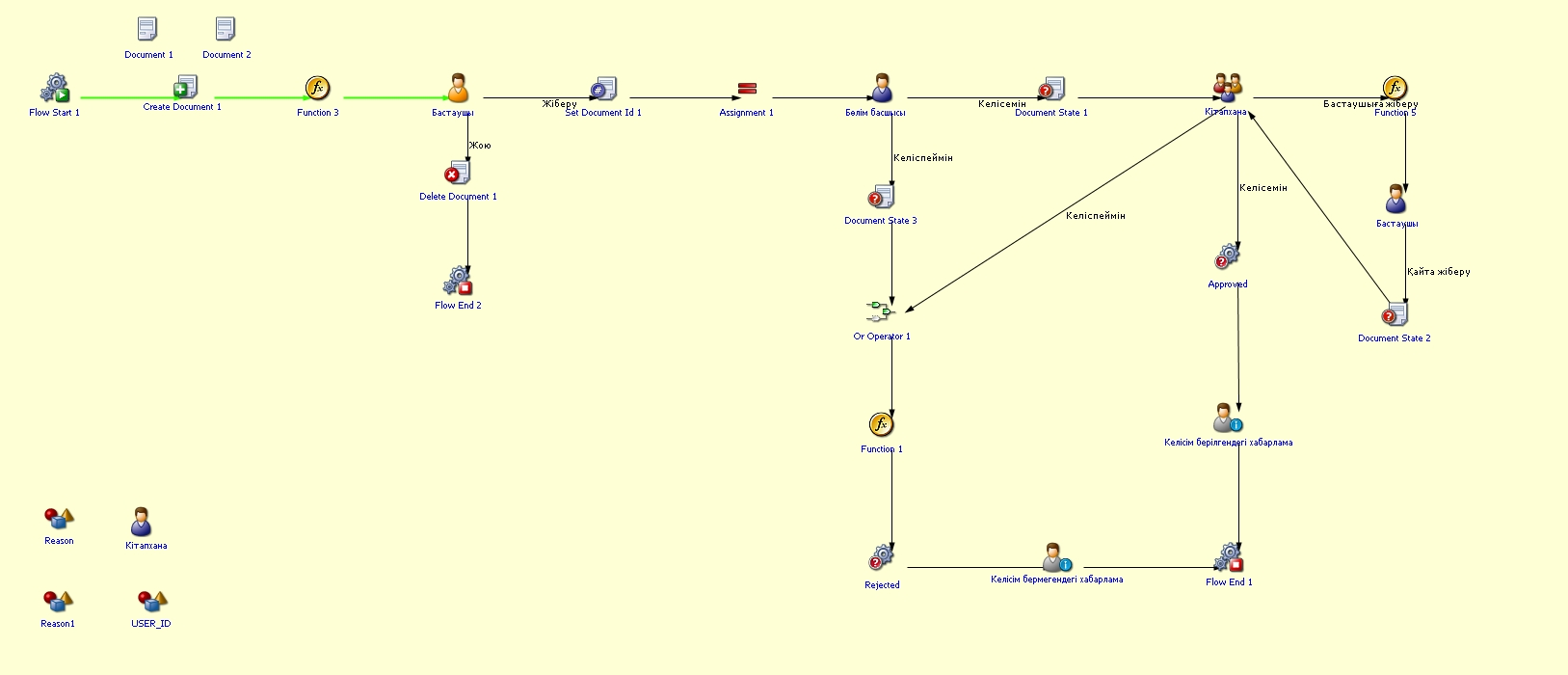
Оқытушының жеке жұмыс жоспары
Процестің мақсаты және қолданылу жағдайлары
- Жаңа оқу жылы басталғанда жеке жұмыс жоспарын құру
- Оқу, ғылыми, әдістемелік және қоғамдық жұмыстарды жоспарлау
- Кафедра меңгерушісіне жоспарды бекітуге жіберу
Қалай BPM жүйесінде Оқытушының жеке жұмыс жоспары үдерісін толтыра аламын?
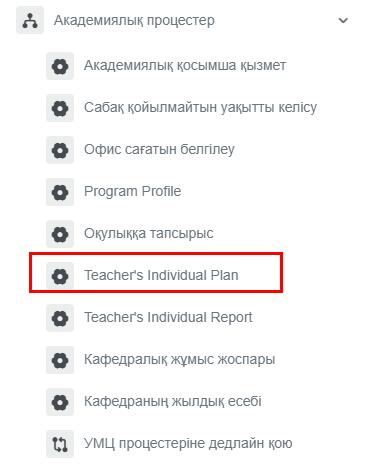
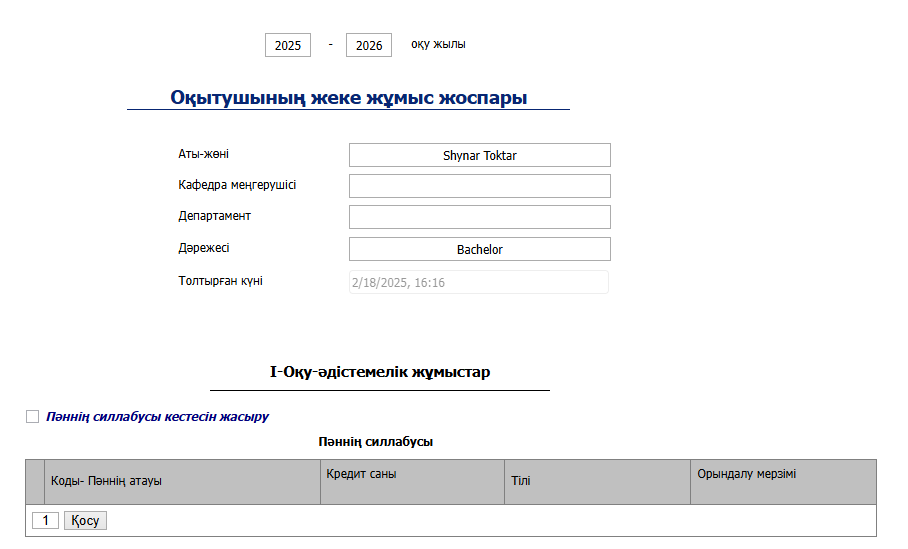
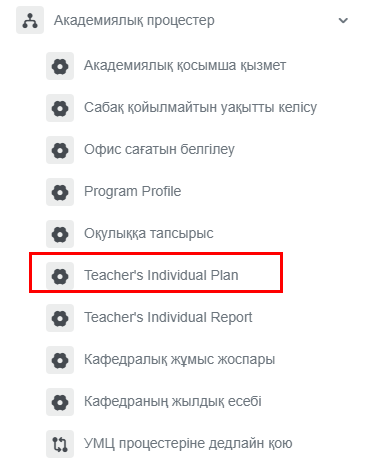
Teacher's Individual Plan
Process purpose and use cases
This process is used to approve an instructor's annual work plan. It is applied in the following cases:
- Creating an individual work plan at the beginning of the new academic year
- Planning academic, research, methodological, and community activities
- Submitting the plan to the department head for approval
How can I initiate the Teacher's Individual Plan process in the BPM system?
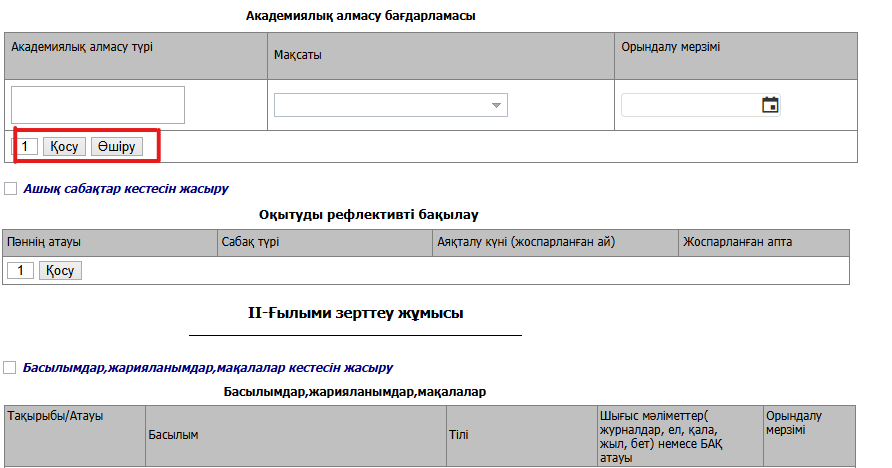
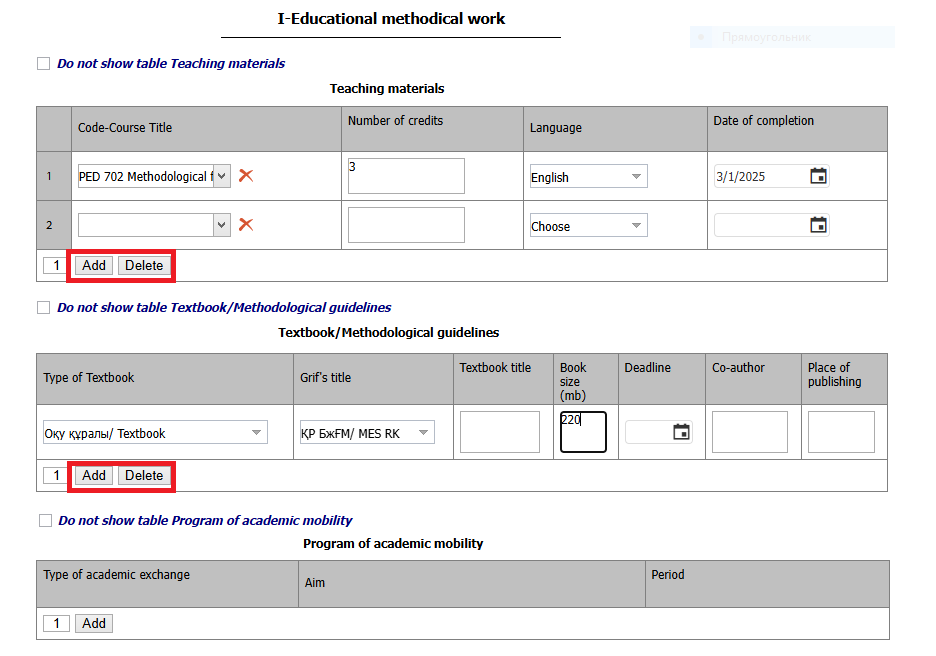
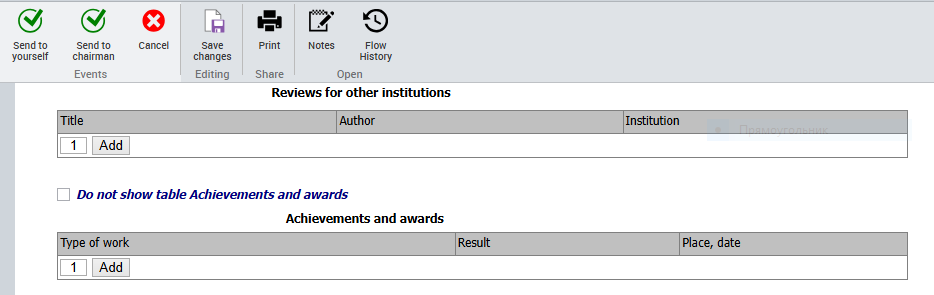
2. You need to fill in the columns in the table according to your plan for the academic year. If necessary, you can add new columns or remove unnecessary ones.
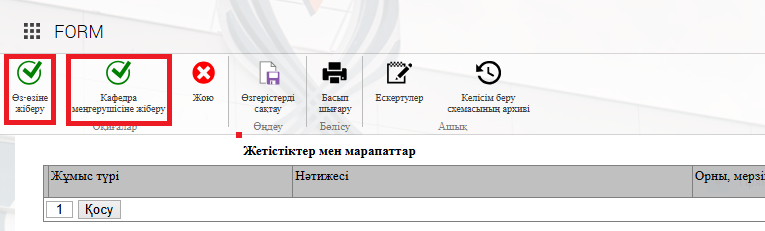
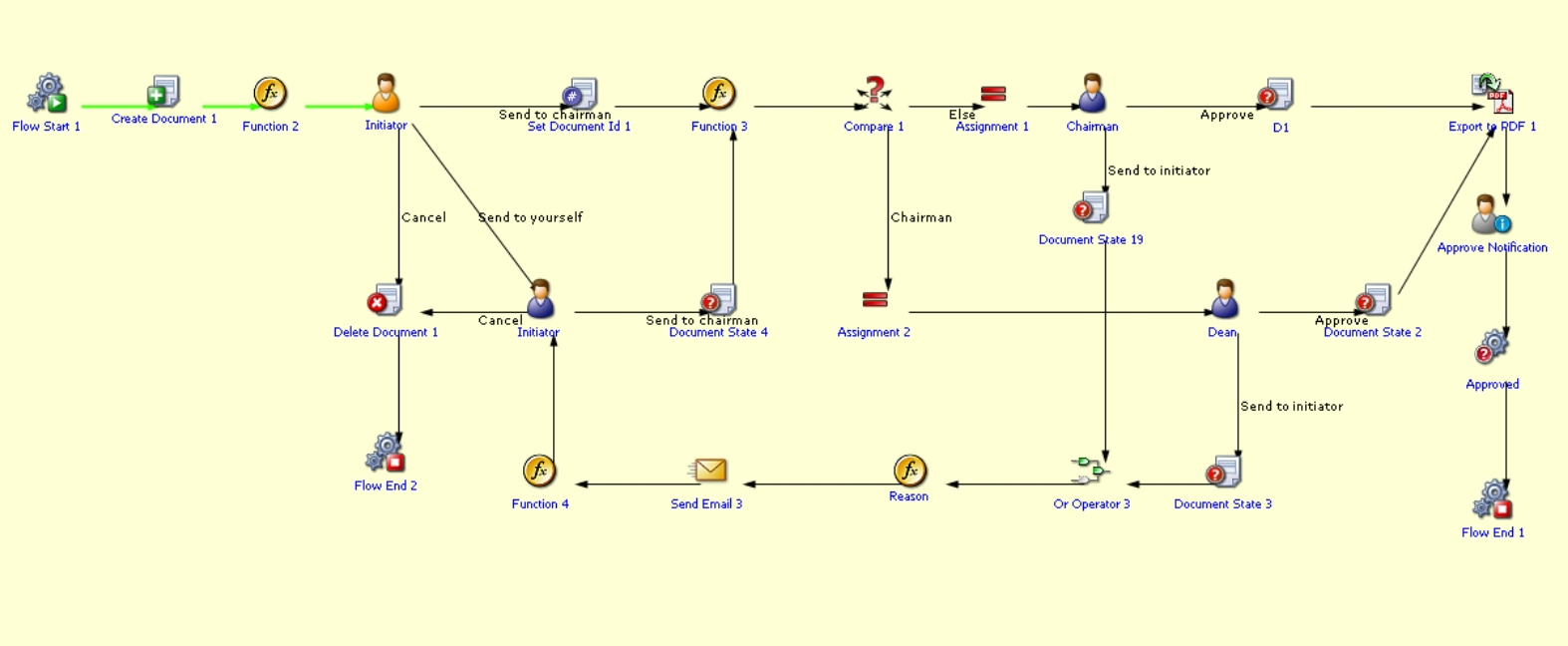
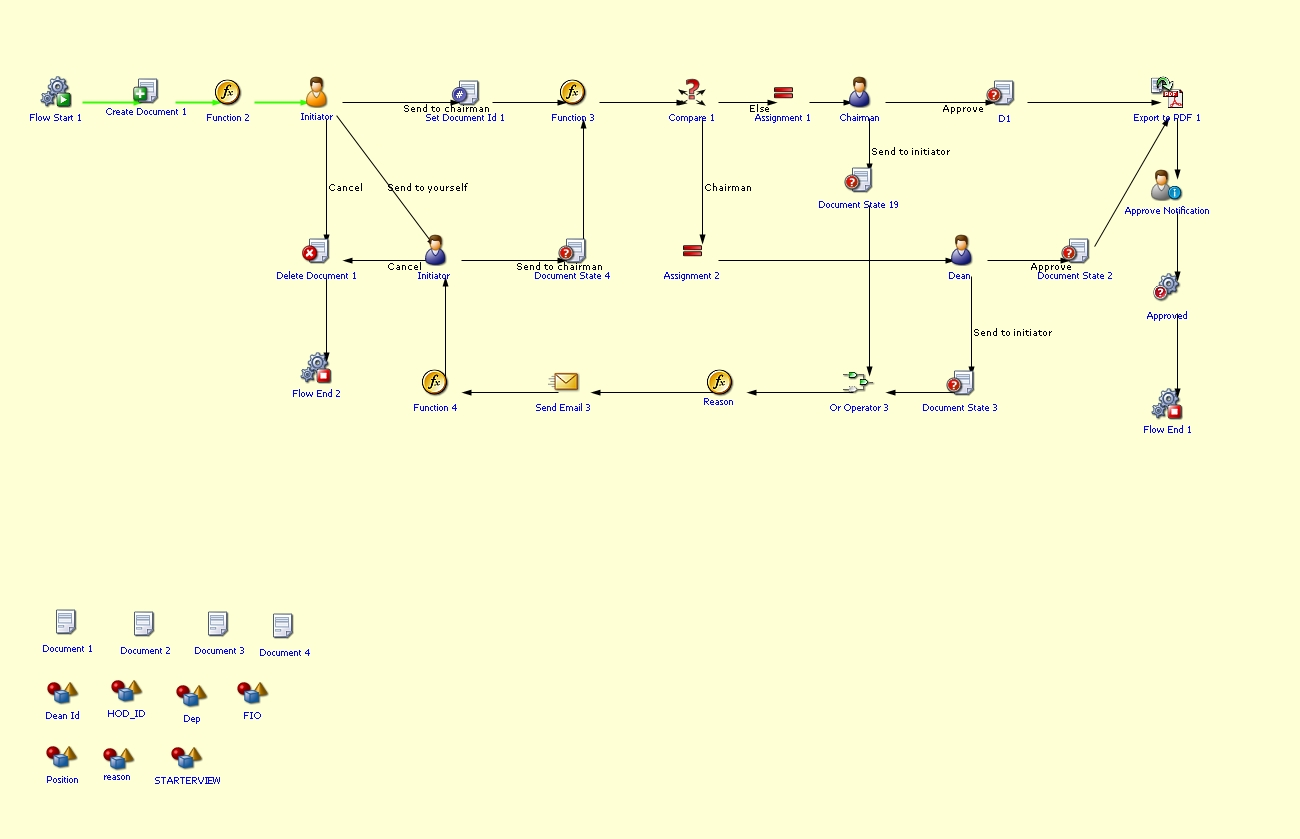
3. After entering the required information, you can choose to send it to yourself or the department head using the "Send to yourself" and "Send to chairman" button.
Process guidelines
Оқытушының жеке жұмыс есебі
Процестің мақсаты және қолданылу жағдайлары
- Семестрлік жұмыс есебін тапсыру
- Оқу, ғылыми және әдістемелік жұмыстарды тіркеу
- Кафедра меңгерушісіне жұмыс нәтижелерін ұсыну
Қалай BPM жүйесінде Оқытушының жеке жұмыс есебі үдерісін толтыра аламын?
Teacher's Individual Report
Process purpose and use cases
This process is used for instructors to report on their completed work. The report is filled out in the following cases:
- Submitting a semester work report
- Recording academic, research, and methodological activities
- Presenting work results to the department head
How can I initiate the Teacher's Individual Report process in the BPM system?
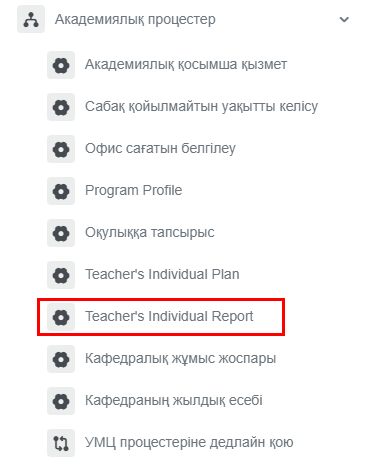
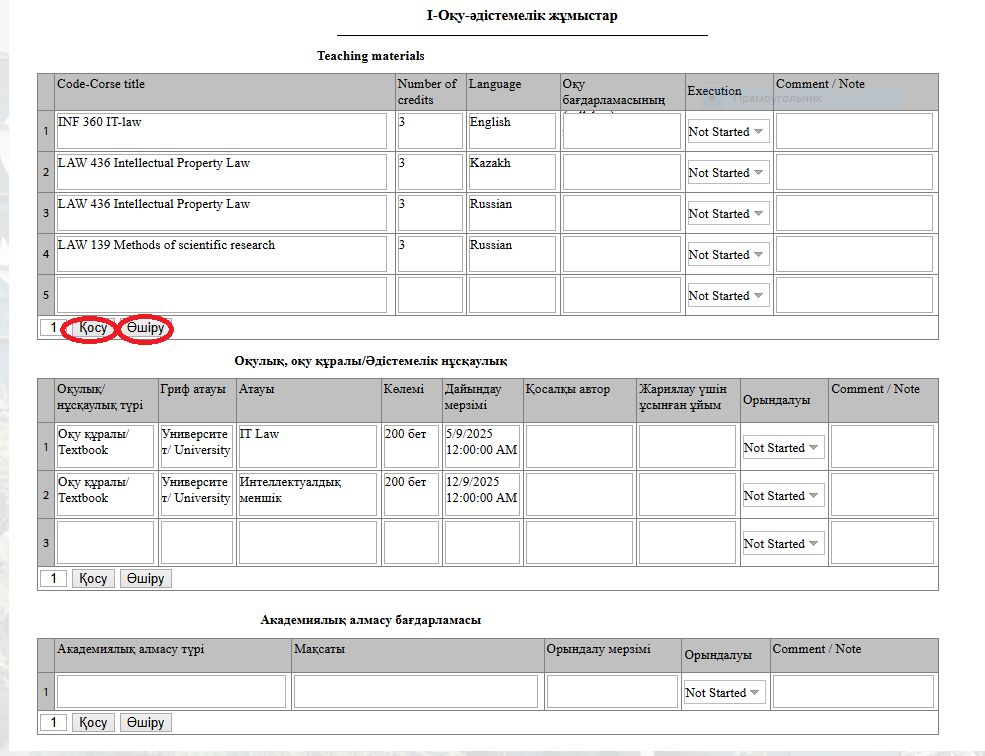
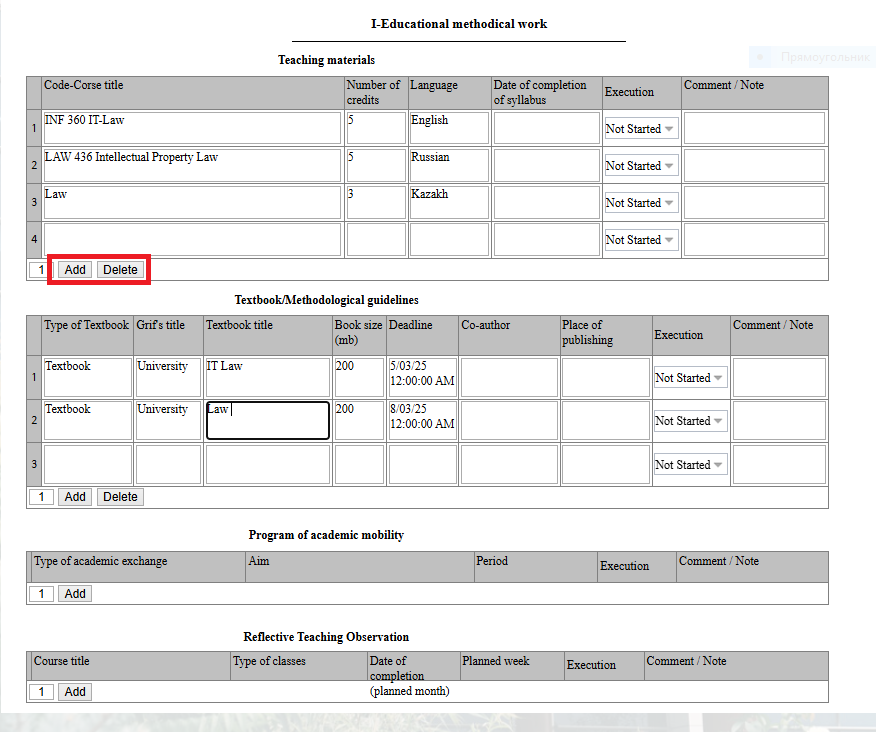
2. The table will automatically display the plan you filled out at the beginning of the academic year. You can change the current status of your plan: Not Started, In Progress, Completed.
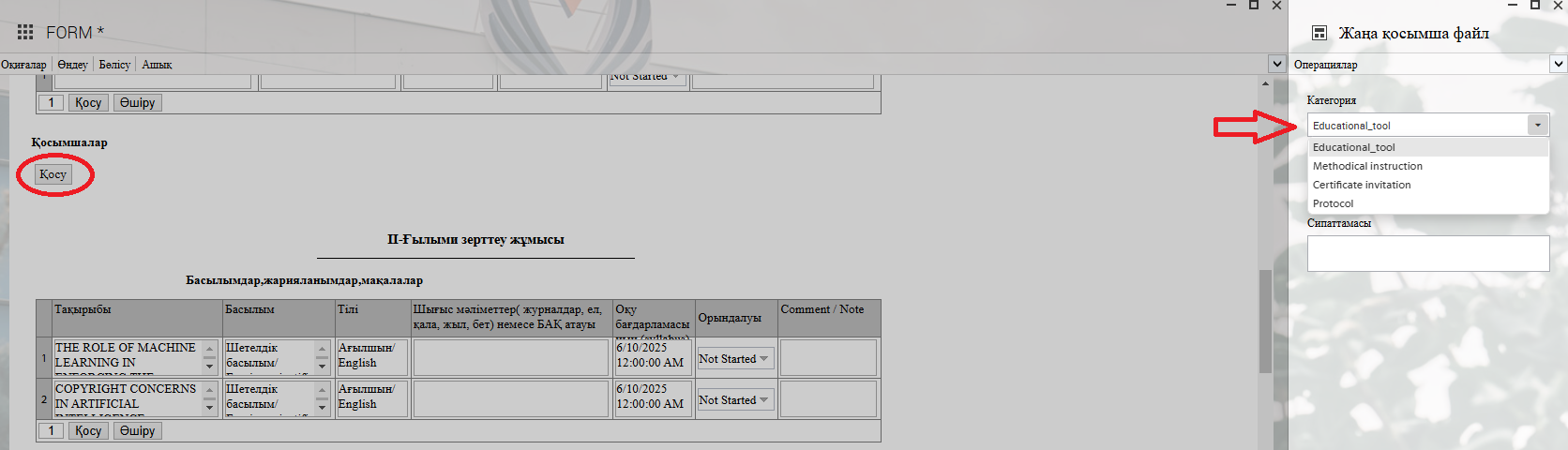
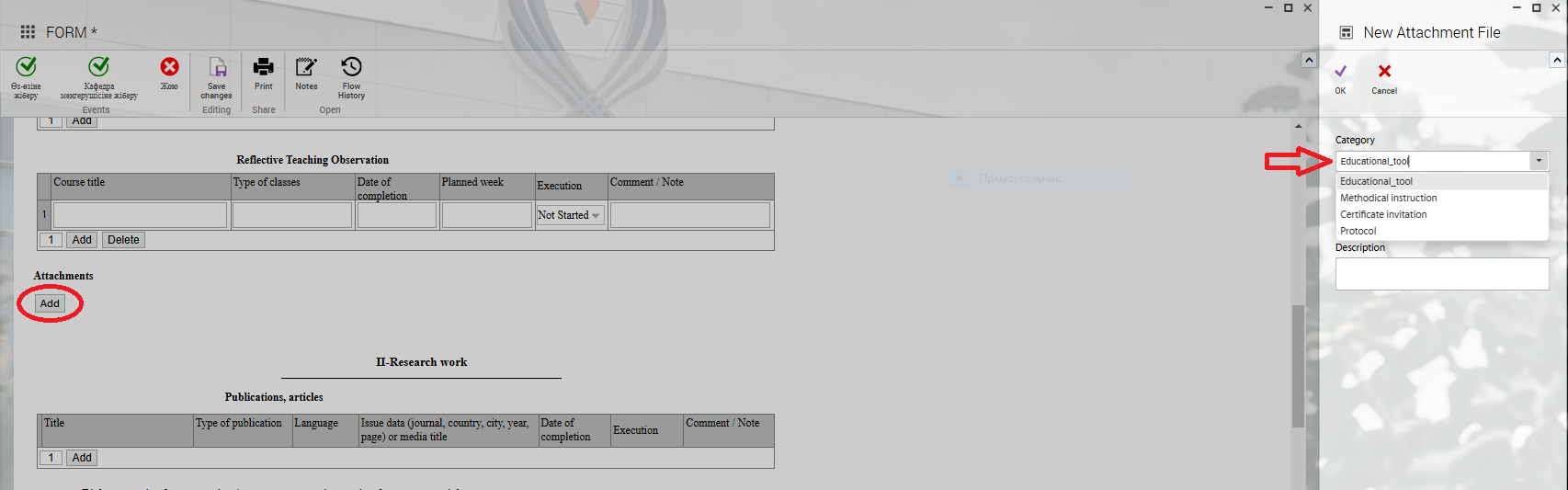
3. When you click the "Add" button, a new window will open where you can attach documents according to the categories on the left.
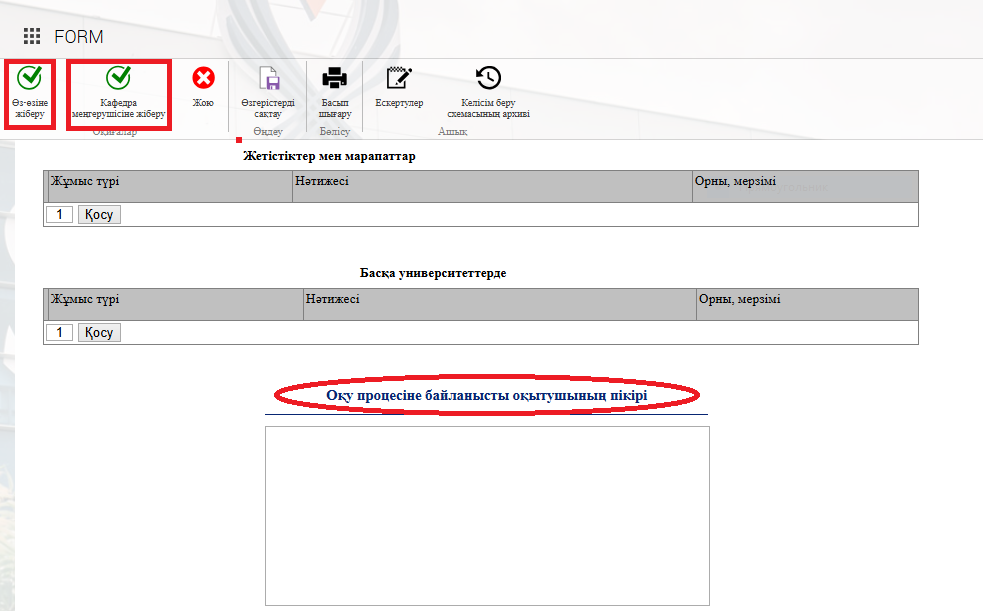
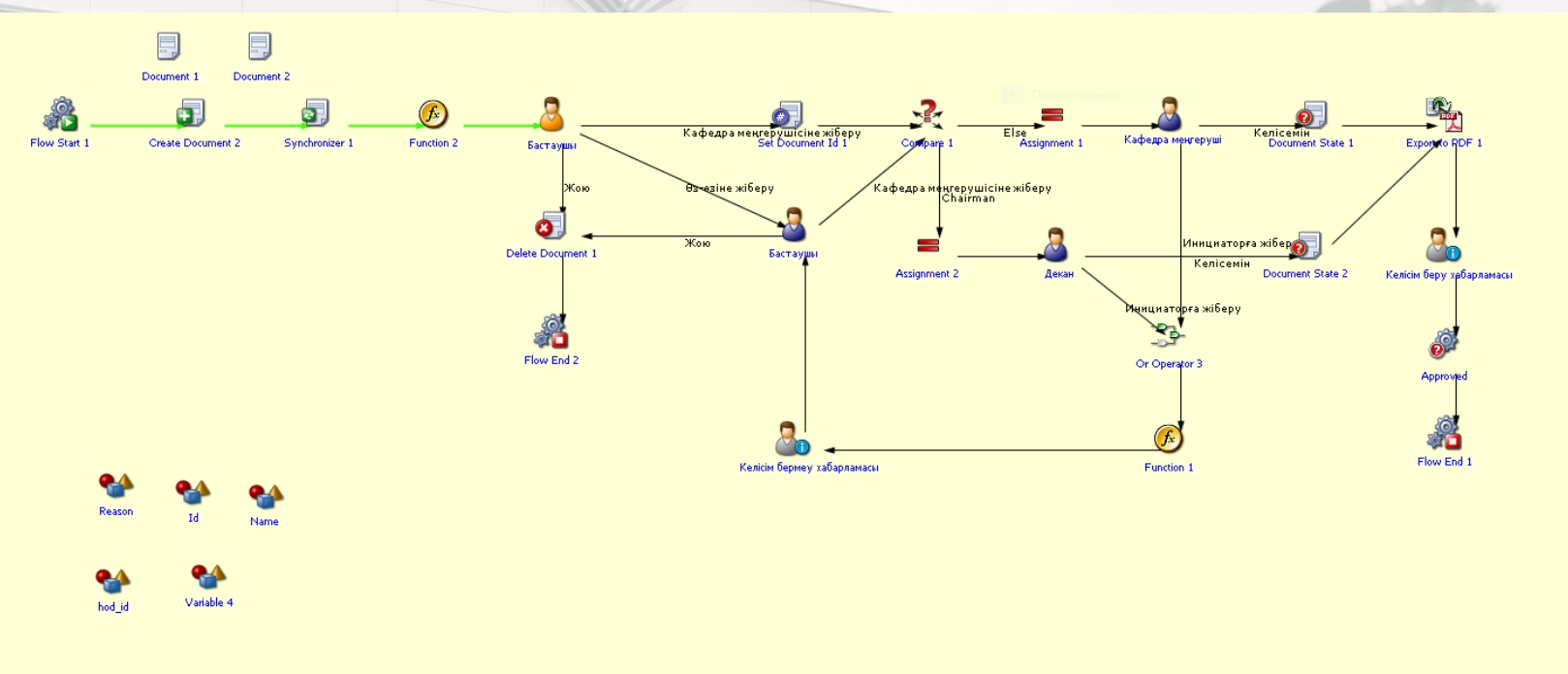
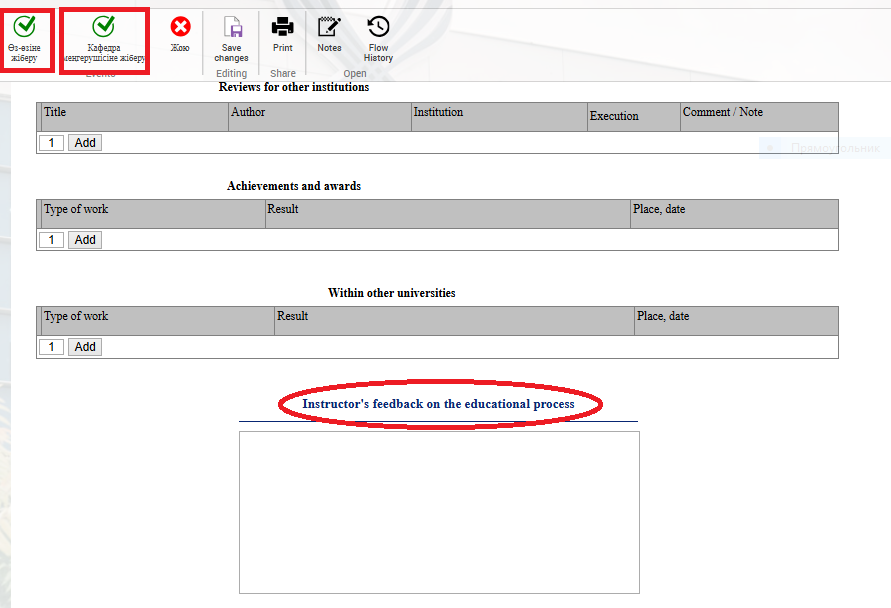
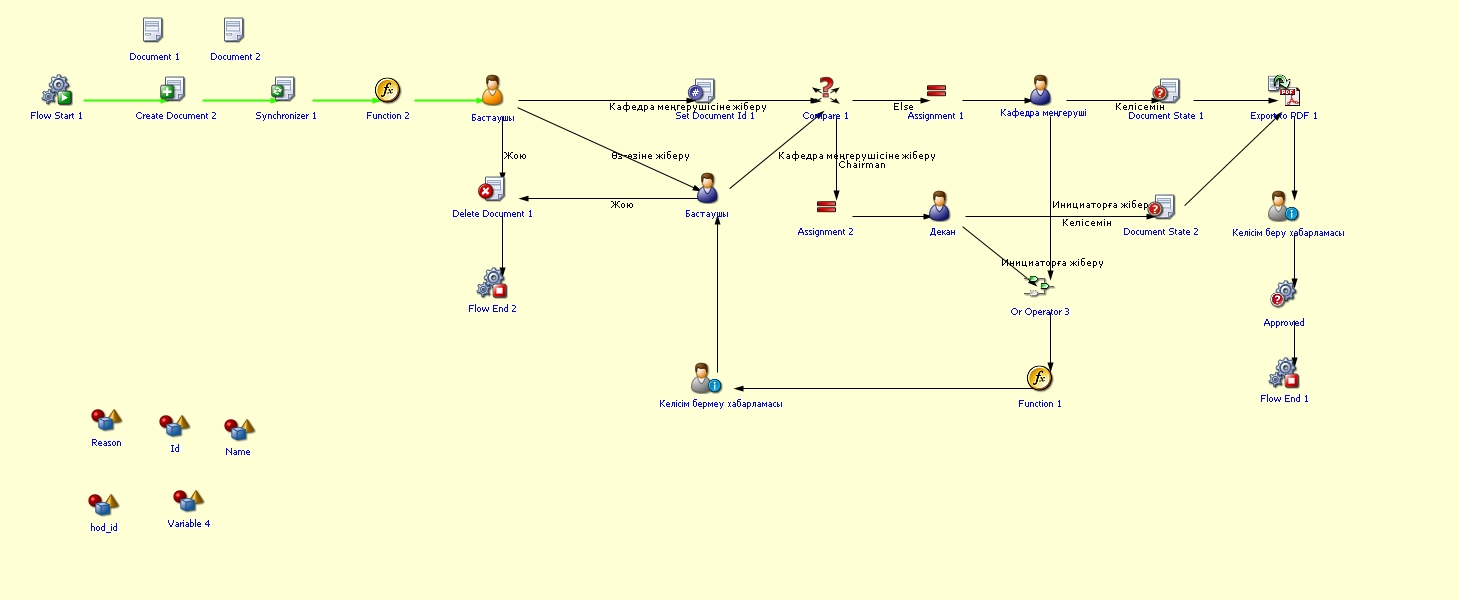
4. After entering the required information, you can choose to send it to yourself or the department head using the "Send to yourself" and "Send to chairman" button. You can also leave your feedback regarding the learning process.
Process guidelines
Кафедралық жұмыс жоспар
Процестің мақсаты және қолданылу жағдайлары
- Кафедраның жылдық жоспарын бекіту
- Оқу, ғылыми-зерттеу, әдістемелік және тәрбие жұмыстарының жоспарларын белгілеу
- Университеттің стратегиялық мақсаттарына сәйкес кафедраның жұмыс бағытын анықтау
Қалай BPM жүйесінде Кафедралық жұмыс жоспары үдерісін толтыра аламын?
Departmental work plan
Process purpose and use cases
This process is used to create and approve the department’s work plan for the academic year. It is applied in the following cases:
-
Approving the department’s annual plan
-
Defining plans for teaching, research, methodological, and educational activities
-
Determining the department’s work directions in line with the university’s strategic goals
How can I initiate the Departmental work plan process in the BPM system?
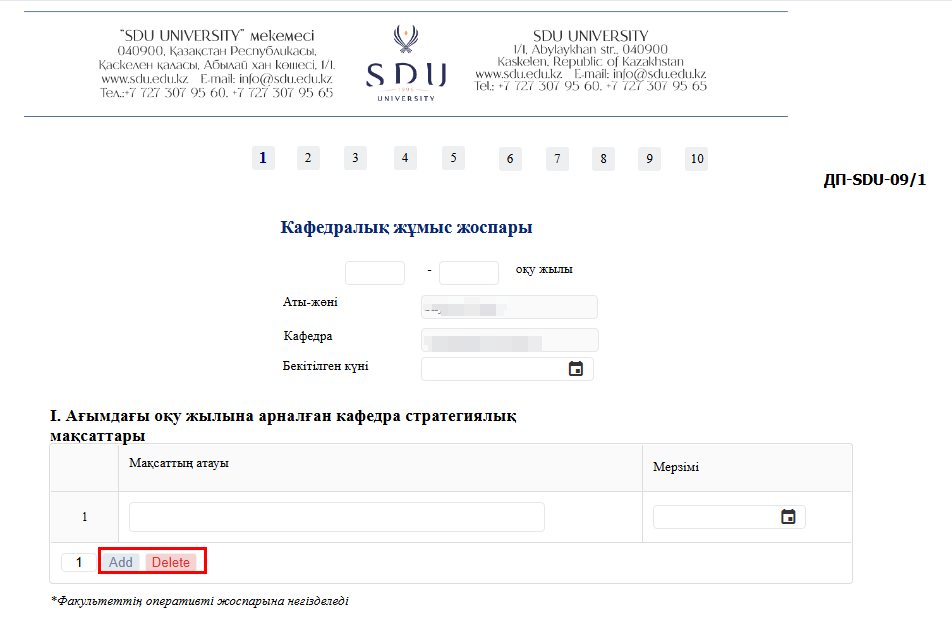
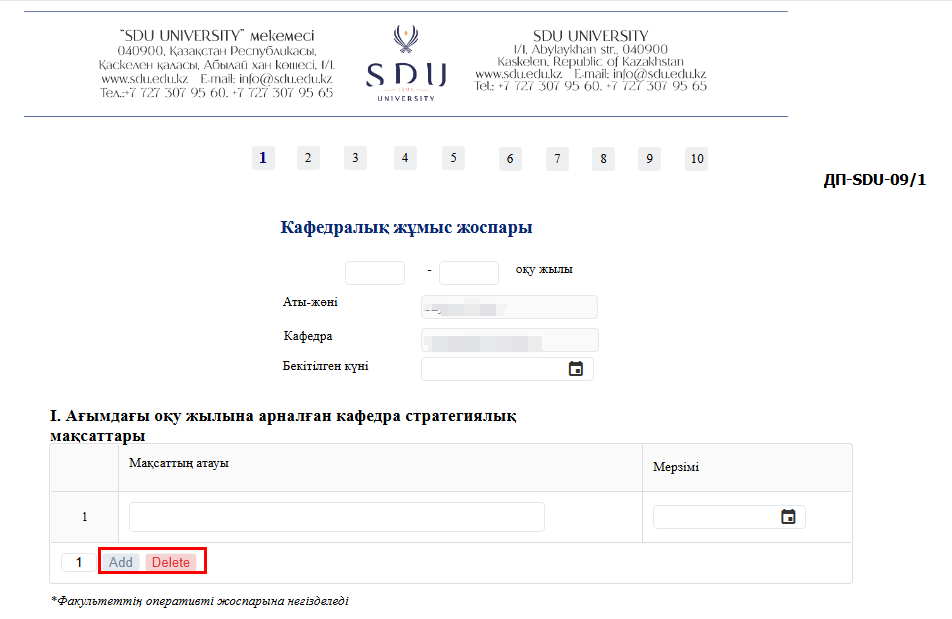
2. The columns in the table must be filled in according to the department’s plan for the academic year. If necessary, new columns can be added or unnecessary ones can be removed.
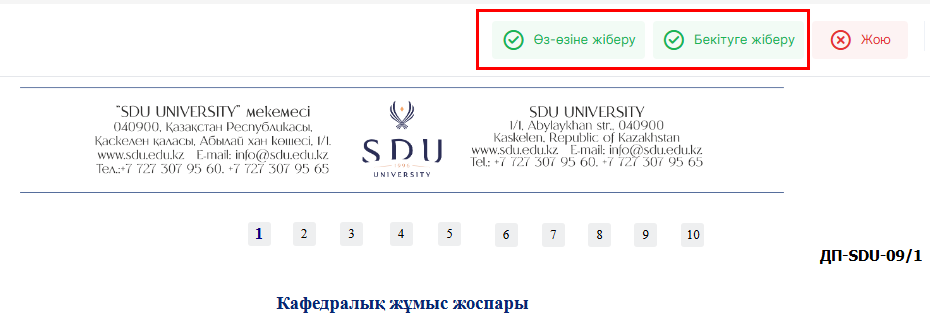
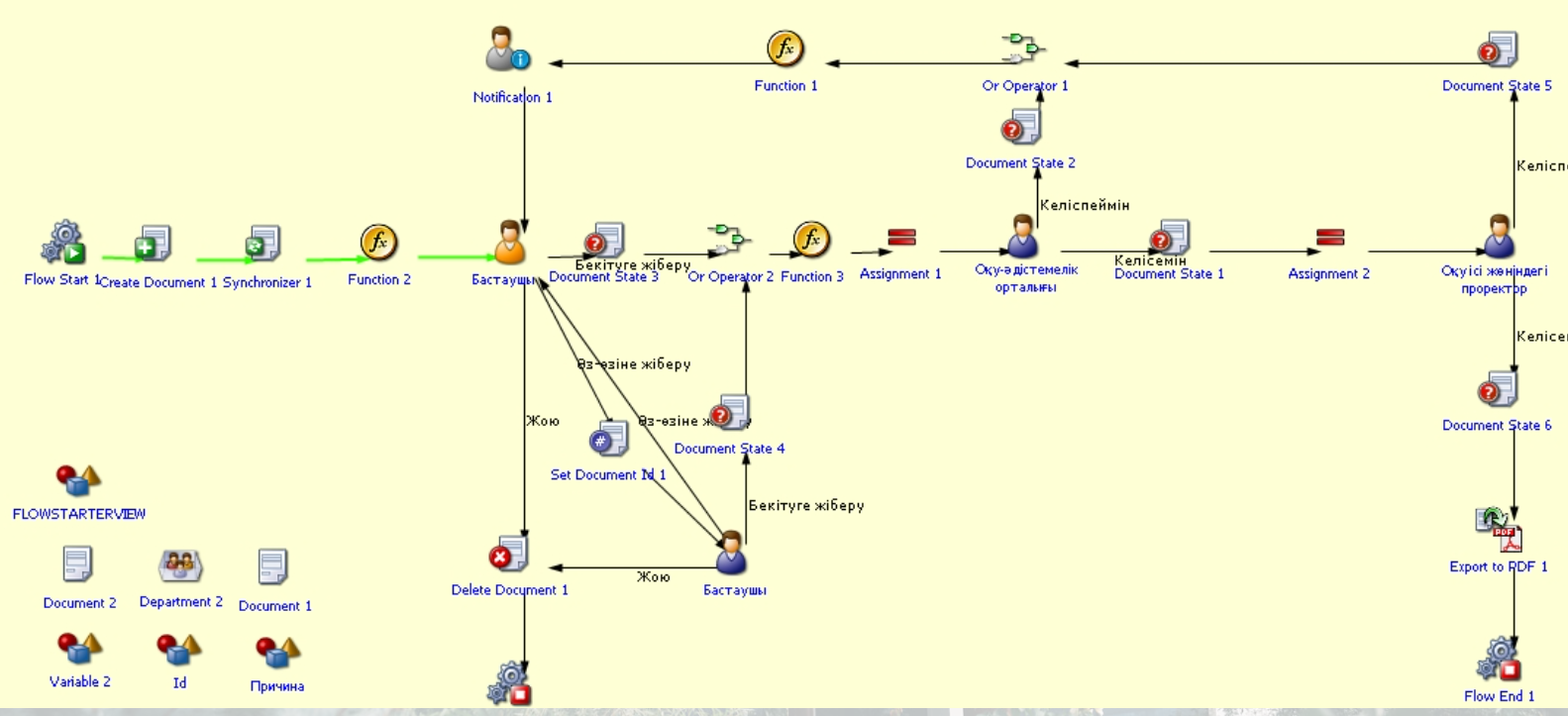
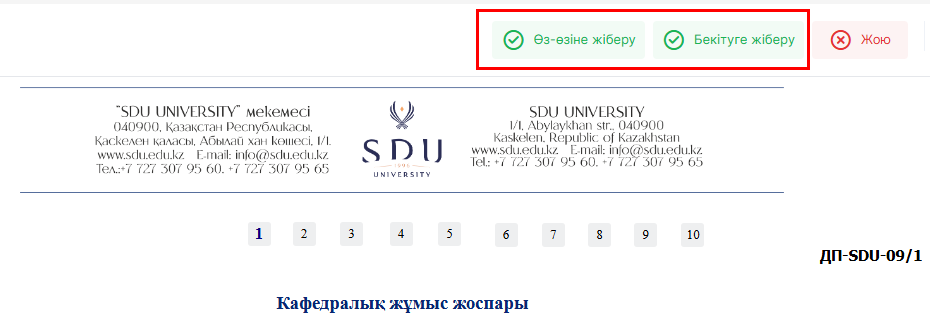
3. After entering the required information, you can use the “Submit” button to choose whether to send it to yourself or to the Head of the Department. You can also leave your comments related to the academic process.
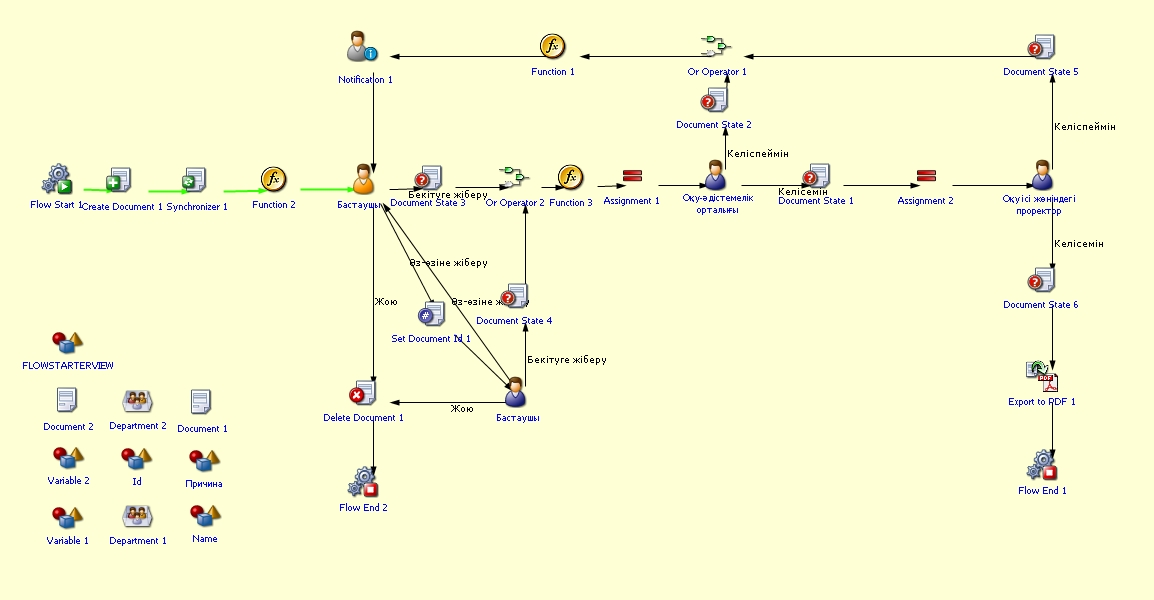
Process guidelines
Кафедраның жылдық есебі
Процестің мақсаты және қолданылу жағдайлары
- Жылдық жоспардың орындалуын бақылау
- Кафедра жұмысы бойынша талдау жүргізу
- Университет әкімшілігіне есеп беру
- Кафедраның болашақ жоспарларын анықтау
Қалай BPM жүйесінде Кафедраның жылдық есебі үдерісін толтыра аламын?
Department's annual report
Process purpose and use cases
-
Monitoring the implementation of the annual plan
-
Conducting analysis of the department’s activities
-
Reporting to the university administration
-
Defining the department’s future plans
How can I initiate the Department's annual report process in the BPM system?
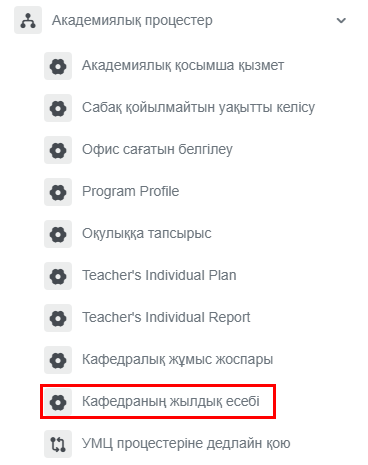
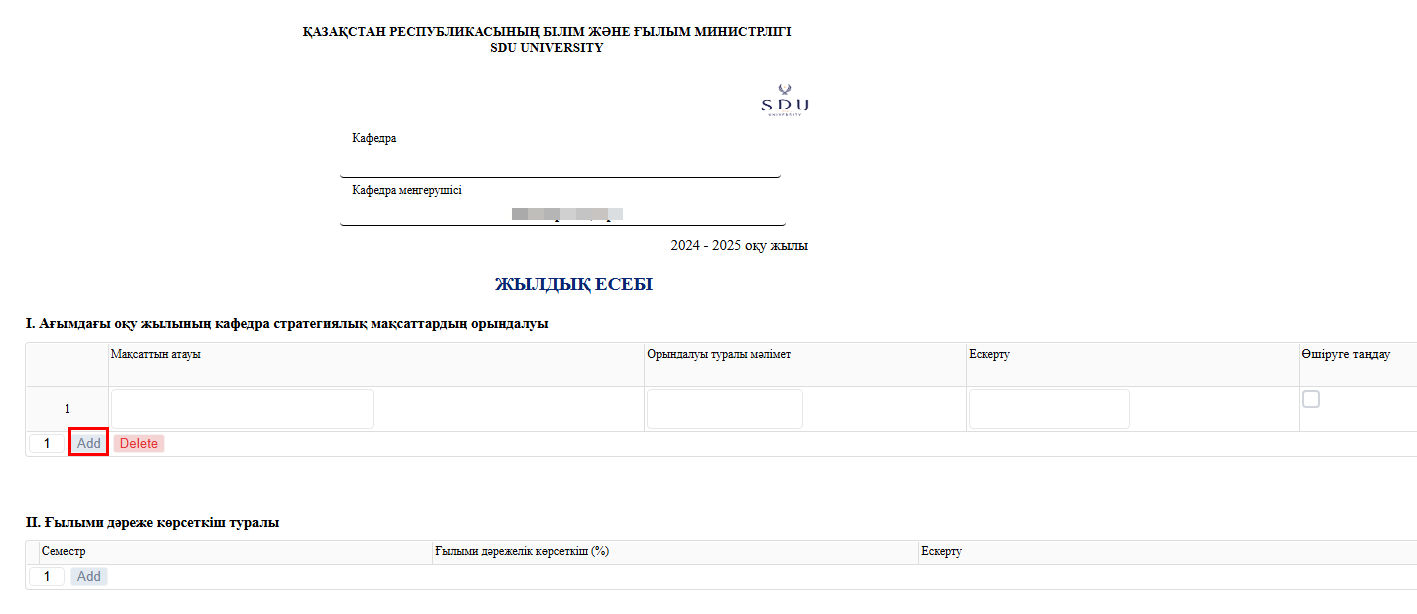
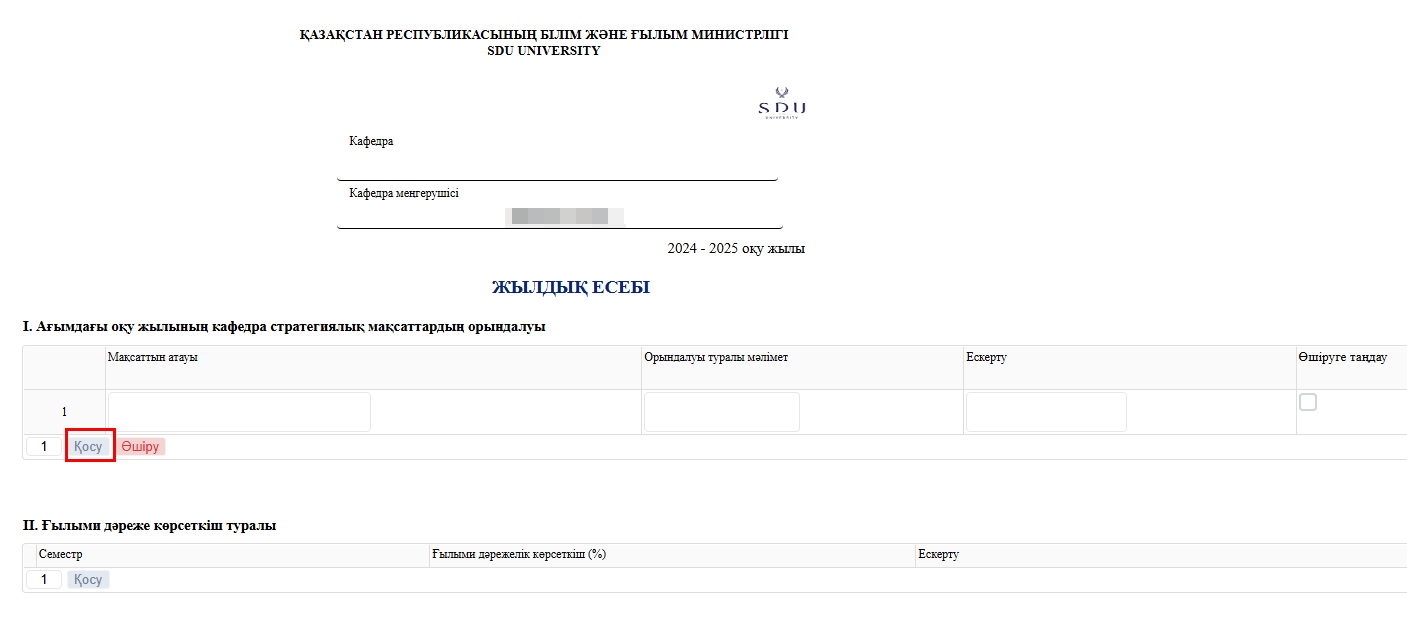
2. The plan you filled in at the beginning of the academic year will be automatically displayed in the table. You can enter information about the current status of the plan’s implementation and add comments.
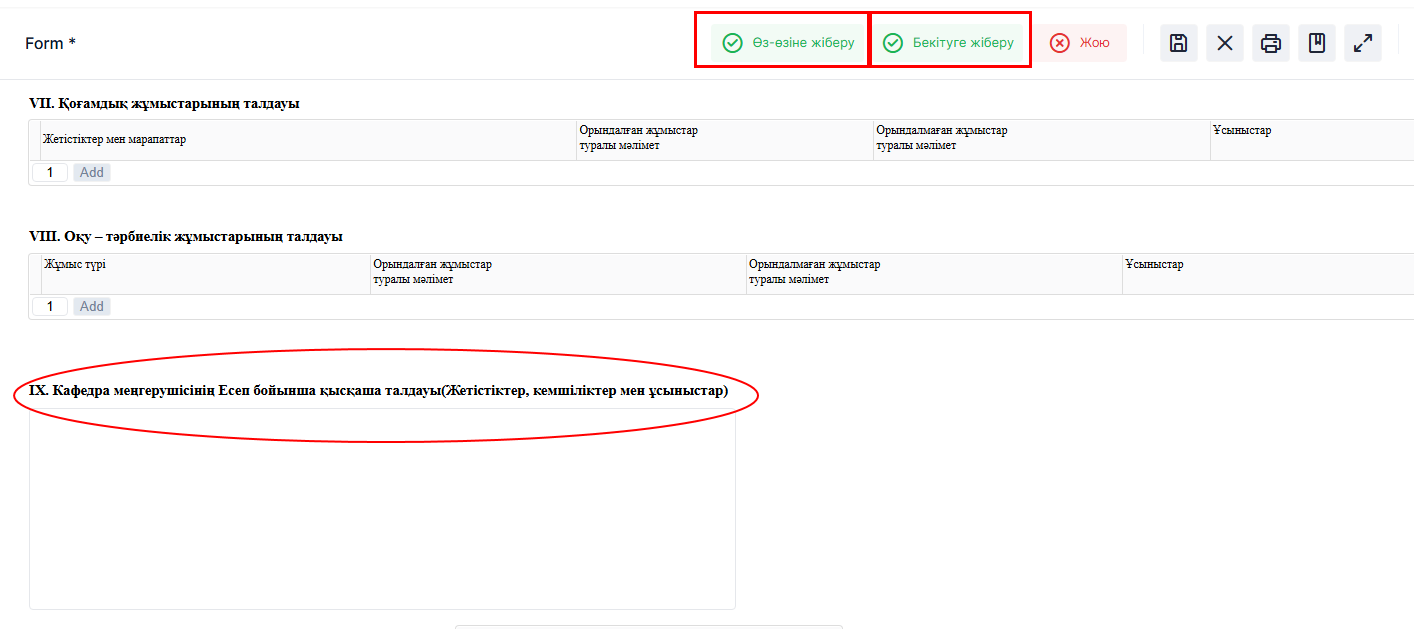
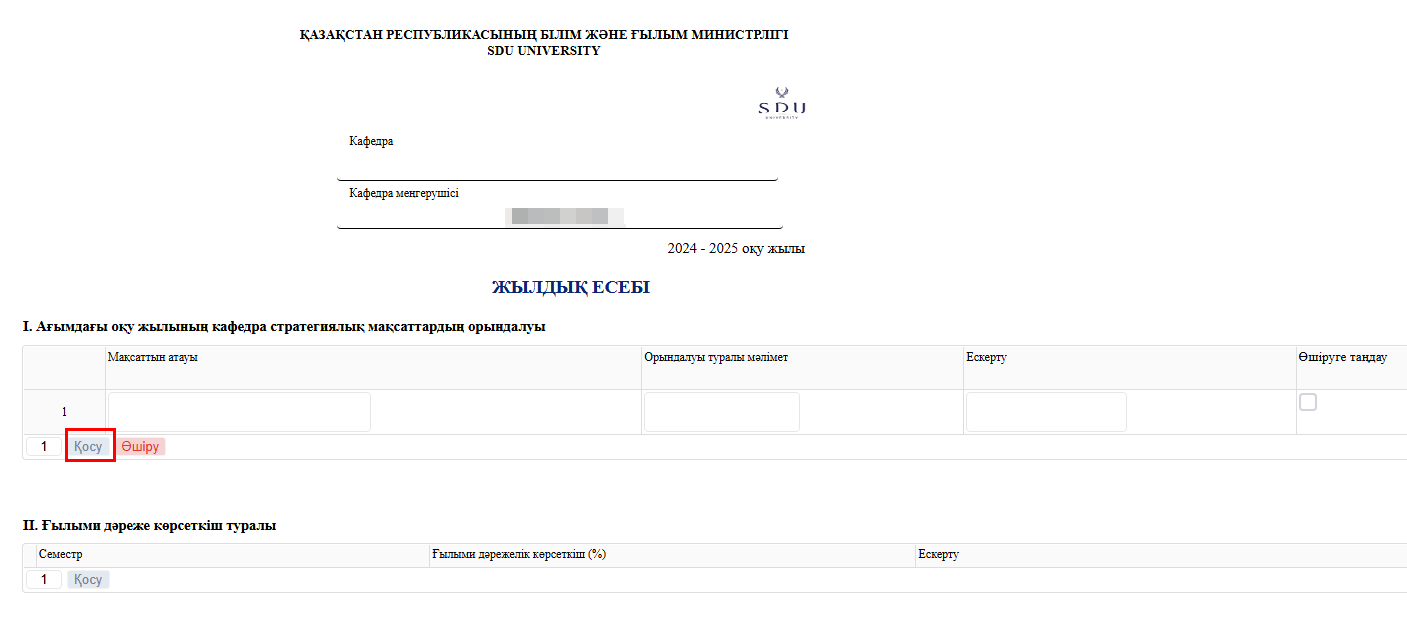
3. 3. After entering the required information, you can use the “Submit” button to choose whether to send it to yourself or for approval. You can also leave a brief analysis of the report.
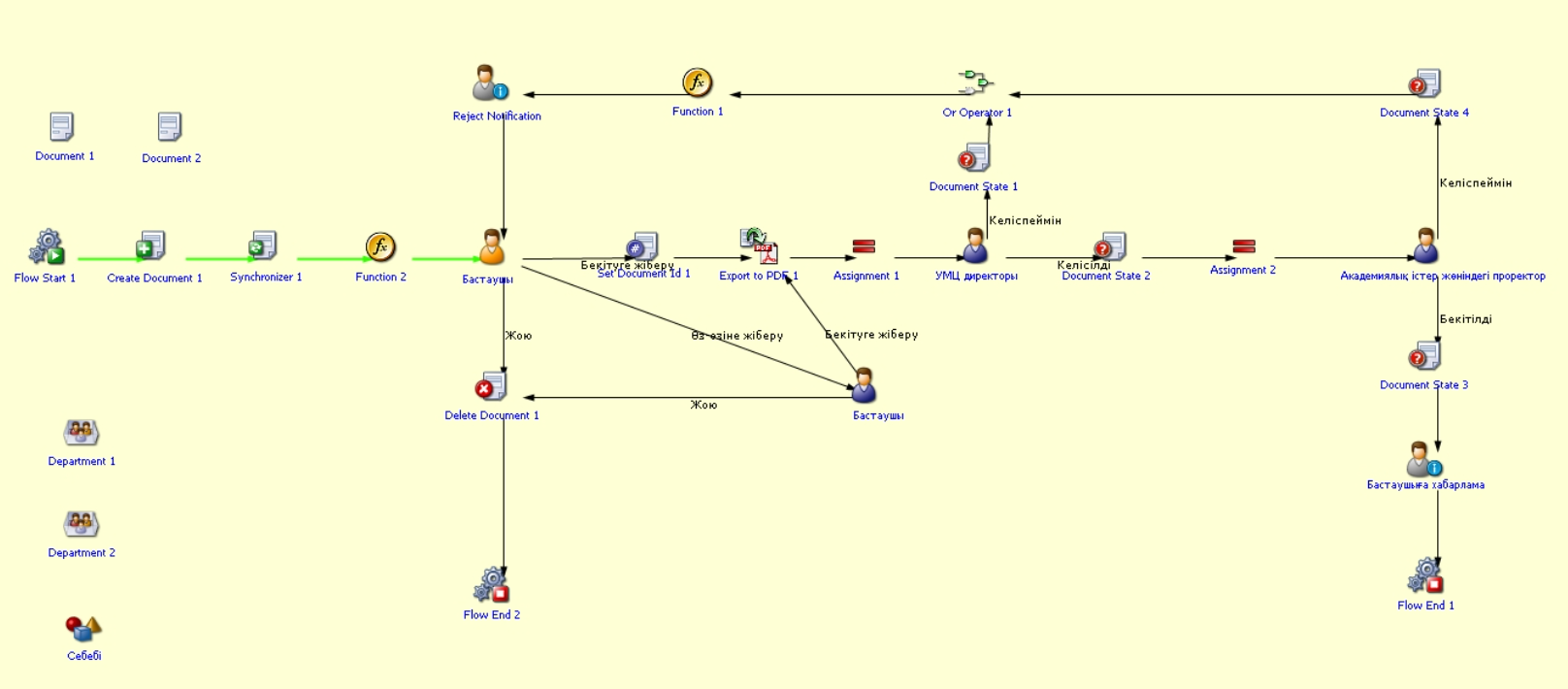
Process guidelines